16
You can control which address should always be delivered, via DHCP, to a specic device on the local network.
The devices are always identied by their respective
MAC
addresses. The available elds are:
»
IP
address: enter the address that should be assigned to the device each time it connects to the router network.
» MAC
address
: enter the
MAC
address of the device that should receive the reserved IP.
» Comment: enter a comment to help identify the device.
After lling in, click the button to add the reservation and the button
Save
to save the settings.
The reserved addresses on the
DHCP
server can be viewed on this same page, in the list below the elds used to add
the records. To delete a rule just click .
Port forwarding
Port forwarding conguration
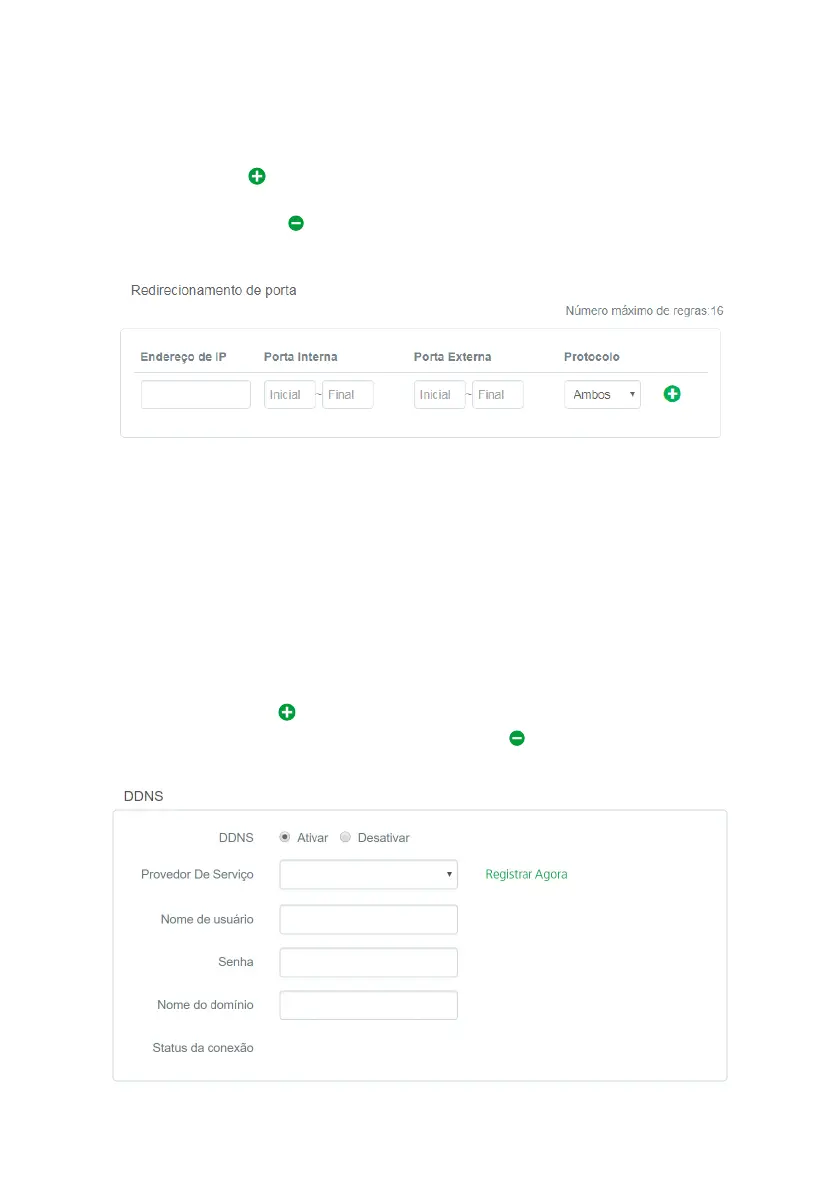
Port forwarding is used to release Internet access to specic ports of your local area network (LAN) devices.
To add a new rule, ll in the elds according to the following guidelines.
» IP Address:
this must be the IP address of the device on your internal network that will receive the forwarded trafc.
» Internal Port: these elds must indicate the port or range of ports used by the device application reported in the eld
IP
Address
.
» External Port: these elds must indicate the port or range of ports that will concentrate the Internet trafc that will be
directed to the ports reported in the eld
Internal Port
of the device reported in the eld
IP Address
.
» Protocol: indicates the transport protocol to be used. You need to conrm this information for the forwarding to be succes-
sful. The options are
TCP
,
UDP
and
TCP&UDP
. If you want to forward both protocols (
TCP
and
UDP
) to the same destination,
you must select
Both
.
After completing the elds, click on .
The list of rules created will appear right below. To delete a rule just click .
DDNS
DDNS conguration



 To Next Page