8
The router will apply the settings and then you will be directed to the main page of the router (status page).
Important: if you are accessing RF 301K via Wi-Fi, wait until it applies the settings and then connect to your new
network, which was created in the previous steps.
At this point, your router will already be congured. Test your connection to the
Wi-Fi
network and the internet. If
there are any problems, follow the step-by-step conguration again. If the problem persists, please contact our support.
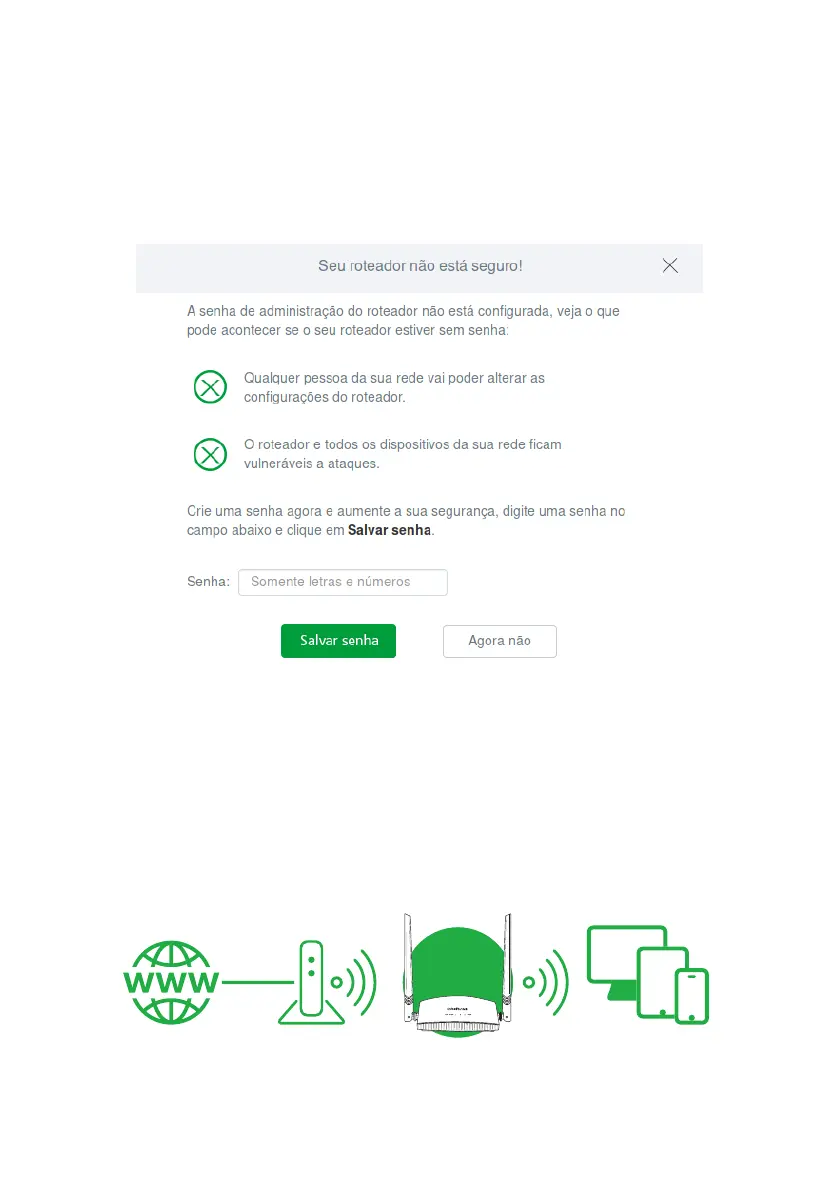
When entering the conguration page for the rst time, RF 301K will prompt you for a password to access the product
conguration web interface. For further security, we recommend entering a password in the eld
Password
and click on
Save password
.
Warning screen for registering router password
4.2. Conguration in other scenarios for product use
Next, we will describe other RF 301K use scenarios, with its respective settings.
For these other modes, you will always use the advanced router settings, accessible only after performing the congu-
ration via the installation wizard described in item
4.1. Conguração via assistente de instalação
.
Wireless repeater
If you already have a
Wi-Fi
network in your home, but want to extend your coverage, you can use your RF 301K as a
signal repeater.
ModemInternet
Roteador
Example of Repeater mode scenario



 To Next Page