14
4.6. Band control menu
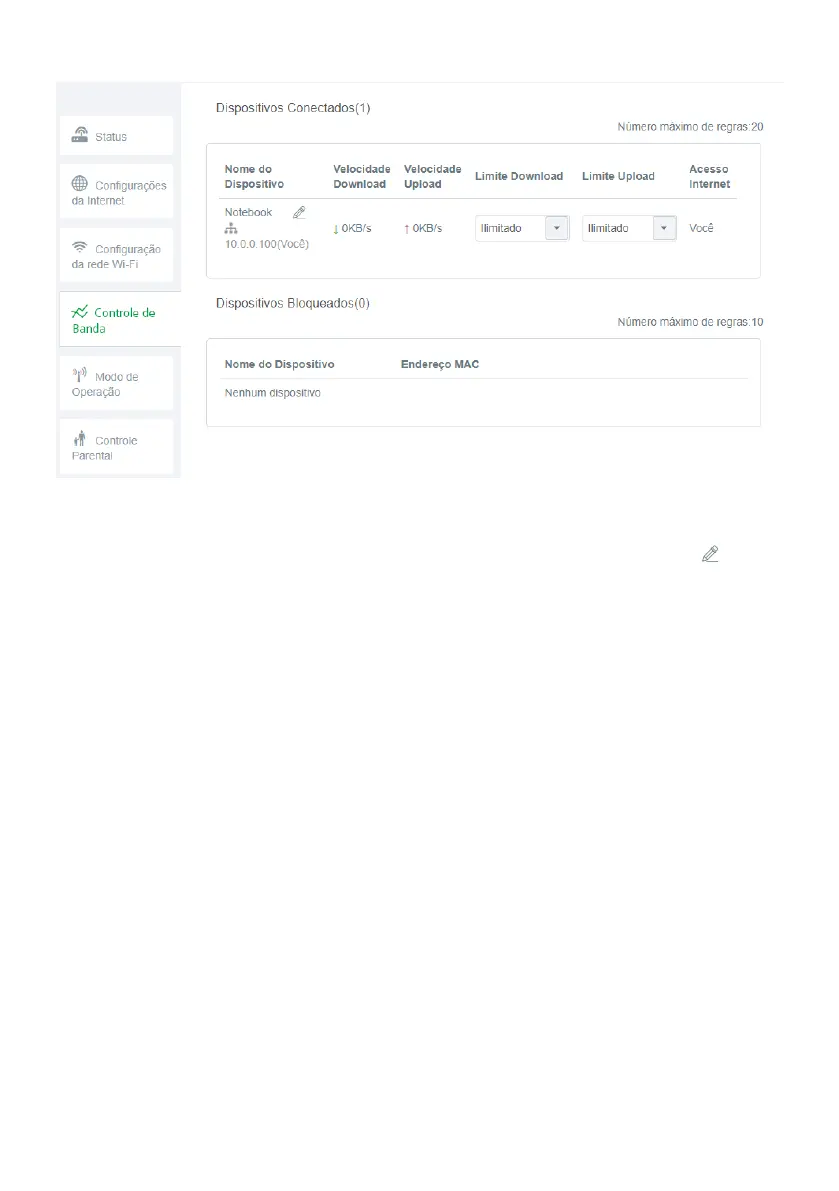
Band control conguration screen
Band control allows you to set your Internet speed use priorities.
» Device name: displays the device name and its
IP
address. The device name can be changed by clicking .
» Download Speed: informs the current download consumption of the device.
» Upload speed: informs the current upload consumption of the device.
» Download limit: informs the maximum download speed, in kilobytes per second, for the selected device. Select
Unlimi-
ted
if you want the device to be able to use the download band of your internet without limitation.
» Upload limit: informs the maximum upload speed. in kilobytes per second, for the selected device. Select
Unlimited
if
you want the device to be able to use the upload band of your internet without limitation.
» Internet access: allows you to block the device from accessing the Internet.
» Blocked devices: displays the blocked devices. To unblock a device click
Remove
, after lling in the information, click
Save
to apply the changes made.



 To Next Page