11
Attention:
after nishing conguring the
Repeater
mode
, RF 301K will not repeat exactly the same
Wi-Fi
network name and
password that you have congured in the repeater, that is, the access to the
Wi-Fi
network
will be done with a name and password
previously congured via the installation wizard or the menu
Wi-Fi Network Conguration
of the RF 301K. You can change these values
if you wish, by accessing the RF 301K web interface again and setting the desired values in the menu
Wi-Fi Network Conguration
.
Access point
If used in operation mode
Access point
, the product will not perform routing, but will only serve to provide Wi-Fi and
cable access to an existing network. In this usage scenario, the
WAN
port of the product will start functioning as LAN
port.
To congure the product in
Access Point
mode , follow the procedure below:
1. Access the product's conguration web interface and navigate to the menu
Operation Mode
;
2. Select the option
Access Point
;
3. Click on
Save
and then
Save again
in the warning message.
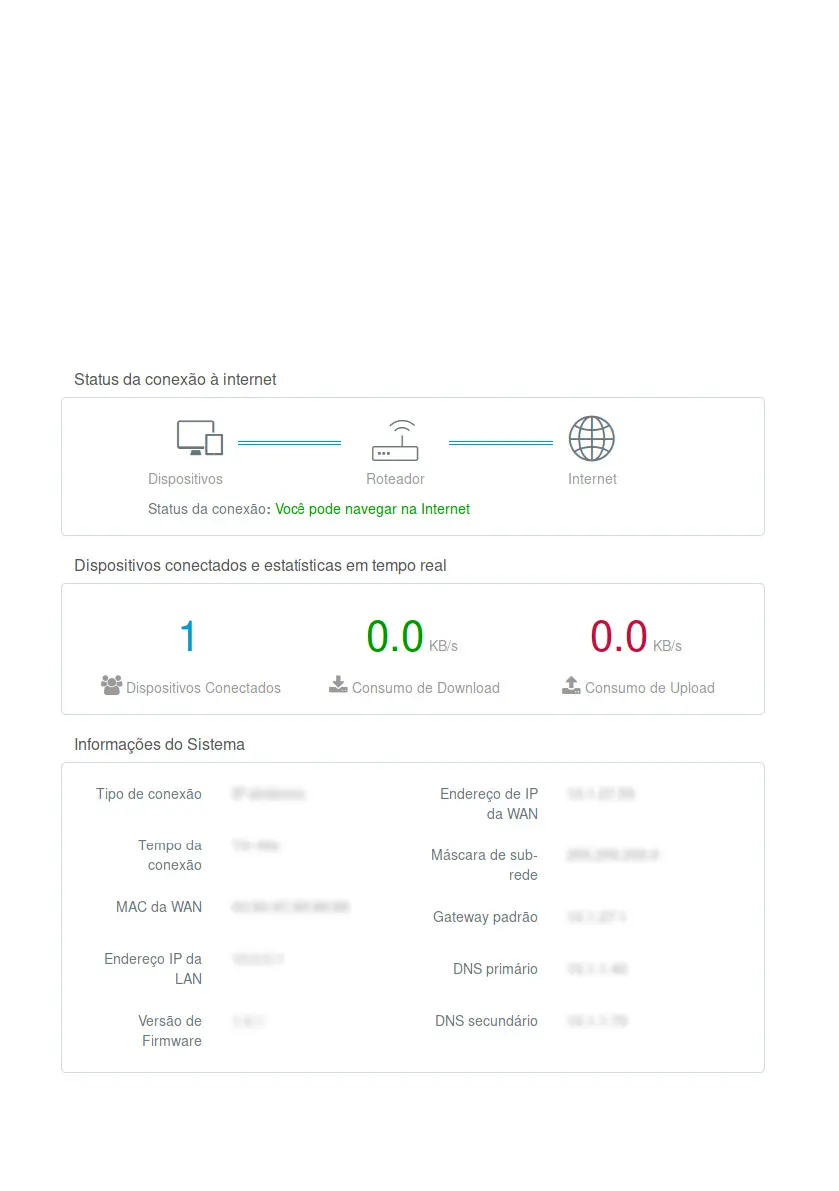
4.3. Status menu
RF 301K Status Screen



 To Next Page