10
To congure the product as a wireless repeater for an existing
Wi-Fi
network, do the following:
1. Enable the function
Repeater
selecting the option
Wireless repeater
;
2. Wait until the available networks are displayed on the screen;
3. Select the
Wi-Fi
network you wish to repeat;
4. If the selected network requires a password, enter it in the eld
Password of the Wi-Fi selected
;
5. Click on
Save
and then
Save again
in the warning message.
Attention: after nishing the conguration of the
Repeater
mode, RF 301K will not repeat exactly the same
Wi-Fi
network name
and password that you have congured, i.e., it will be the same values that were already congured via the installation wizard or
menu
Wi-Fi Network Conguration
. You can change these values if you wish, by accessing the RF 301K web interface again and setting
the desired values in the menu
Wi-Fi Network Conguration
.
Wireless client
If you have a
Wi-Fi
network and wish to create another separate network connected to your main network via a wire-
less connection, you can use the function
Wireless client
.
In this mode of operation, you will not need to connect the network cable to the port
WAN
of RF 301K. The product
will connect via Wi-Fi to an existing network.
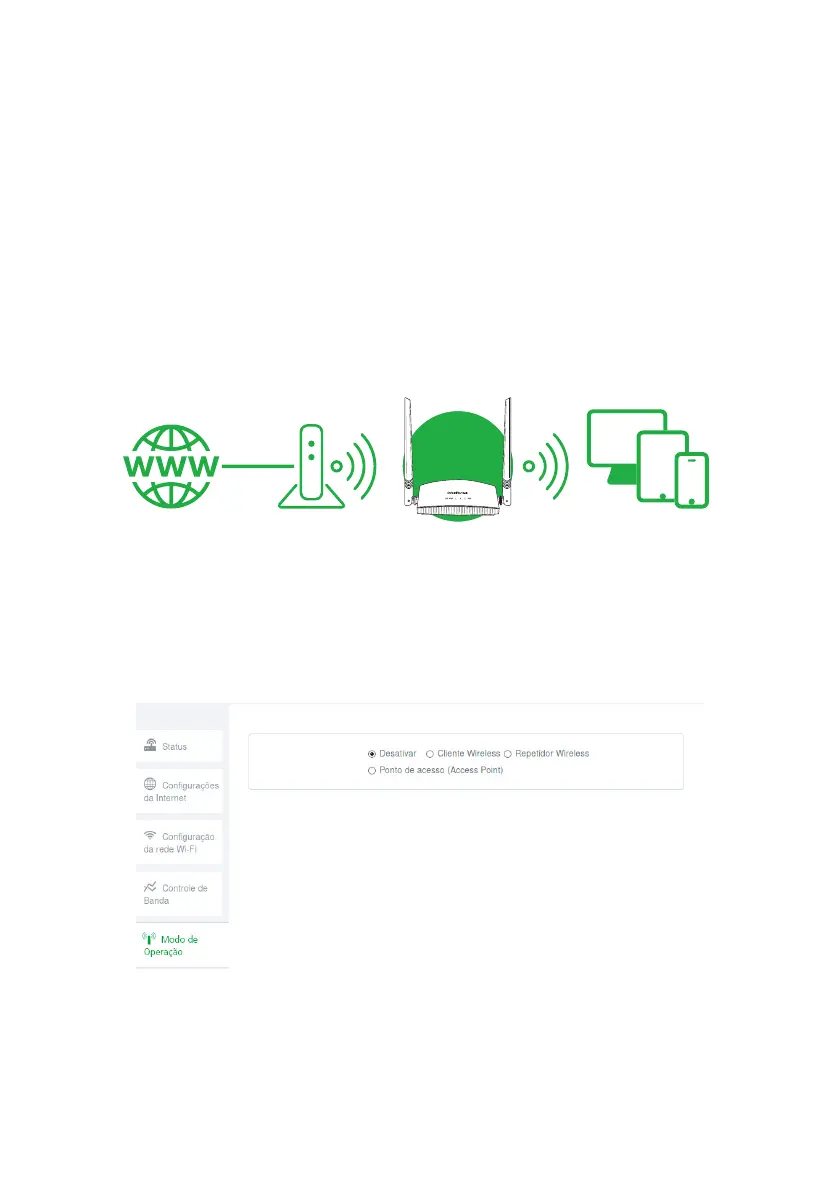
ModemInternet
Roteador
Example of Wireless client mode scenario
See the following sample image:
Attention: in this scenario, the
Main
network and the
Client
network will be on different
IP
addresses. If the
Main
network has the
same address range as RF 301K LAN, conict will occur. RF 301K is prepared to recognize this conict and change its LAN address if
necessary. To do so, follow the web interface guidelines if this occurs. The conguration of this operation mode is available in the menu
Operation Mode
of the RF 301K web interface.
Operation mode conguration screen
To congure the product as a
wireless Client
of an existing
Wi-Fi
network , follow the procedure:
1. Enable the function by selecting the option
Wireless Client
;
2. Wait until the available networks are displayed on the screen;
3. Select the
Wi-Fi
network you wish to connect to;
4. If the selected network requires a password, enter it in the eld
Password of the Wi-Fi selected
;
5. Click on
Save
and then
Save again
in the warning message.



 To Next Page