17
Through the DDNS feature you can add a dynamic
No-IP
and
DynDNS
service host to your router.
You must register your information directly on the website of one of the services, and then inform in the router the
parameters for authentication.
Tip: to access the page of each of the servers (
DynDNS
and
No-IP
), you can click on the link
Register now
of the web
interface, after selecting the service in the eld
Service Provider
.
Fill in the information according to the host registration at your preferred provider and click
Save
.
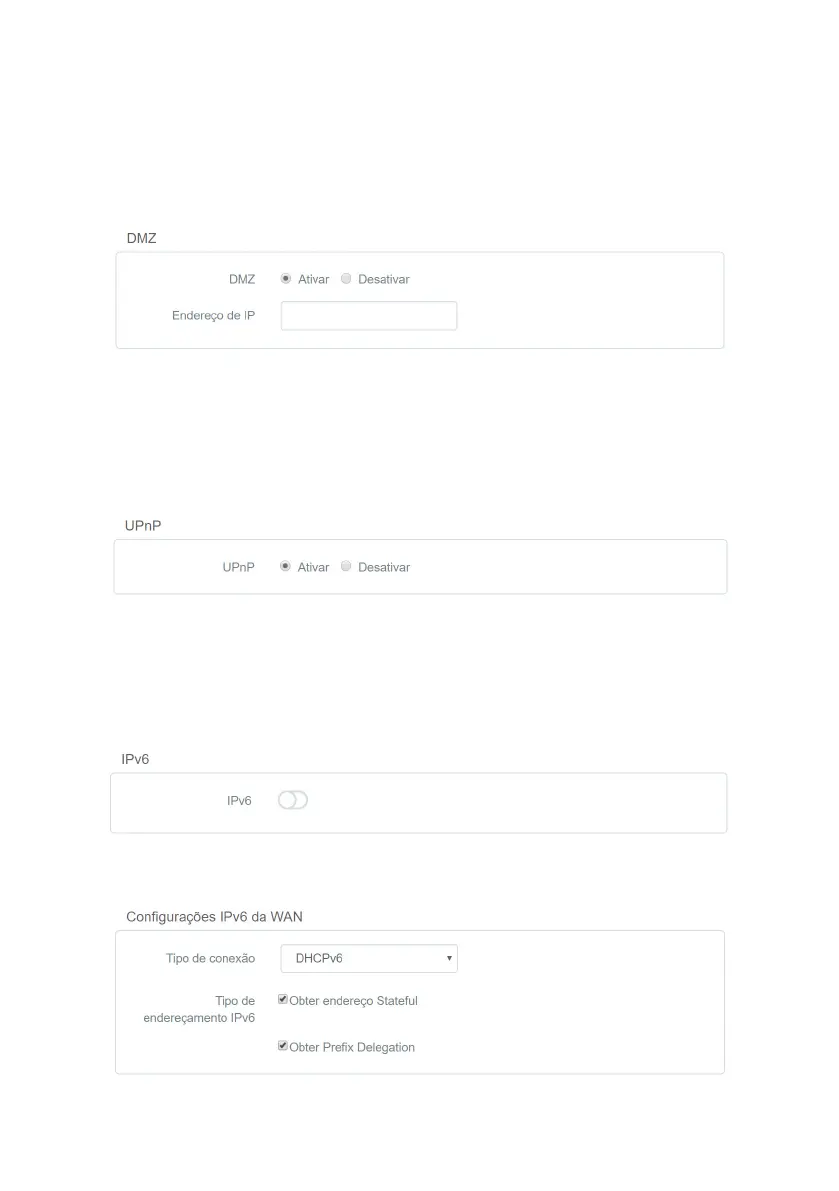
DMZ
DMZ conguration
This feature allows you to set up a device on your network to receive all connection requests received via the Internet
(
WAN
interface) and that do not have any specic forwarding rules.
To set a device as
DMZ
, enable the function through the option
Enable
, ll in the eld
IP Address
with the address of
the device you want to turn into a DMZ and click
Save
.
UPnP
UPnP conguration
UPnP allows applications to request port forwarding to the router automatically. This option is enabled by
default
. If you
want to disable it, check the option
Disable
and click
Save
.
4.9. IPv6 Menu
In the menu
IPv6
you can congure IPv6 addressing options. To enable the use of IPv6, select the option
IPv6
.
Option to enable IPv6
WAN IPv6 Settings
WAN IPv6 Settings



 To Next Page