18
WAN IPv6 Settings groups the settings related to your
IPv6
Internet connection. Below we will explain each available
option.
» Connection type: there are 3 possible connection modes:
» DHCPv6: use this mode if your connection details are provided automatically through a
DHCPv6
server.
» PPPoE: use this mode if your Internet access requires authentication via PPPoE. In this mode you need a user and
password to authenticate with your operator or ISP.
» Static IPv6: use this mode if your Internet access is provided via a static
IPv6
address.
All information for the conguration in this mode must be provided by your Internet operator.
» Obtain a Stateful address: if your operator or ISP delivers the address via DHCPv6 Stateful, check this option.
» Obtain Prex Delegation: if your operator or ISP delivers the LAN prex via Prex Delegation, check this option.
Note: the options
Obtain Stateful Address
and
Obtain Prex Delegation
are only displayed for the modes
PPPoEv6
and
DHCPv6
.
When you nish the settings, click on the button
Save
to apply the changes.
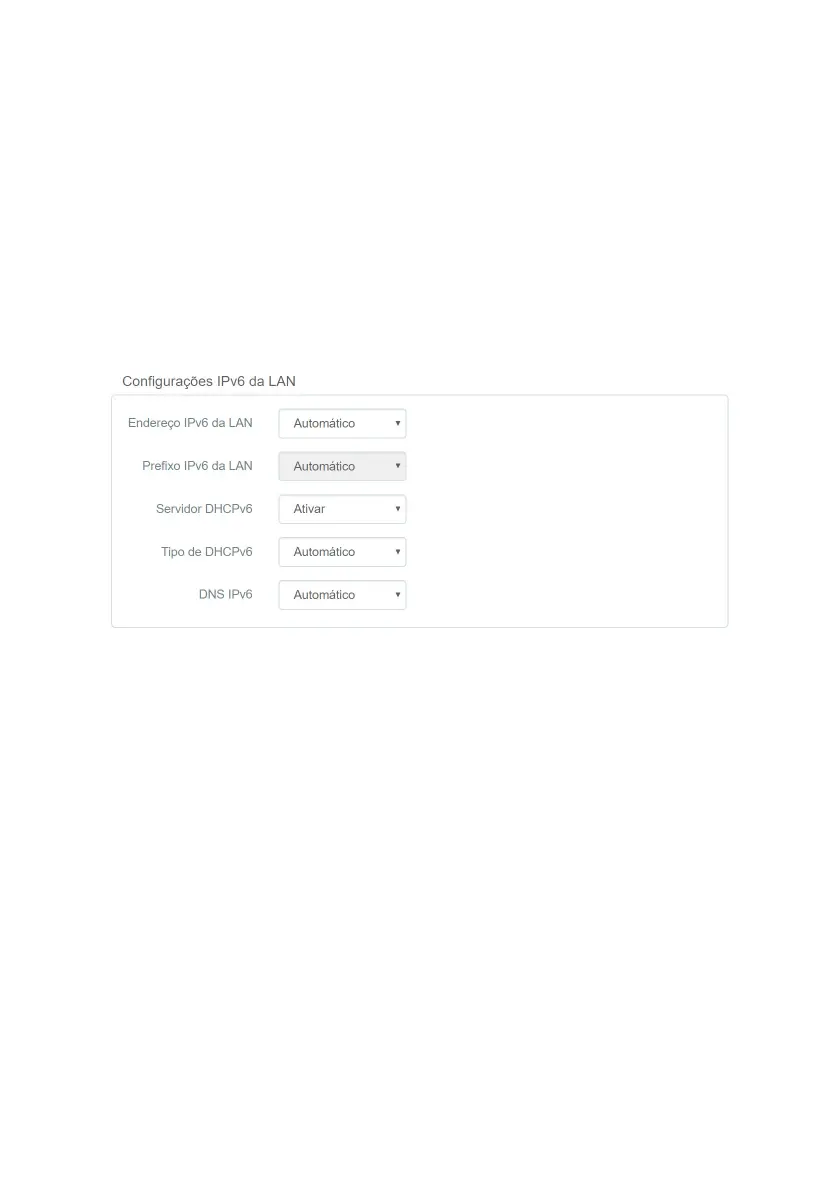
LAN IPv6 Settings
LAN IPv6 Settings
The LAN IPv6 settings menu groups the settings related to your
IPv6
connection on the router LAN. Below we will
explain each available option.
» LAN IPv6
address
: allows you to congure the LAN
IPv6
address of the router. Select
Manual
if you want to congure
a specic
IPv6
address.
» LAN IPv6
address
: allows you to congure the LAN prex
IPv6
of your router. Select
Manual
if you want to congure
a specic prex. Depending on the type of connection used on the WAN, you may need to congure a prex reported
by your operator or ISP.
»
DHCPv6
server: allows you to enable or disable the
DHCPv6
server on the router LAN.
» Type of DHCPv6: allows you to choose how the
DHCPv6
server will deliver the
IPv6
addresses to the devices on the
router’s LAN. Choose
Manual
if you want to congure a specic address range.
» DNS IPv6: allows you to congure the
DNS
servers that will be sent to the devices on the router’s LAN. Choose
Manual
if you want to use specic
DNS
servers.
When you nish the settings, click on the button
Save
to apply the changes.



 To Next Page