
 Need help?
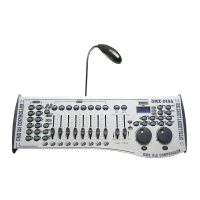
Do you have a question about the Intelligent lighting DMX-240A, DMX-240B and is the answer not in the manual?
Important safety precautions for installation, usage, and maintenance.
Steps to connect the power supply and DMX cables.
How to assign DMX starting addresses to fixtures.
Assigning Pan/Tilt channels and re-assigning faders to fixture attributes.
Controlling scanners directly using faders and wheel.
Detailed steps for creating and managing static lighting scenes.
Steps to create and play back chase sequences.
Controlling the unit via MIDI commands.
Explanation of the DMX-512 protocol and addressing.
 Power
Power| operating range voltage | 9V-12V |
|---|---|
| operating range current | 500mA |
 Operating Environment
| maximum ambient temperature | 45 C |
|---|
 Ports & interfaces
| data input | locking 3-pin XLR male socket |
|---|---|
| data output | locking 3-pin XLR female socket |
| data pin configuration | pin 1 shield, pin 2 (-), pin 3 (+) |
 Weight and Dimensions
| weight | 3.5 Kg |
|---|

 To Next Page