D-0128842-E – 2023/10
Luna - Instructions for Use - US Page 12
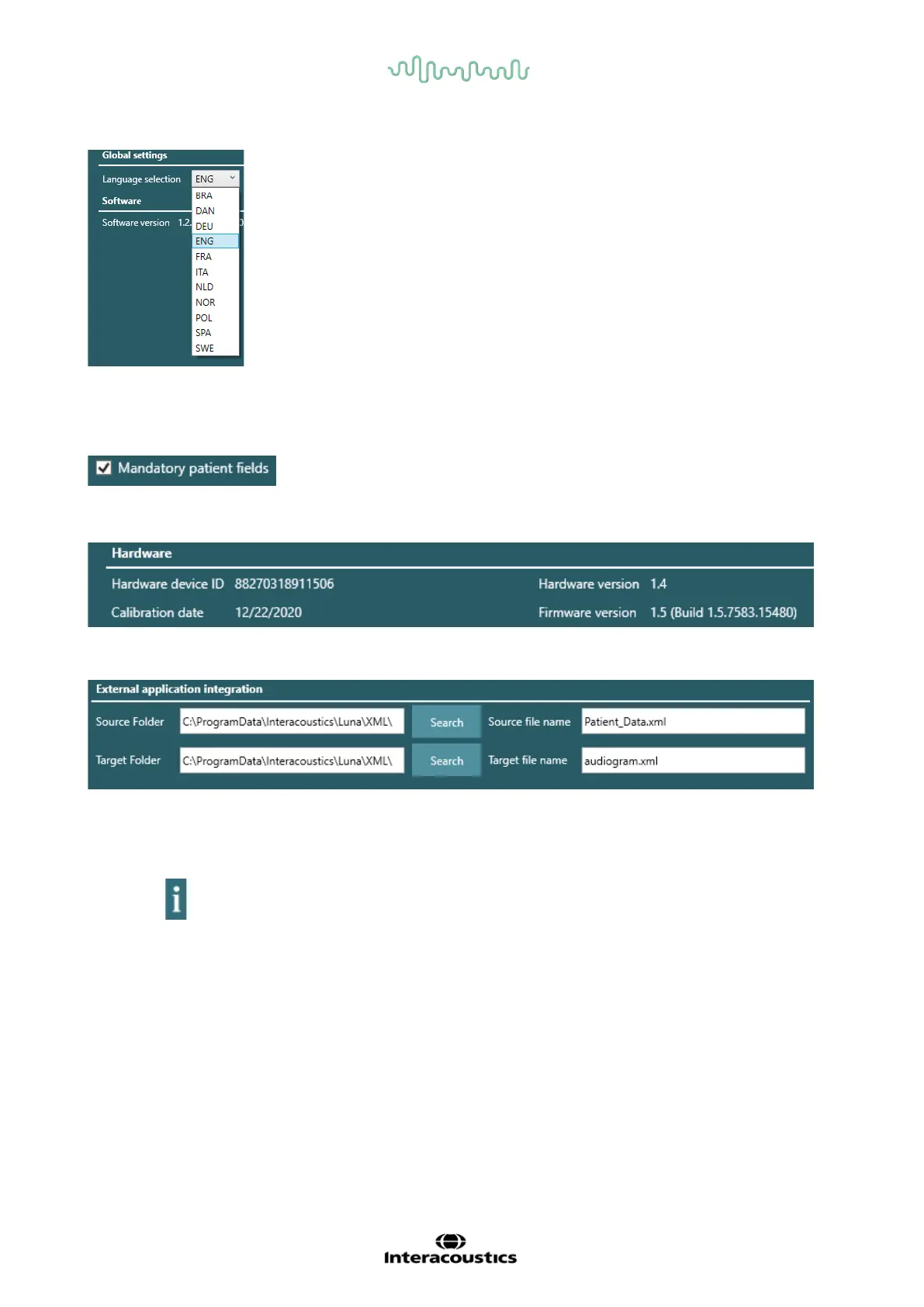
Language selection is a drop-down menu with all available languages for the Suite.
When changing the language, the Suite must be closed and restarted before changes are made.
When checked off, the mandatory fields for operator and patient are no
longer marked red, and operator and patient can be created without any mandatory fields.
This field will show information regarding the headset and Suite.
Here it is possible to change the folder to where patient data can be exported. When search is clicked, a
new pop-up window from Windows File Explorer will open, and it is possible to choose a path directly on
the PC.
By clicking in the top bar, the Instructions for Use will open in a new window in the language selected
under global settings.



 To Next Page