D-0128842-E – 2023/10
Luna - Instructions for Use - US Page 19
Hearing loss index
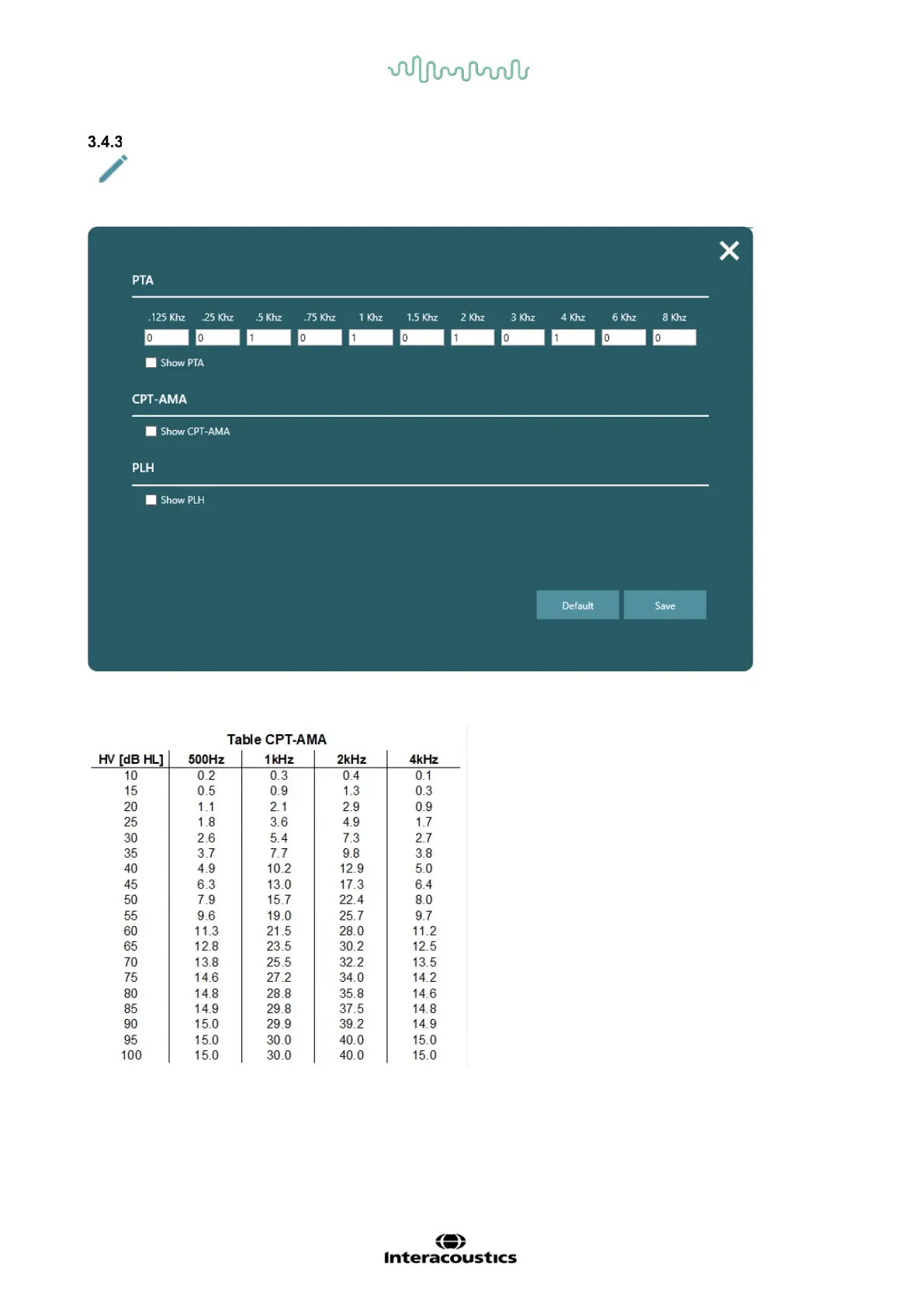
By clicking the pen in application settings, a new pop-up window will appear with setting for PTA,
CPT-AMA, PLH.
PTA can be weighed as the clinic wishes. By default, it is set for 1 at 500 Hz, 1, 2 and 4 kHz.
CPT-AMA will be calculated according to below table:
PLH shift from baseline, which is an initial test. PLH is evaluated by comparing two sets of tests based on
the PLH table.



 To Next Page