D-0128842-E – 2023/10
Luna - Instructions for Use - US Page 23
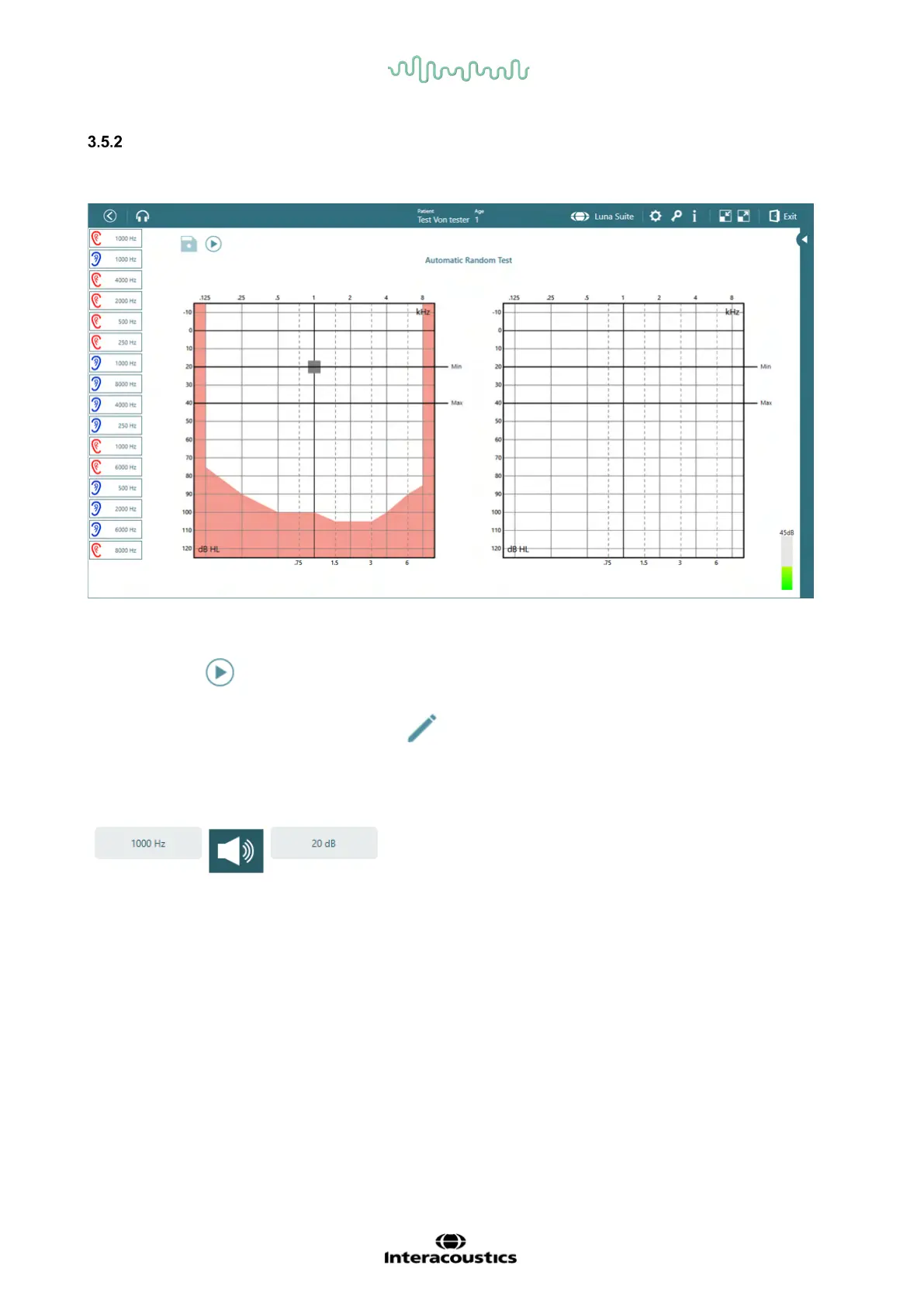
Automatic Random Test
With the Automatic Random Test, it is possible to do an automatic test where both frequencies and test
ear are randomized to minimize the patient’s ability to predict where the tone will be presented next.
Selected frequencies are shown in the left side bar.
The minimum and maximum levels are marked with black lines in the audiogram to indicate the test
section.
To start the test, must be clicked. When the test is running, the button will change to pause option.
When the test is complete, the floppy disk icon will be available to click to save the results.
Next to the floppy disk, will be an edit symbol which will allow the user to retest the frequencies, if
there are any doubts about the result.
At the bottom of the screen, a small panel will appear where the tone can be activated by clicking the
microphone, and the frequencies can be changed by using the mouse or by touch to place the marker to
selected frequency and intensity.



 To Next Page