D-0128842-E – 2023/10
Luna - Instructions for Use - US Page 15
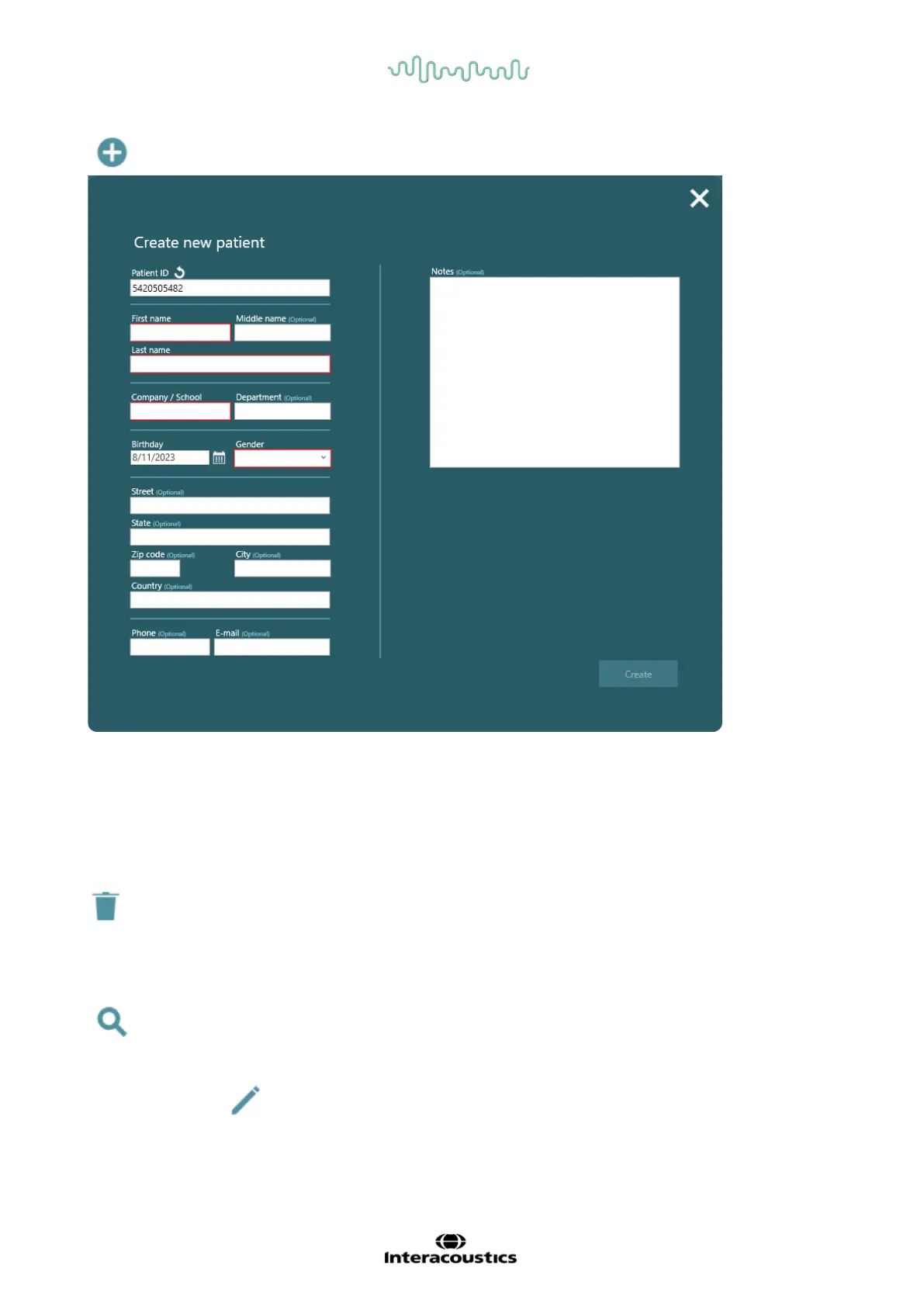
Create new patient – A new pop-up window opens, when this is clicked.
- If Mandatory patient fields are checked under settings, mandatory fields marked with red need to
be filled before the “Create” button will be active.
- Notes written in here will only be visible here.
- Patient ID can be random numbers that the system provides itself or the user can change them to
birthday date, social security numbers or other numbers.
- Optional fields will not be shown in printout.
This will delete the patient with a pop-up asking if the user is sure that they want to delete the patient
and settings. If the patient has been exported and saved on the PC, it is only the patient information that
is saved and not the tests.
Search for an operator already in the system. It does not matter if it is the first or last name that is
being typed.
By clicking the icon in the top bar with patients, it becomes possible to edit what information should
be shown about the patients.



 To Next Page