D-0128842-E – 2023/10
Luna - Instructions for Use - US Page 29
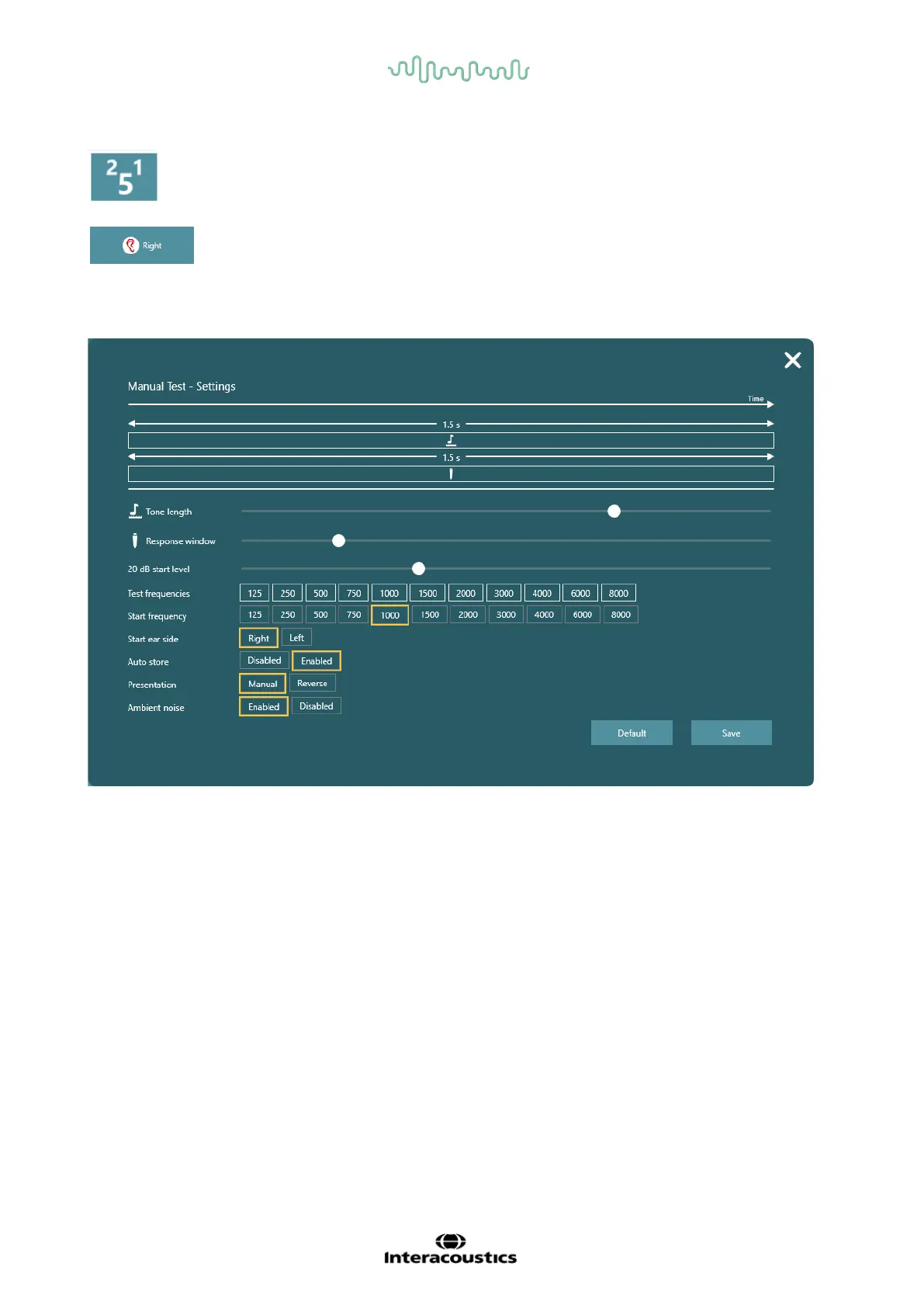
Changes step size. 1-, 2- or 5-dB step size is available.
Changes between right and left ear. Keyboard strokes are L and R for this command.
The duration of the tone given from the earphone.
The duration of time the patient has to answer. If a patient
is young, very old or unconcentrated, you may wish to set
this time a little longer to be sure you gather the correct
information about the hearing ability.
Start level for each frequency
125, 250, 500, 750, 1000, 1500, 2000, 3000, 4000, 6000,
8000 Hz
The frequency you want your test to begin with.
Right will be set as default
Allows the system to set the mark for when the patient
response. If no response is registered, the mark for no
response will be set instead.



 To Next Page