Chapter 13: Archiving recorded files
104 TruVision NVR 10 User Manual
Note: If there is a capacity limitation on the backup device, only the most recent files
will be backed up.
A message will appear to confirm when the download is complete.
Exporting recorded files to a backup device
You can insert a mini-USB hub to the USB port to attach a mouse for navigation or a
USB drive for archiving. However, the unit may not support all types of USB hubs.
The archive options available may depend on the type of backup device selected.
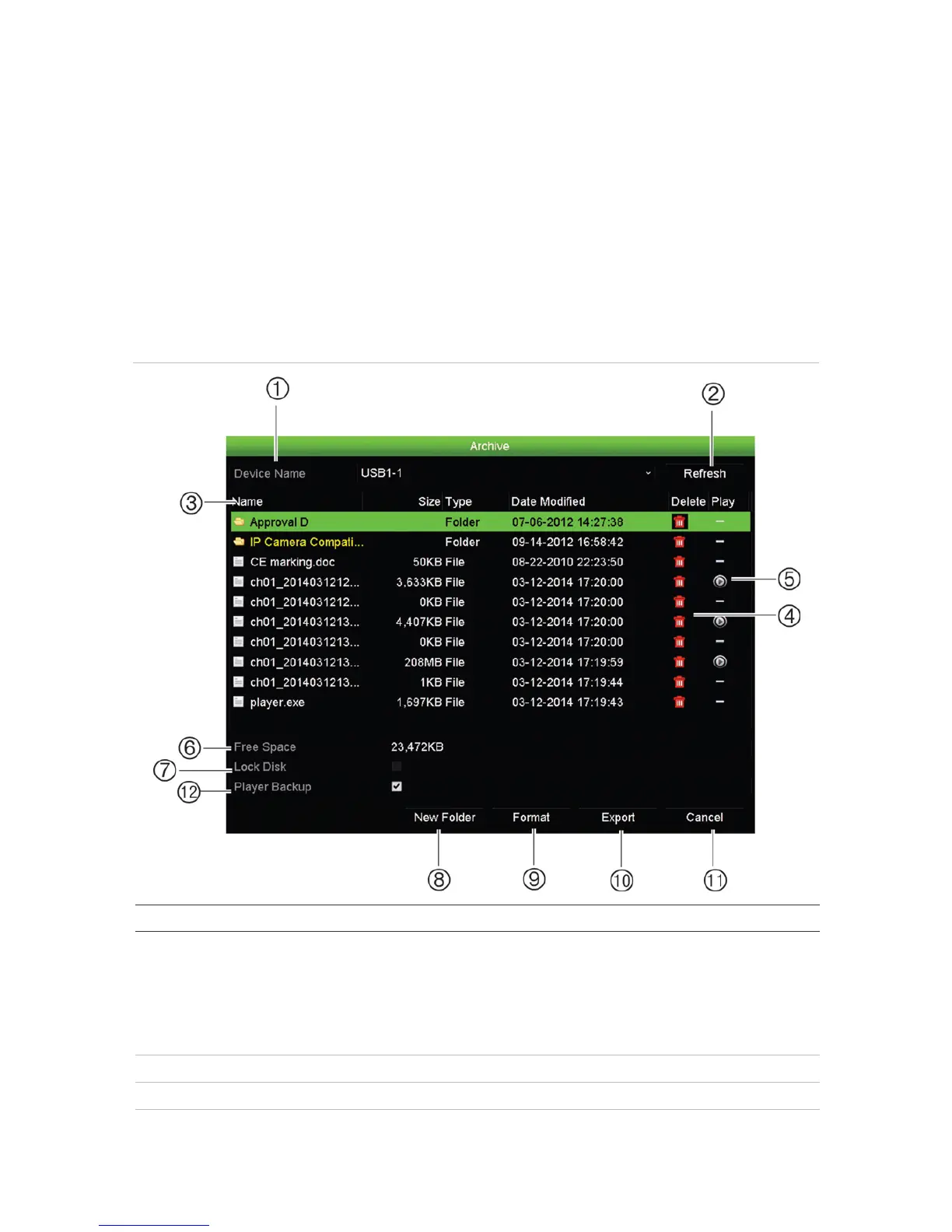
Figure 29: Example of an archive window
. Device name The storage media used for archiving is shown. If the backup device is not
recognized:
• Click the Refresh button
• Reconnect device
• Check for compatibility from vendor


 To Next Page