Chapter 4: Operating instructions
24 TruVision NVR 10 User Manual
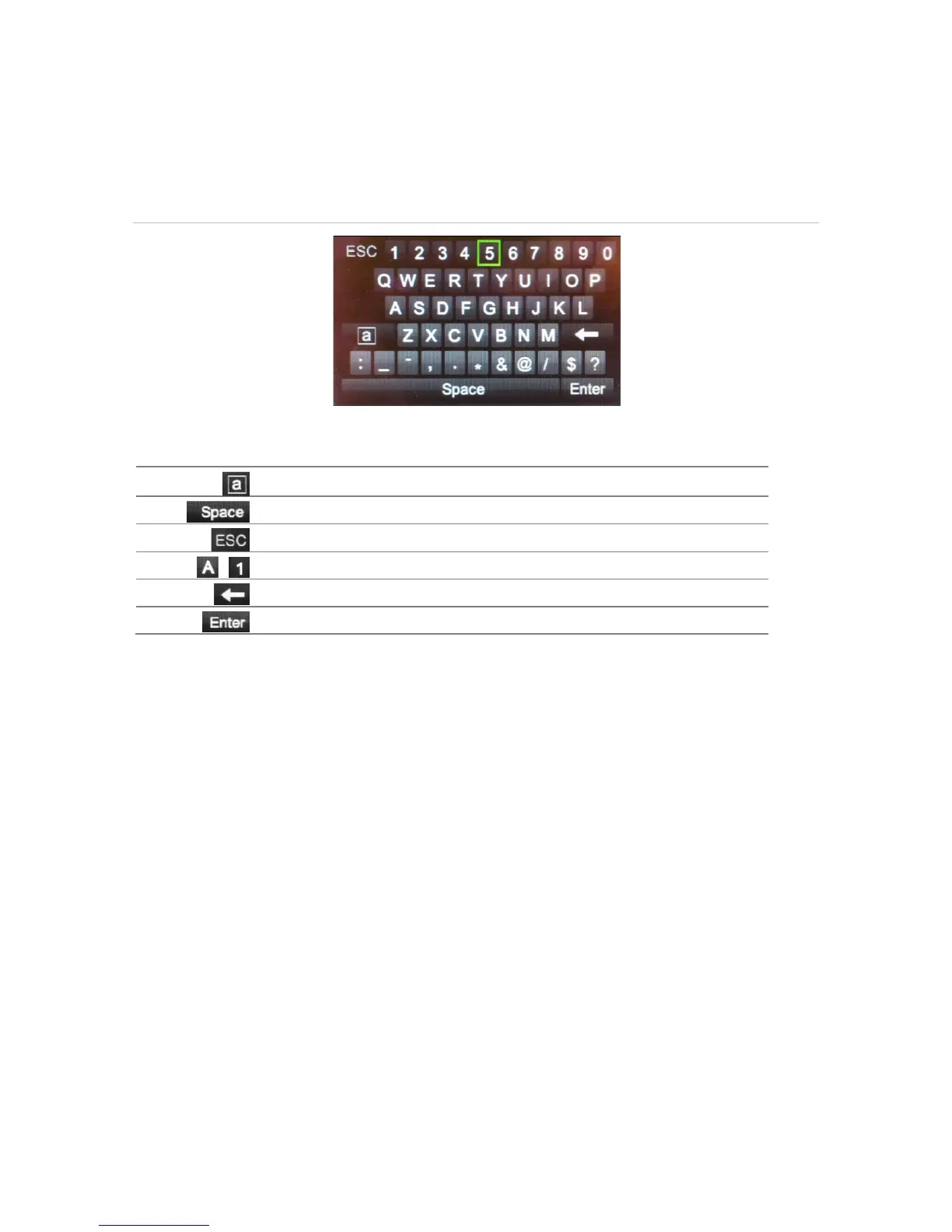
Using the soft keyboard
A keyboard will appear on-screen when you need to enter characters in a screen
option. Click a key to input that character.
Figure 7: The soft keyboard
Description of the keys in the soft keyboard:
Exiting the main menu
Press the Menu button on the front panel to exit the current menu window and return to
live view or click Back in a main menu.


 To Next Page