Chapter 4: Operating instructions
TruVision NVR 10 User Manual 23
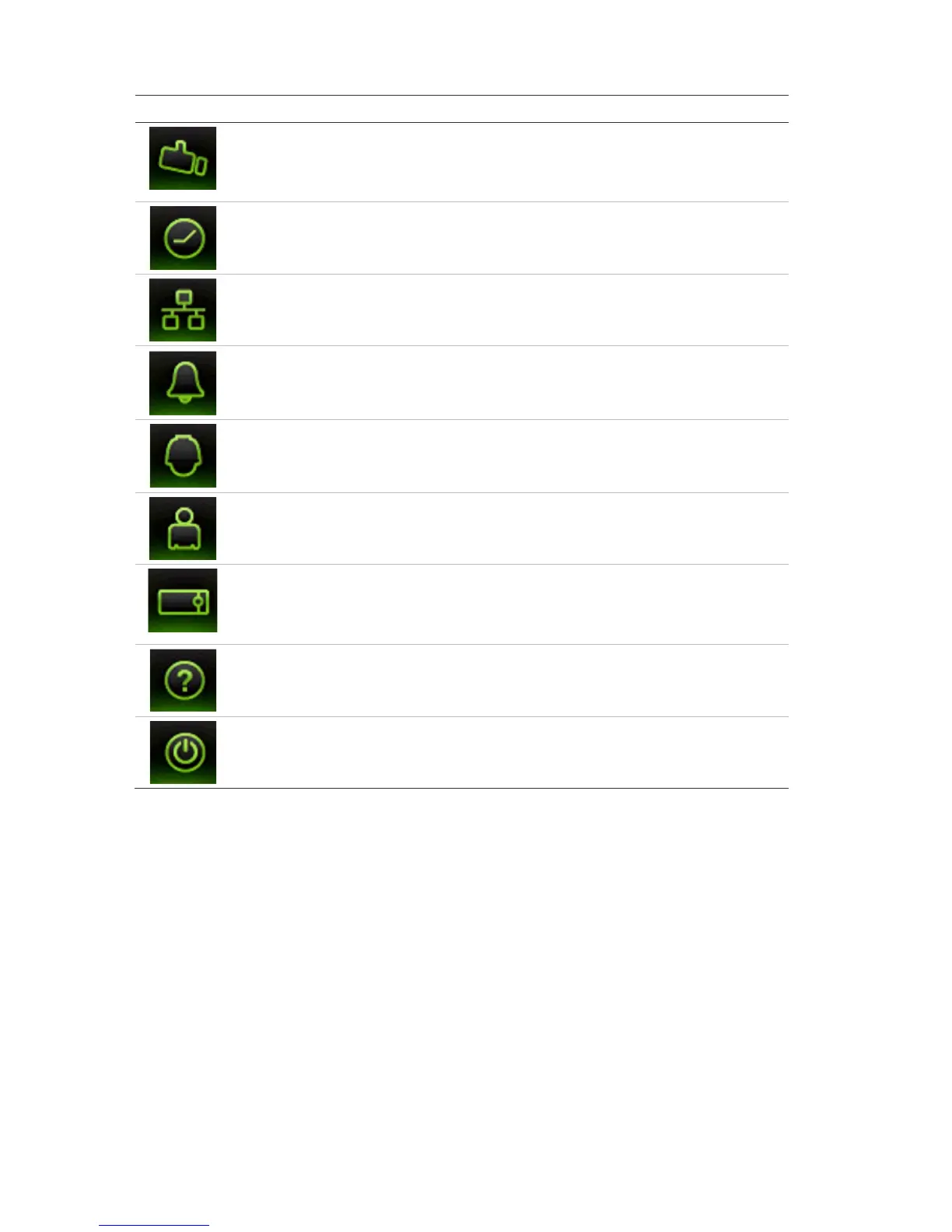
Icon Name Description
Configures camera settings including OSD display, motion
detection, privacy masking, video image adjustments, video
loss, and copy settings to other cameras. See Chapter 9
“Camera settings” on page 63.
Configures recording settings including recording
schedules, record quality, auto delete mode, and recording
mode. See Chapter 5 “Recording settings” on page 25.
Configures standard network settings including IP address,
email notifications, DDNS setup, and advanced network
settings. See Chapter 7 “Network settings” on page 45.
Configures alarm settings including alarm input, relay
output, and remote alert. See Chapter 6 “Alarm settings”
Configures PTZ settings. See Chapter 11 “Controlling a
PTZ camera” on page 83.
Configures users, passwords, and access privileges. See
Chapter 15 “User management” on page 115.
Configures system settings, firmware upgrade, hard drive
settings, and boot log. See Chapter 8 “Storage
management” on page 57 and Chapter 14 “NVR
management” on page 109.
mation Provides reference information to the various toolbars,
menus, and keys within the interface.
Provides access to logout, reboot and shutdown options.
See “Turning on and off the NVR” on page 9.
To access the main menu:
1. In live view press the Menu button on the remote control or front panel.
- Or -
Right-click the mouse and select Menu from the pop-up menu.
The main menu window appears. The Display window appears by default.
2. Click the required menu icon to display its submenu options. Modify the
configuration parameters as required.
3. Click Apply to save the settings.
4. Click Back to return to live view.


 To Next Page