TruVision 11/31 Series IP Camera Configuration Manual 27
Parameter Description
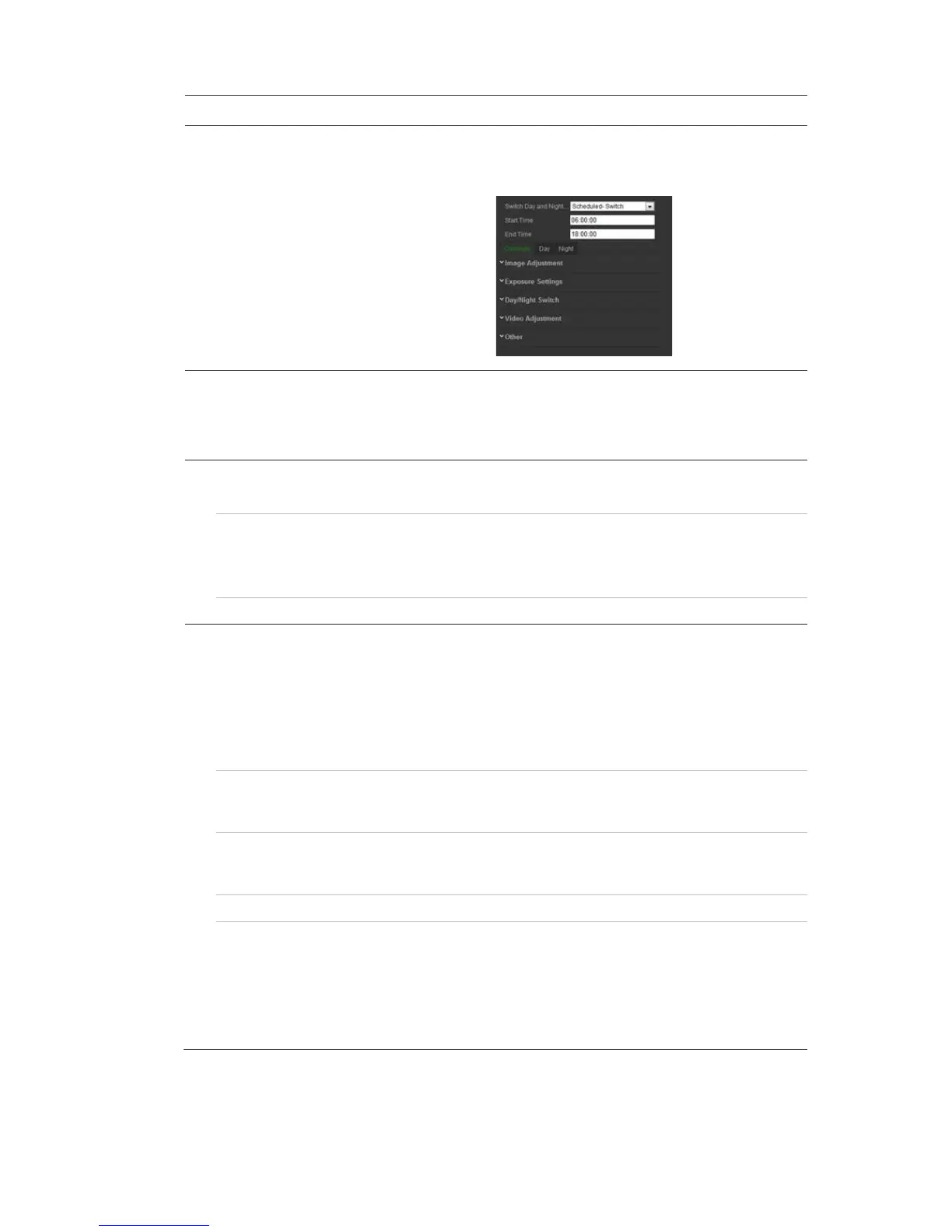
Enhancement settings for day mode only.
Night: Configure the Backlight, White Balance and Image
Enhancement settings for night mode only.
2. Image Adjustment
Brightness, Contrast
Saturation, Hue,
Sharpness
Modifies the different elements of picture quality by adjusting the
position of the values for each of parameter.
3. Exposure Settings
Iris Mode Only Manual is available.
Exposure Time The exposure time controls the length of time that the aperture is
open to let light into the camera through the lens.
Select a higher value if the image is dark and a lower value to see
fast moving object.
Gain Select the value to adjust the image brightness.
4. Day/Night Switch
Day/Night Switch Defines whether the camera is in day or night mode. The day
(color) option could be used, for example, if the camera is located
indoors where light levels are always good. There are three options:
Auto: Camera automatically detects which mode to use; Day:
Camera is always in day mode; Night: Camera is always in night
mode.
Sensitivity If you choose Auto Day/Night switch, you can choose the sensitivity
value from 0 to 7. The higher the value, the easier it is for the D/N
mode to switch.
Switch Time Only available when Auto D/N switch mode is selected. T
time refers to the interval time between switchover the day/night
switch. You can set it between 5 and 120 s.
Smart IR When enabled, it can avoid over exposure issue.
IR Light Select On/OFF to Enable/disable IR.
Enable: the IR illuminators will be ON, when the camera turns into
night mode.
Disable
: the IR illuminators will be OFF, when the camera turns into
night mode
Note: The IR illuminators always are OFF in Daytime mode.




 To Next Page