44 TruVision 11/31 Series IP Camera Configuration Manual
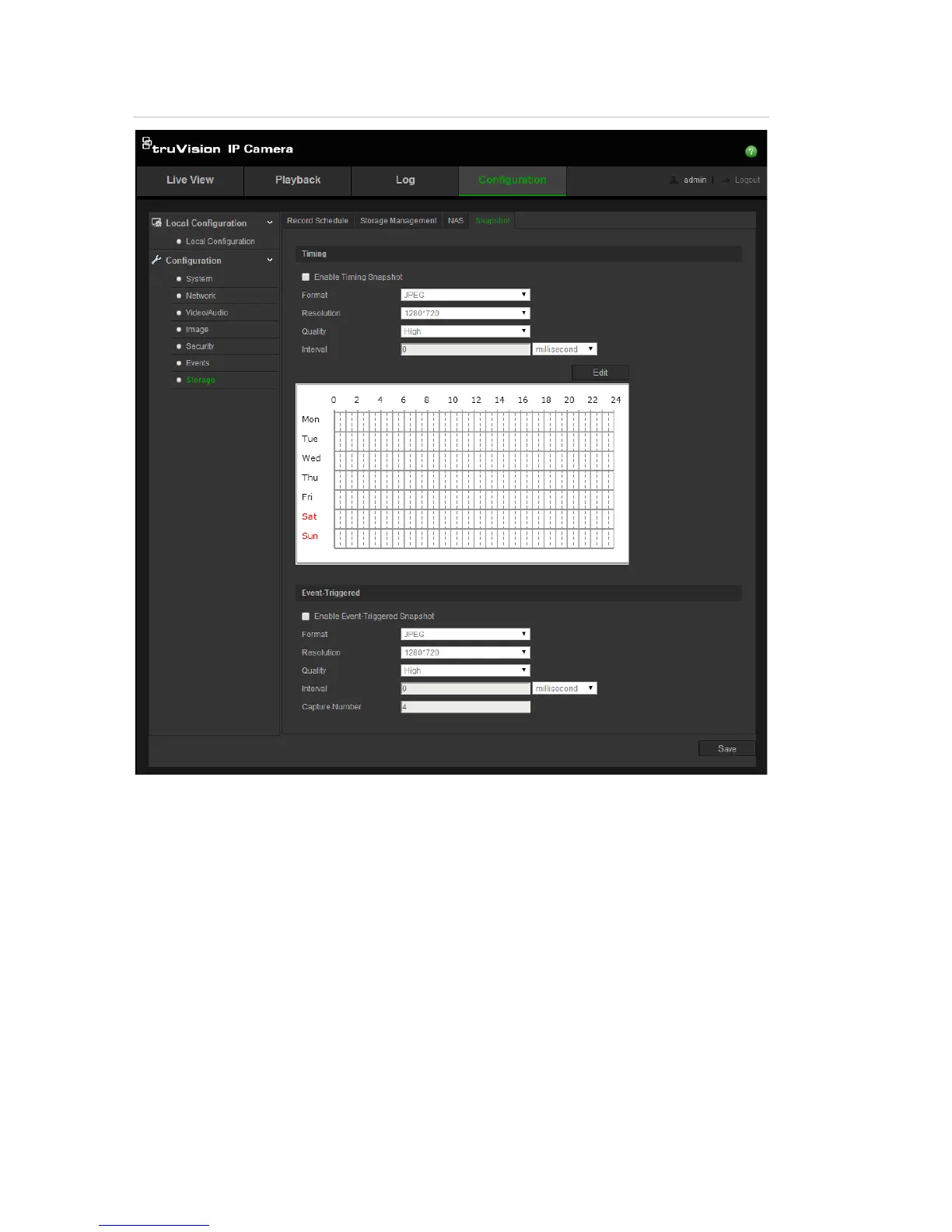
Figure 13: Snapshot menu
To set up scheduled snapshots:
1. Click Configuration > Storage > Snapshot.
2. Check Enable Timing Snapshot to enable continuous snapshots.
3. Select the desired format of the snapshot, such as JPEG.
4. Select the desired resolution of the snapshot.
5. Select the desired quality of the snapshot: High, Medium or Low.
6. Enter the time interval between two snapshots. Select the unit of time from
the dropdown list: milliseconds, seconds, minutes, hour, or day.
7. Set the schedule for when you want snapshots to be taken. Click Edit and
desired schedule for each day of the week.
8. Click Save to save changes.




 To Next Page