EasyManua.ls Logo

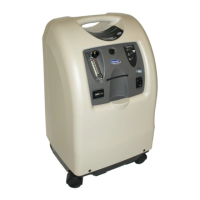
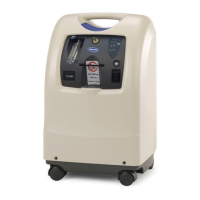
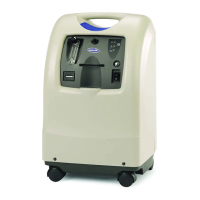
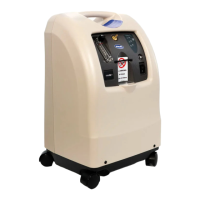
Invacare IRC10LX - User Manual

Invacare IRC10LX
32 pages
Print Icon
To Next Page IconTo Next Page
Loading...
Dealer: This manual MUST be given to the end
user.
User:
Before using this product, read this manual
and save for future reference.
Operator’s Manual
For more information regarding
Invacare products, parts, and services,
please visit www.invacare.com
Platinum
Series
XL, 5, 10
Oxygen Concentrators Standard,
with
SensO
2
®
and HomeFill
®
Invacare 5
with
SensO
2
Model IRC5LXO2
Invacare 5
Model IRC5LX
Invacare 10
with
SensO
2
Model IRC10LXO2
Invacare 10
Model IRC10LX

Other manuals for Invacare IRC10LX

Questions and Answers

  • J
    Joan EsparzaJul 30, 2025
    What to do if Invacare IRC10LX alarm beeps with short beeps and long pauses?
    • M
      Mary MitchellJul 30, 2025
      If your Invacare medical equipment is alarming with short beeps followed by long pauses, and the concentrator isn't operating, here's what you should check: * First, ensure the power cord is properly plugged into the outlet. If it isn't, insert the plug securely. * Next, verify that the outlet has power by inspecting your house's circuit breakers or fuses. If the problem continues, try using a different outlet. For tripped circuit breaker, call Service Provider.
  • Z
    Zachary RiceAug 7, 2025
    What to do if yellow or red light is illuminated on Invacare IRC10LX?
    • H
      Heather SchultzAug 7, 2025
      If the yellow or red light is illuminated (continuous alarm on red light only, applicable to 5LXO and 2 10LXO SensO2 models), it indicates a potential issue. Here's what you can check: * Start by cleaning or replacing the filters. * Inspect the tubing, cannula, or humidifier for any kinks or blockages. Correct, clean, or replace the item if necessary, then turn the power off for 60 seconds and back on. * Ensure the flowmeter is set correctly: check the flowmeter is set to 1.0 L/min. or more. * Check for blocked air intake: Remove and clean cabinet filters and move the concentrator at least three inches from walls, draperies, and furniture. * Avoid extension cords: Move to another electrical outlet or circuit.
  • W
    William CoxAug 14, 2025
    What to do if Invacare IRC10LX alarm is continuous and concentrator is not operating?
    • C
      Charles NorrisAug 14, 2025
      If your Invacare medical equipment has a continuous alarm and the concentrator isn't working while the power switch is on, it could be due to several reasons: * The unit might be overheating because of a blocked air intake. Remove and clean the cabinet filters and ensure the oxygen concentrator is at least three inches away from walls, draperies, or furniture. * There might be insufficient power at the outlet. Avoid using extension cords and try moving to another electrical outlet or circuit.
  • D
    dana49Aug 21, 2025
    What to do if Invacare Medical Equipment alarm beeps rapidly?
    • K
      klarsonAug 21, 2025
      If your Invacare medical equipment is alarming with rapid beeps, it often indicates a low flow issue. Here’s how to troubleshoot: * Check for any kinks or blockages in the tubing, cannula, or humidifier. If you find any, correct, clean, or replace the affected item. After doing so, turn the power off for 60 seconds and then turn it back on. * Also, verify that the flowmeter is set to the prescribed flowrate. If the prescribed flowrate is below 0.5 L/min, use the Pediatric Flowmeter IRCPF16 (Only with Platinum 5 and XL).

Summary

Safety and Accessory Information

General Safety Warnings

General safety warnings regarding the use of the oxygen concentrator and optional equipment.

Accessory Compatibility Warnings

Warnings about using Invacare-approved accessories with the oxygen concentrator.

Accessory Recommendations

Information on different types of accessories and recommendations for their use.

General Guidelines for Safe Operation

Preventing Burns, Electrocution, and Fire

Guidelines to reduce the risk of burns, electrocution, fire, or injury to persons.

Operating Information and Precautions

Key information for operating the oxygen concentrator safely and effectively.

Radio Frequency Interference

Information on the device's compliance with EMC limits and potential interference.

Product Registration

Special Notes and Signal Words

Understanding Signal Word Definitions

Definitions of signal words like DANGER, WARNING, and CAUTION used in the manual.

Critical Smoking Hazard Warning

Critical danger warning about smoking near oxygen delivery equipment.

Usage Cautions and Restrictions

Federal Law Restrictions on Device Use

Information on federal law restricting the device's sale or rental by physician order.

Oxygen Supplement Role

Clarification that the equipment is an oxygen supplement, not life-supporting.

Label Locations and Device Markings

Label Identification for LX Models

Diagrams showing the location of labels on IRC5LX and IRC10LX models.

Label Identification for LXO2 Models

Diagrams showing the location of labels on IRC5LXO2 and IRC10LXO2 models.

Key Warnings on Device Labels

Key warnings and cautions displayed on the device labels.

General Safety Guidelines

Preventing Electrical Shock and Fire Hazards

Detailed safety instructions to prevent electric shock, burns, electrocution, and fire.

Operating Procedures and Interference

Optimal Operation and Usage Practices

Guidance on optimal performance, unit placement, and usage precautions.

Electromagnetic Interference Compliance

Information on the device's compliance with EMC limits and potential interference.

Product Features and Components

Concentrator Component Identification

Diagram identifying key components of the oxygen concentrator.

Available Optional Accessories

List of optional accessories available for the oxygen concentrator.

Handling, Inspection, and Storage

Unpacking and Initial Inspection

Instructions for unpacking, inspecting the unit for damage, and handling components.

Proper Storage Recommendations

Recommendations for storing the oxygen concentrator properly.

Product Specifications Overview

Electrical, Sound, and Altitude Specs

Details on electrical requirements, sound level, and altitude performance.

Oxygen Output and Pressure Specifications

Information on oxygen concentration levels and maximum outlet pressure.

Product Performance Details

Flow Range, Alarms, and Power Consumption

Details on flow range, low flow alarm, power consumption, and safety systems.

Dimensions, Weight, and Filters

Specifications for unit dimensions, weight, and filter types.

Operational and Environmental Parameters

Operating Temperature and Exhaust

Guidelines for operating ambient temperature, exhaust, and storage conditions.

Placement, Tubing, and Humidity Requirements

Recommendations for unit placement, tubing use, and relative humidity.

Operating Instructions: Getting Started

Introduction to Concentrator Usage

Overview of the oxygen concentrator's purpose and how to use it.

Selecting an Appropriate Location

Critical safety and operational advice for choosing a suitable location.

Setting Up the Oxygen Concentrator

Connecting the Power Cord Safely

Instructions for safely plugging the concentrator into an electrical outlet.

Filling and Connecting the Humidifier

Step-by-step guide for filling and connecting the humidifier bottle.

Connecting Tubing and Initial Power-Up

Attaching Oxygen Supply Tubing

Steps to connect oxygen tubing from the humidifier to the concentrator.

Operating the Power Switch

Instructions on how to turn the power switch on and what to expect.

Setting and Monitoring Flowrate

Adjusting the Flowrate Knob

Guidance on setting the correct flowrate as prescribed by a physician.

Understanding Low Flow Alarm Conditions

Explanation of the low flow alarm and troubleshooting steps.

Interpreting Front Panel Indicators (Senso₂)

Senso₂ Oxygen Purity Indicator Lights

Explanation of indicator lights related to oxygen purity for Senso₂ models.

Initial Concentrator Startup and Status

Information on the initial warm-up period and system status indicators.

Interpreting Front Panel Indicators (No Senso₂)

System Status Indicator Lights (No Senso₂)

Explanation of indicator lights for units without the Senso₂ feature.

Initial Startup and Status (No Senso₂)

Details on initial startup and system status for units without Senso₂.

Maintenance: Routine Procedures

Preventive Maintenance Overview

General guidance on preventive maintenance and the need for qualified personnel.

Cabinet Filter Cleaning Instructions

Instructions for cleaning the cabinet filters regularly.

Cleaning Components and Humidifier

Cleaning the Concentrator Cabinet

Instructions for cleaning the exterior cabinet of the concentrator.

Daily Humidifier Cleaning

Steps for daily cleaning and maintenance of the humidifier bottle.

Preventive Maintenance Record Keeping

Troubleshooting Common Alarms and Issues

Power Loss and System Failure Troubleshooting

Solutions for main power loss, system failure, and unit overheating.

Low Flow Alarm Resolution

Steps to resolve low flow alarms, including kinked tubing or flowmeter settings.

Troubleshooting Indicator Light Status

Red;Yellow Light Indicator Troubleshooting

Troubleshooting steps for low oxygen purity or system failure indicated by red/yellow lights.

Green;Yellow Flashing Light Troubleshooting

Troubleshooting for a green light with yellow flashing, indicating potential internal issues.

Limited Warranty Terms

Warranty Coverage for XL and 10 Models

Information on warranty periods, what is covered, and exclusions for XL and 10 models.

Warranty Service and Limitations

Warranty Service and Return Procedure

Process for obtaining warranty service, including return authorization.

Warranty Exclusions and State Compliance

Details on warranty limitations, exclusions, and state law compliance.

Invacare IRC10LX Specifications

General IconGeneral
BrandInvacare
ModelIRC10LX
CategoryMedical Equipment
LanguageEnglish

Related product manuals