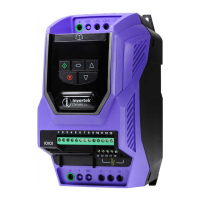
What to do if Invertek Drives DC Drives reports '4-20mA Signal Lost'?
- BBill JenningsSep 23, 2025
If the Invertek Drives DC drive indicates '4-20mA Signal Lost', press the stop key. If the fault persists, consult your supplier.

What to do if Invertek Drives DC Drives reports '4-20mA Signal Lost'?
If the Invertek Drives DC drive indicates '4-20mA Signal Lost', press the stop key. If the fault persists, consult your supplier.
What to do if Invertek Drives ODE-3-140041-3F12 DC Drives shows 'Under voltage on DC bus'?
If your Invertek Drives DC drive displays an 'Under voltage on DC bus' error during operation, it means the incoming supply voltage is too low. Check the incoming power supply voltage and all components in the power feed line to the drive.
How to fix heatsink over temperature on Invertek Drives ODE-3-140041-3F12?
If the Invertek Drives DC drive's heatsink is overheating, ensure the ambient temperature around the drive is within the specified limits.
What does Output Fault mean on Invertek Drives ODE-3-140041-3F12 DC Drives?
If the Invertek Drives DC drive indicates an output fault, which may be due to a missing phase or unbalanced motor phase currents, check the motor and its connections.
What causes Motor PTC thermistor trip on Invertek Drives ODE-3-140041-3F12?
If the Invertek Drives DC drive trips because of motor PTC thermistor over temperature, it means the connected motor thermistor has detected over temperature. Check the wiring connections and the motor itself.
What to do if Invertek Drives ODE-3-140041-3F12 DC Drives shows Internal memory fault (IO)?
If the Invertek Drives DC drive indicates 'Internal memory fault (IO)', press the stop key. If the fault persists, consult your supplier.
How to troubleshoot CAN comms loss trip on Invertek Drives DC Drives?
If the Invertek Drives DC drive experiences CAN comms loss, check the incoming CAN connection cable.
What to do if Invertek Drives ODE-3-140041-3F12 DC Drives shows Output Over Current?
If the Invertek Drives DC drive shows an Output Over Current error, check for short circuits on the motor and connection cable.
What to do if Invertek Drives ODE-3-140041-3F12 displays 'Motor Thermal Overload (I2t)'?
If the Invertek Drives DC drive displays 'Motor Thermal Overload (I2t)', check that the supply voltage is within the allowed tolerance for the drive.
What to do for Autotune Fault on Invertek Drives DC Drives?
If the Invertek Drives DC drive shows an Autotune Fault, where the motor parameters measured during autotune are incorrect, check the motor cable and connections for continuity.
| Model | ODE-3-140041-3F12 |
|---|---|
| Category | DC Drives |
| Input Voltage | 380-480VAC |
| Input Phase | 3 |
| Output Current | 41A |
Crucial safety warnings and precautions for installation, operation, and maintenance of the drive.
A step-by-step guide for quickly installing and commissioning the Optidrive.
Schematic illustrating power and control terminal connections for the drive.
Guidelines for proper grounding and safety earth conductor connections.
Instructions for connecting the main AC power supply to the drive terminals.
Guidance on connecting the motor to the drive's output terminals (U, V, W) and earthing.
Details of default and available functions for digital and analog control terminals.
Description of keypad buttons and their functions for drive control and parameter access.
Step-by-step guide for navigating and modifying drive parameters via the keypad.
Procedure to clear fault conditions and allow the drive to restart.
Detailed descriptions of basic drive parameters, their ranges, and default values.
Descriptions of advanced parameters for fine-tuning drive functions and performance.
List of fault codes, their descriptions, and suggested troubleshooting steps.


Loading...