EasyManua.ls Logo

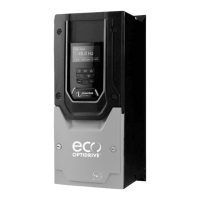
Invertek Drives OPTIDRIVE E3 - User Manual

Invertek Drives OPTIDRIVE E3
52 pages
To Next Page IconTo Next Page
Loading...
AC Variable Speed Drive
IP66 (NEMA 4X)
0.37kW – 22kW / 0.5HP – 30HP
110 480V 3 Phase Input
User Manual
1
Quick Start Up
2
General Information
and Ratings
3
Mechanical Installation
4
Power & Control Wiring
5
Operation
6
Parameters
7
Analog and Digital Input
Macro Configurations
8
Modbus RTU
Communications
10
Technical Data
9
CAN Communication
Troubleshooting
11

Table of Contents

Other manuals for Invertek Drives OPTIDRIVE E3

Questions and Answers

Invertek Drives OPTIDRIVE E3 Specifications

General IconGeneral
Output Voltage0-Input Voltage
DimensionsVaries by model
Power RatingVaries by model
Control MethodSensorless Vector Control
Protection ClassIP20
Communication OptionsModbus RTU
Protection FeaturesOvercurrent, Overvoltage, Undervoltage, Short Circuit, Phase Loss
Enclosure RatingIP20
Operating Temperature-10°C to +50°C (14°F to 122°F)
Storage Temperature-20°C to +65°C (-4°F to 149°F)
Relative HumidityUp to 95% non-condensing
Cooling MethodFan Cooled
Overload Capacity150% for 60 seconds

Summary

Quick Start Up

Important Safety Information

Crucial safety guidelines for installation and operation.

Operation

Changing Parameters

Steps to modify drive parameters.

Resetting a Fault

How to clear fault conditions from the drive.

Parameters

Parameter List

Detailed list of standard and extended parameters.

Motor Control Methods

Selecting the correct motor control mode.

Autotune Function

Performing automatic motor parameter tuning.

Analog and Digital Input Macro Configurations

Terminal Mode Macro Functions

Macro configurations for terminal control mode.

Keypad Mode Macro Functions

Macro configurations for keypad control mode.

User PI Control Mode Macro Functions

Macro configurations for user PI control mode.

Troubleshooting

Fault Code Messages

List of fault codes, descriptions, and suggested remedies.

Resetting a Fault

Procedures for resetting drive faults and error conditions.

Related product manuals