EasyManua.ls Logo

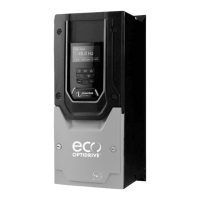
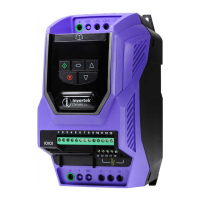
Invertek Drives OPTIDRIVE E3 - User Manual

Invertek Drives OPTIDRIVE E3
52 pages
Print Icon
To Next Page IconTo Next Page
Loading...
AC Variable Speed Drive
IP66 (NEMA 4X)
0.37kW – 22kW / 0.5HP – 30HP
110 480V 3 Phase Input
User Manual
1
Quick Start Up
2
General Information
and Ratings
3
Mechanical Installation
4
Power & Control Wiring
5
Operation
6
Parameters
7
Analog and Digital Input
Macro Configurations
8
Modbus RTU
Communications
10
Technical Data
9
CAN Communication
Troubleshooting
11

Table of Contents

Other manuals for Invertek Drives OPTIDRIVE E3

Questions and Answers

  • Y
    ychanSep 1, 2025
    What to do for Autotune Fault on Invertek Drives DC Drives?
    • P
      philip34Sep 1, 2025
      If the Invertek Drives DC drive shows an Autotune Fault, where the motor parameters measured during autotune are incorrect, check the motor cable and connections for continuity.
  • S
    stewartdavidAug 31, 2025
    How to fix brake channel over current on Invertek Drives DC Drives?
    • L
      Laura TuckerAug 31, 2025
      To address a brake channel over current issue in your Invertek Drives DC drive, check the external brake resistor's condition and the connection wiring.
  • M
    michaelcarrAug 30, 2025
    What does Brake resistor overload mean on Invertek Drives DC Drives?
    • N
      nataliemorganAug 30, 2025
      If the Invertek Drives DC drive indicates a brake resistor overload, it means the drive has tripped to prevent damage to the brake resistor.
  • M
    Michael DownsAug 29, 2025
    How to resolve over voltage on DC bus in Invertek Drives OPTIDRIVE E3 DC Drives?
    • A
      Anthony EllisAug 29, 2025
      If the Invertek Drives DC drive reports an over voltage on the DC bus, especially during deceleration or stopping, increase the deceleration time in parameter P-04. Alternatively, install a suitable brake resistor and activate the dynamic braking function using parameter P-34.
  • Q
    qbellAug 28, 2025
    Why is my Invertek Drives OPTIDRIVE E3 showing 'Drive internal temperature too high'?
    • R
      Ricky BrownAug 28, 2025
      If the Invertek Drives DC drive reports 'Drive internal temperature too high', it means the drive's ambient temperature is too high. Ensure adequate cooling air is provided to the drive.
  • S
    Sean JosephAug 27, 2025
    What causes Motor PTC thermistor trip on Invertek Drives OPTIDRIVE E3 DC Drives?
    • N
      Natalie WallsAug 27, 2025
      If the Invertek Drives DC drive trips because of motor PTC thermistor over temperature, it means the connected motor thermistor has detected over temperature. Check the wiring connections and the motor itself.
  • M
    Maria StephensonAug 26, 2025
    What does Output Fault mean on Invertek Drives DC Drives?
    • C
      Carrie LambAug 27, 2025
      If the Invertek Drives DC drive indicates an output fault, which may be due to a missing phase or unbalanced motor phase currents, check the motor and its connections.
  • L
    Lindsay AndersonAug 26, 2025
    How to fix heatsink over temperature on Invertek Drives OPTIDRIVE E3?
    • R
      rowlandnathanAug 26, 2025
      If the Invertek Drives DC drive's heatsink is overheating, ensure the ambient temperature around the drive is within the specified limits.
  • K
    Katrina RogersAug 25, 2025
    What to do if Invertek Drives DC Drives shows 'Under voltage on DC bus'?
    • A
      Adam FoxAug 25, 2025
      If your Invertek Drives DC drive displays an 'Under voltage on DC bus' error during operation, it means the incoming supply voltage is too low. Check the incoming power supply voltage and all components in the power feed line to the drive.

Summary

Quick Start Up

Important Safety Information

Crucial safety guidelines for installation and operation.

Operation

Changing Parameters

Steps to modify drive parameters.

Resetting a Fault

How to clear fault conditions from the drive.

Parameters

Parameter List

Detailed list of standard and extended parameters.

Motor Control Methods

Selecting the correct motor control mode.

Autotune Function

Performing automatic motor parameter tuning.

Analog and Digital Input Macro Configurations

Terminal Mode Macro Functions

Macro configurations for terminal control mode.

Keypad Mode Macro Functions

Macro configurations for keypad control mode.

User PI Control Mode Macro Functions

Macro configurations for user PI control mode.

Troubleshooting

Fault Code Messages

List of fault codes, descriptions, and suggested remedies.

Resetting a Fault

Procedures for resetting drive faults and error conditions.

Invertek Drives OPTIDRIVE E3 Specifications

General IconGeneral
Output Voltage0-Input Voltage
DimensionsVaries by model
Power RatingVaries by model
Control MethodSensorless Vector Control
Protection ClassIP20
Communication OptionsModbus RTU
Protection FeaturesOvercurrent, Overvoltage, Undervoltage, Short Circuit, Phase Loss
Enclosure RatingIP20
Operating Temperature-10°C to +50°C (14°F to 122°F)
Storage Temperature-20°C to +65°C (-4°F to 149°F)
Relative HumidityUp to 95% non-condensing
Cooling MethodFan Cooled
Overload Capacity150% for 60 seconds

Related product manuals