EasyManua.ls Logo

Invertek Drives OPTIDRIVE E3 - User Manual

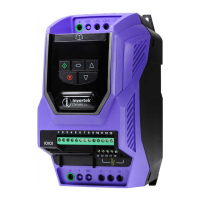
Invertek Drives OPTIDRIVE E3
52 pages
Print Icon
To Next Page IconTo Next Page
Loading...
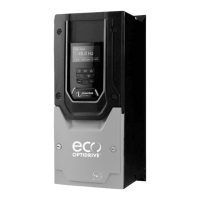
AC Variable Speed Drive
IP66 (NEMA 4X)
0.37kW – 22kW / 0.5HP – 30HP
110 480V 3 Phase Input
User Manual
1
Quick Start Up
2
General Information
and Ratings
3
Mechanical Installation
4
Power & Control Wiring
5
Operation
6
Parameters
7
Analog and Digital Input
Macro Configurations
8
Modbus RTU
Communications
10
Technical Data
9
CAN Communication
Troubleshooting
11

Table of Contents

Other manuals for Invertek Drives OPTIDRIVE E3

Questions and Answers

  • A
    Abigail AdkinsSep 12, 2025
    What to do if Invertek Drives OPTIDRIVE E3 shows Internal memory fault (IO)?
    • B
      Brenda NewtonSep 12, 2025
      If the Invertek Drives DC drive indicates 'Internal memory fault (IO)', press the stop key. If the fault persists, consult your supplier.
  • M
    Megan EvansSep 12, 2025
    What to do if Invertek Drives OPTIDRIVE E3 DC Drives shows Output Over Current?
    • G
      Gina Jones DDSSep 12, 2025
      If the Invertek Drives DC drive shows an Output Over Current error, check for short circuits on the motor and connection cable.
  • G
    Gabriel MunozSep 9, 2025
    How to troubleshoot CAN comms loss trip on Invertek Drives OPTIDRIVE E3?
    • S
      Sara ThomasSep 10, 2025
      If the Invertek Drives DC drive experiences CAN comms loss, check the incoming CAN connection cable.
  • J
    Jenny WaltersSep 8, 2025
    How to fix Cooling Fan Fault on Invertek Drives DC Drives?
    • M
      Mr. David GravesSep 8, 2025
      If the Invertek Drives DC drive indicates a Cooling Fan Fault (IP66 only), check or replace the cooling fan.
  • D
    david36Sep 7, 2025
    What causes Input phase loss trip on Invertek Drives OPTIDRIVE E3 DC Drives?
    • K
      Kathy WellsSep 7, 2025
      If the Invertek Drives DC drive trips with an input phase loss, check that all incoming supply phases are present and balanced.
  • D
    David SingletonAug 23, 2025
    Why does my Invertek Drives OPTIDRIVE E3 DC Drives show Output Over Current?
    • A
      alyssapetersenAug 23, 2025
      If the Invertek Drives DC drive trips due to output over current, after delivering more than 100% of the value set in P-08 for a certain time, it is designed to prevent motor damage. This can be caused by excess load or shock load on the motor.
  • A
    Angela DavisSep 5, 2025
    How to resolve Optibus comms loss on Invertek Drives OPTIDRIVE E3?
    • E
      Ellen JacksonSep 5, 2025
      If you are experiencing Optibus comms loss with your Invertek Drives DC drive, check the communication link between the drive and external devices.
  • K
    Kathryn WalkerSep 4, 2025
    Why does my Invertek Drives OPTIDRIVE E3 DC Drives show Under temperature?
    • K
      Karen SmithSep 4, 2025
      If the Invertek Drives DC drive trips due to an under temperature condition, it means the ambient temperature is less than -10°C. The temperature must be raised above -10°C to start the drive.
  • M
    Ms. Alexandria HuertaSep 3, 2025
    What to do if Invertek Drives OPTIDRIVE E3 DC Drives displays 'Motor Thermal Overload (I2t)'?
    • G
      Gerald JohnsSep 3, 2025
      If the Invertek Drives DC drive displays 'Motor Thermal Overload (I2t)', check that the supply voltage is within the allowed tolerance for the drive.
  • T
    Thomas CardenasSep 2, 2025
    What does External trip mean on Invertek Drives DC Drives?
    • K
      Karl FlynnSep 2, 2025
      If your Invertek Drives DC drive displays an 'External trip' message, and a motor thermistor is connected, check if the motor is too hot. The E-trip was requested on digital input 3, because normally closed contact has opened for some reason.

Summary

Quick Start Up

Important Safety Information

Crucial safety guidelines for installation and operation.

Operation

Changing Parameters

Steps to modify drive parameters.

Resetting a Fault

How to clear fault conditions from the drive.

Parameters

Parameter List

Detailed list of standard and extended parameters.

Motor Control Methods

Selecting the correct motor control mode.

Autotune Function

Performing automatic motor parameter tuning.

Analog and Digital Input Macro Configurations

Terminal Mode Macro Functions

Macro configurations for terminal control mode.

Keypad Mode Macro Functions

Macro configurations for keypad control mode.

User PI Control Mode Macro Functions

Macro configurations for user PI control mode.

Troubleshooting

Fault Code Messages

List of fault codes, descriptions, and suggested remedies.

Resetting a Fault

Procedures for resetting drive faults and error conditions.

Invertek Drives OPTIDRIVE E3 Specifications

General IconGeneral
Output Voltage0-Input Voltage
DimensionsVaries by model
Power RatingVaries by model
Control MethodSensorless Vector Control
Protection ClassIP20
Communication OptionsModbus RTU
Protection FeaturesOvercurrent, Overvoltage, Undervoltage, Short Circuit, Phase Loss
Enclosure RatingIP20
Operating Temperature-10°C to +50°C (14°F to 122°F)
Storage Temperature-20°C to +65°C (-4°F to 149°F)
Relative HumidityUp to 95% non-condensing
Cooling MethodFan Cooled
Overload Capacity150% for 60 seconds

Related product manuals