CLEANING AND CARE
23
Pulsar extractor fan | Installation and operation instructions
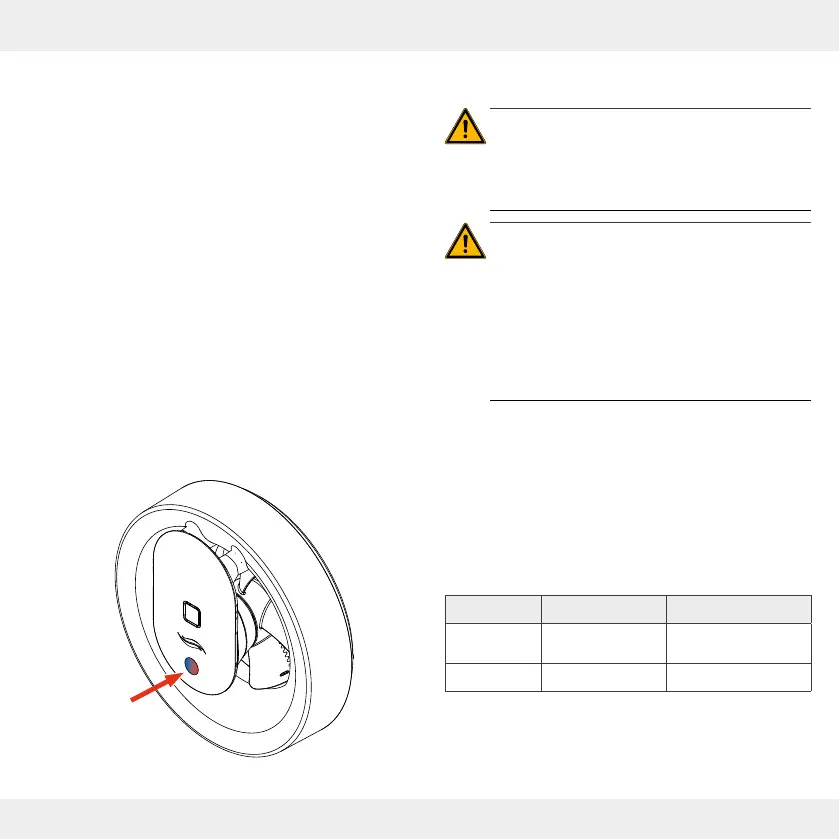
8.1 LED display
There is an LED on the fan unit. It indicates various states
of the extractor fan.The LED only lights up in the following
cases:
Illumination of the blue or white LED:
• There is an active Bluetooth connection to a mobile
terminal.
The blue or white LED must light up when you want
to operate or congure the Pulsar extractor fan.
Illumination of the red LED:
• Fault indication: The LED indicates a power supply
failure when the intelligent pause function is set up.
• Resetting is possible by synchronising the app with
the Pulsar extractor fan.
8 Cleaning and care
CAUTION: Rotating parts on the fan cause
injuries.
• Before working on electrical equipment,
disconnect all aected equipment from the
power supply.
CAUTION:
Cleaning by children and persons with limited
abilities can lead to injury to body parts and/or
malfunction of the ventilation system!
• Do not allow all cleaning and maintenance of the
ventilation system to be carried out by children
and persons who, due to their physical, sensory
or mental abilities, inexperience or lack of
knowledge, are not safely able to do so.
The Pulsar is almost maintenance-free. The cleaning and
maintenance work can be carried out by the user after a
brief introduction.
The measures and intervals listed here are recommen-
dations by inVENTer GmbH to maintain the function and
performance of your Pulsar.
Depending on your needs and/or air quality, your personal
cleaning schedule may dier from these recommendations.
Time span Assembly part Maintance task
Monthly Fan housing
Clean the surface
with a damp cloth.
Semiannual Fan unit
24
7.2


 To Next Page