3
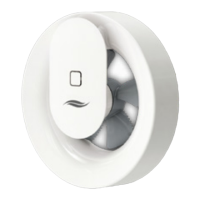
Pulsar extractor fan | Installation and operation instructions
Table of contents
1 User- und Safety instructions ................................. 4
1.1 User information ............................................... 4
1.2 Safety instructions ............................................ 4
2 System overview ...................................................... 6
2.1 Function ............................................................ 7
3 Preparing for installation ......................................... 8
3.1 Mounting conditions .......................................... 8
3.2 Dimensions ....................................................... 9
3.3 Dimensional drawings ....................................... 9
4 Electrical connection ............................................... 9
4.1 Electrical connection AC 230 V ....................... 10
4.2 Electrical connection DC 12 V ........................ 12
5 Installation ................................................................ 14
5.1 Fit the wall sleeve and route cables ................ 14
5.2 Mount power supply unit (optional) ................. 15
5.3 Insert and connect the Pulsar ......................... 16
6 Commisioning .......................................................... 21
7 Operation .................................................................. 22
7.1 Functional scope ............................................. 22
7.2 LED-display .................................................... 23
8 Cleaning and care .................................................... 23
9 Technical Data .......................................................... 25
10 Scope of supply ...................................................... 26
11 Accesories ............................................................... 26
12 Service ..................................................................... 26
13 Warranty und guarantee ........................................ 26
PIN-code/serial number ........................................... 28
TABLE OF CONTENTS


 To Next Page