ION Audio Block Rocker
®
User Guide 11
Pairing a Bluetooth® Device
1. Turn on your Bluetooth device.
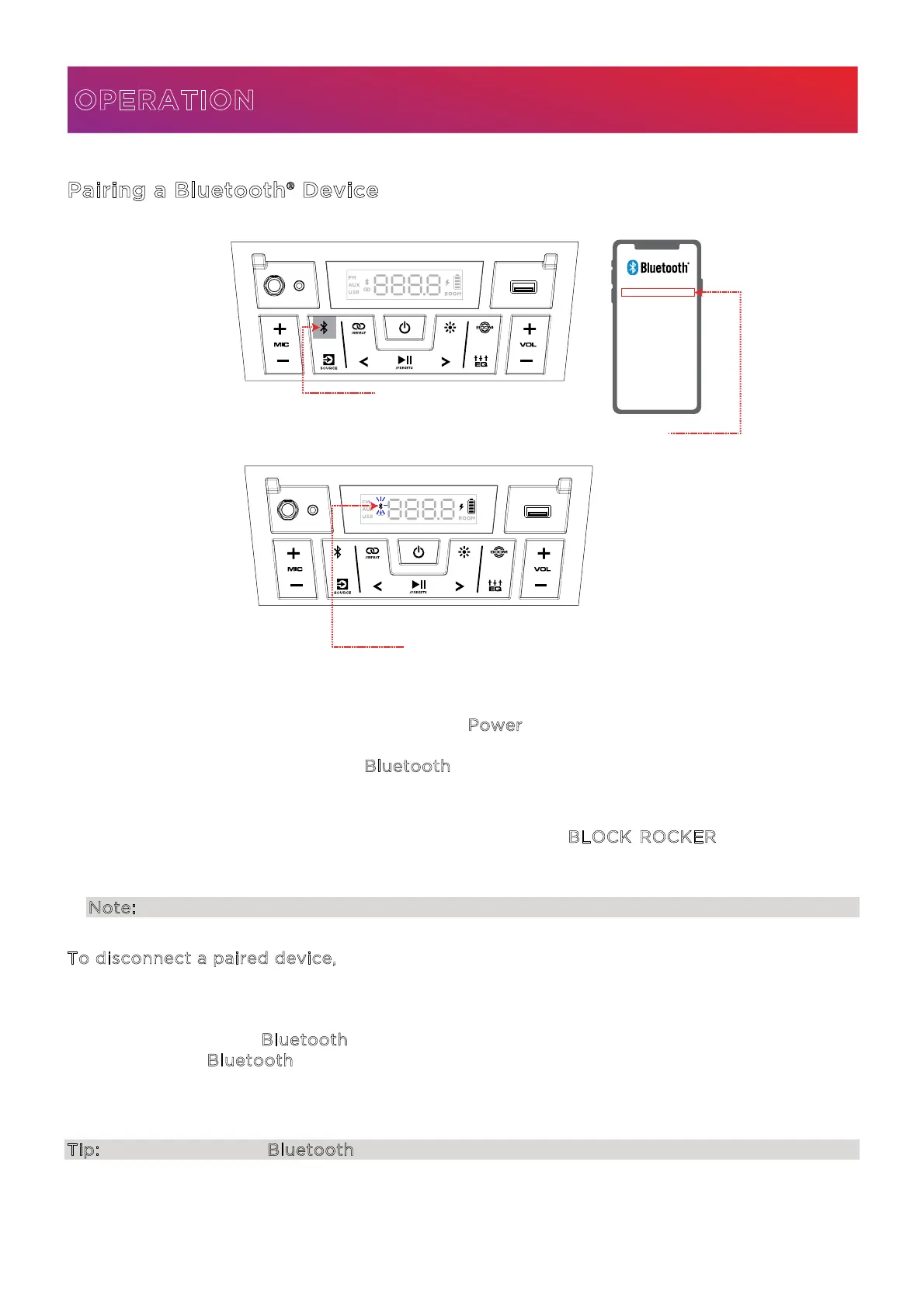
2. Turn on Block Rocker® by holding down the P
ower button for 2 seconds. When the unit is
powered on for the first time, it will automatically enter Bluetooth pairing mode. If
necessary, press and release the B
luetooth button to select Bluetooth mode. The Bluetooth
icon on the display will flash to indicate the speaker is ready to pair and you will hear
“Bluetooth Pairing” if voice prompts are enabled.
3. Navigate to your device’s Bluetooth setup screen, find B
LOCK ROCKER, and connect. If
voice prompts are enabled, you will hear “Bluetooth Connected”. If after 90 seconds if there
is no connection, the speaker will stop searching for a Bluetooth device and enter AUX mode.
Note: If your Bluetooth device prompts for a pairing code, enter “0000”.
T
o disconnect a paired device, do any of the following:
• Turn o Bluetooth from your device’s Bluetooth settings. The speaker will enter
Bluetooth pairing mode to make it available for another device.
• Double-press the B
luetooth button to disconnect and re-enter pairing mode. Press and
release the B
luetooth button again to reconnect to the last paired device.
Once you have disconnected, you will hear “Bluetooth Disconnected” if voice prompts are
enabled.
Tip: Press and hold the Bluetooth button to turn voice prompts on or o.
OPERATION
1 - PRESS
2
3
1
BLOCK ROCKER®




 To Next Page