ION Audio Block Rocker
®
User Guide 15
U
SB Mode
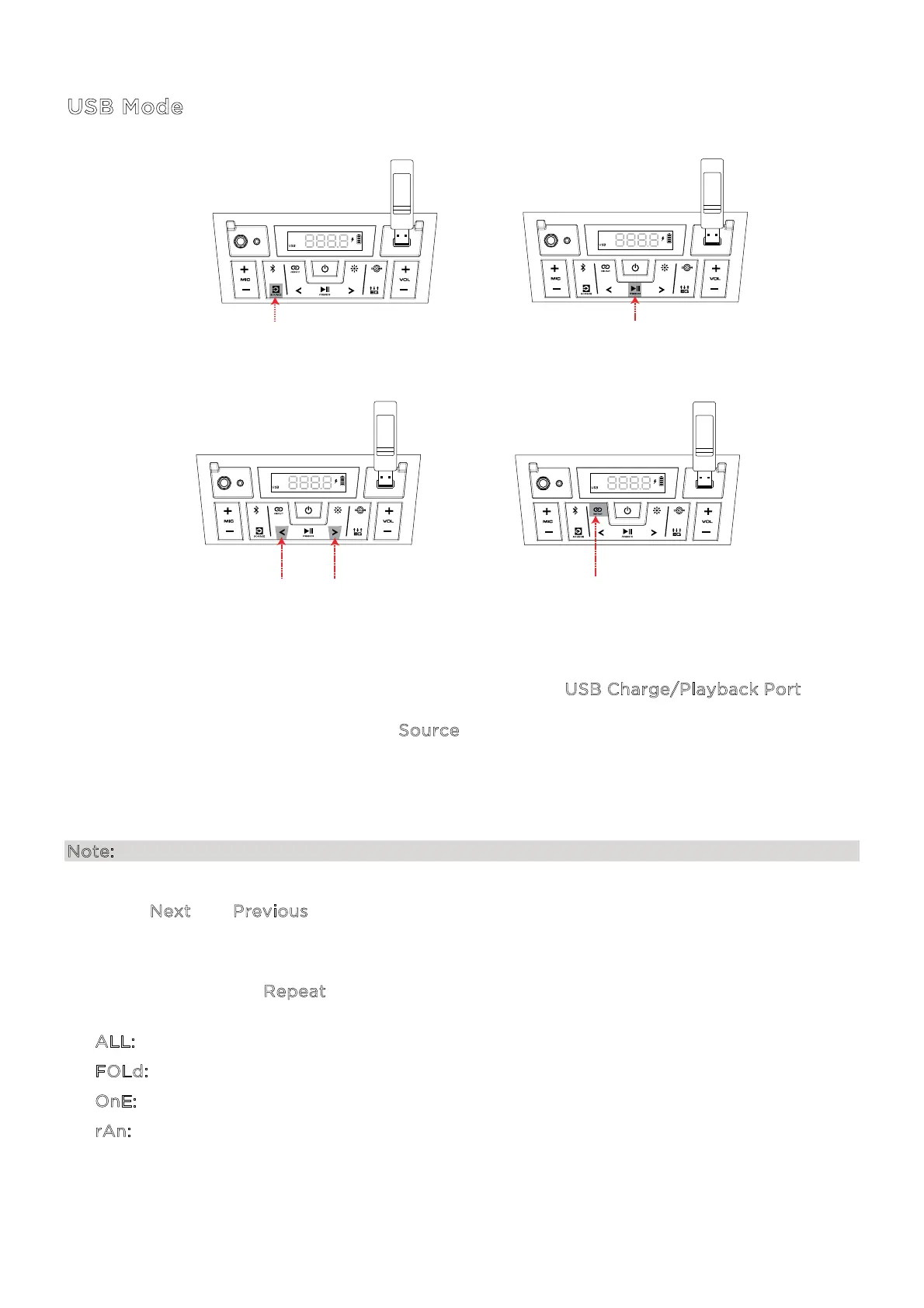
When a USB drive with compatible files is inserted into the USB Charge/Playback Port, Block
Rocker® will automatically switch to USB mode. If the USB drive has already been inserted and
you are using another mode, press the S
ource button until USB mode is selected.
Block Rocker® will automatically play the first compatible MP3 file. Files are played in
alphabetical order of what is on the root level, then alphabetical by folder, and then
alphabetical by track name. Media playback will stop when all media has been played on the
USB drive.
Note: The USB drive must have playable MP3 files for it to appear on the media panel’s display.
Press the N
ext and Previous (</>) buttons to go to the next or previous track. Press and hold
these buttons to fast forward or rewind within the track.
With each press of the R
epeat button the following Repeat settings will cycle through on the
display:
• A
LL: Repeat all of the tracks on the USB drive (Default mode).
• F
OLd: Repeat all of the tracks in the folder.
• O
nE: Repeat the current playing USB track.
• r
An: Shue the track order.
1 - CONNECT AND PRESS
3 - PRESS
(Previous/Next Track)
4 - PRESS TO CYCLE
(ALL, FOLDER, ONE RANDOM)
2 - PRESS
(Play/Pause Playback)




 To Next Page