ION Audio Block Rocker
®
User Guide 7
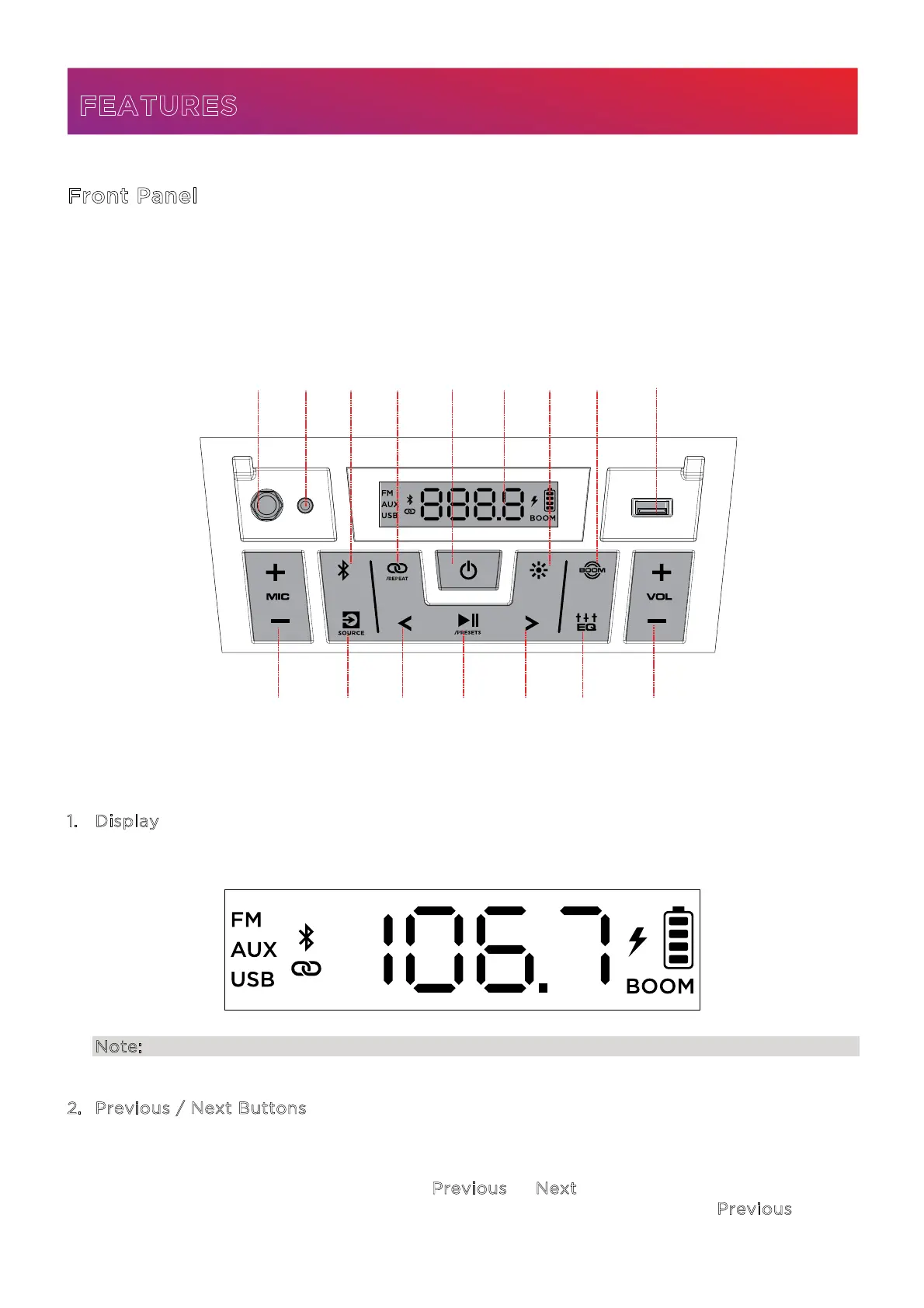
Front Panel
Click a control below to jump to that section.
1. Display
This screen shows information relevant to the current operation on Block Rocker®.
Note: The Display comes with a plastic protector on it. Remove this for optimal viewing.
2
. Previous / Next Buttons
In FM mode, press these buttons briefly to go to the previous or next station. Press and
hold these buttons to seek the previous or next strong station.
In Bluetooth and USB modes, press the P
revious or Next button to go to the beginning of
the current track or skip to the following track, respectively. Press the P
revious button
again within one second to skip to the previous track.
FEATURES
14
15
8
4 7
6
5
2
3
9
212
1
10
13
11




 To Next Page