ION Audio Block Rocker
®
User Guide 5
Charging and Battery Information
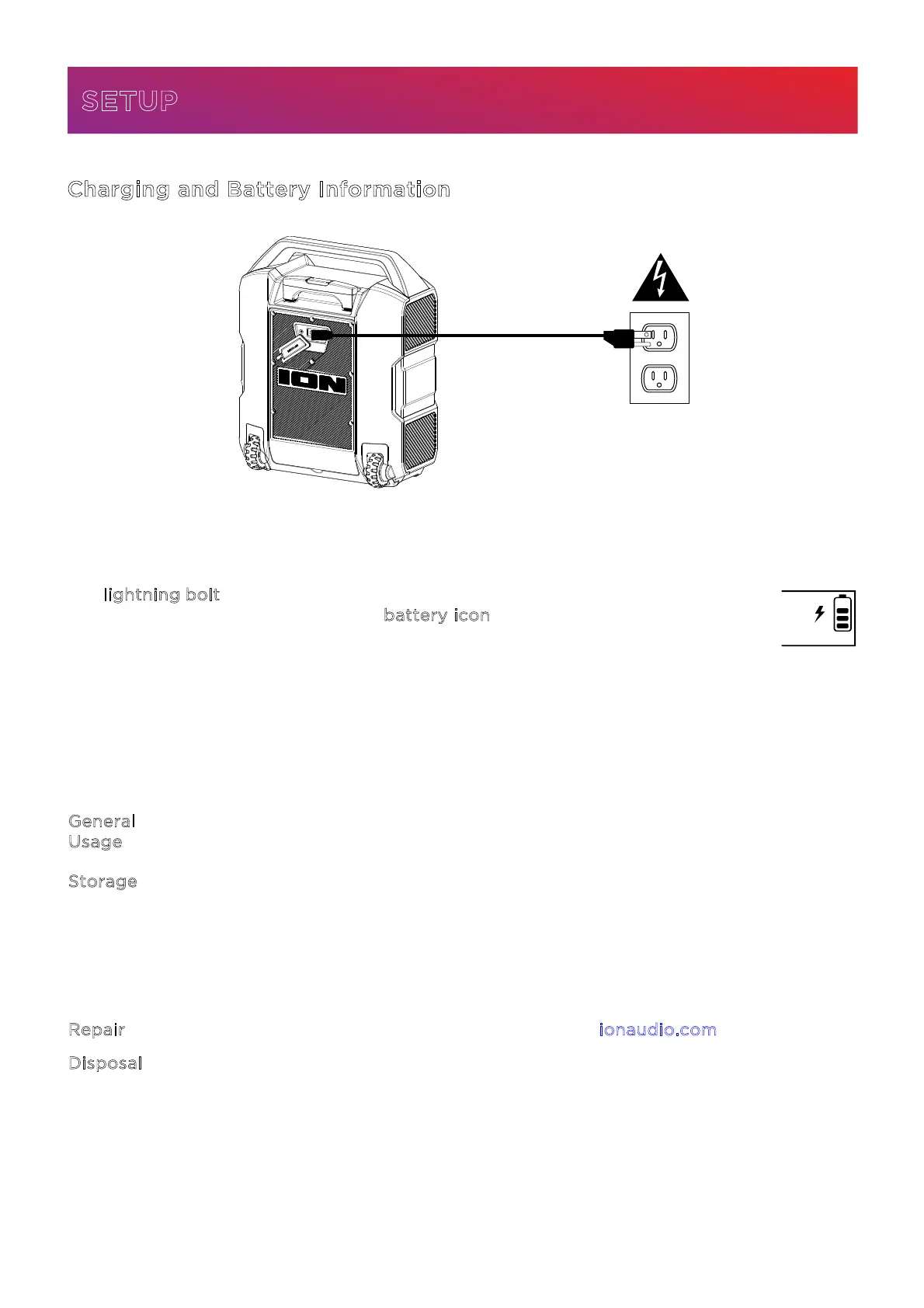
For the quickest charging time, power o Block Rocker® and use the included IEC power cable
connected to a power outlet. A full charge can take up to 6 hours.
The l
ightning bolt icon on the display will light up when Block Rocker® is connected
to a power source and charging. The b
attery icon will fill to display the battery life
percentage. When charging is complete, the lightning bolt icon will disappear, and
the battery icon will be completely filled.
Rechargeable lead-acid batteries are the same type used in automobiles. As with your car
battery, how you use this battery has a significant impact on its lifespan. With proper use and
treatment, a lead-acid battery can last for years. Here are some recommendations for getting
the longest life from the internal battery.
G
eneral
U
sage
Fully charge the battery before using it.
Charge the battery completely after each use.
S
torage For best product longevity, do not store at exceedingly hot (greater than
90°F/32°C) or exceedingly cold (less than 32°F/0°C) temperatures.
It is acceptable to leave your sound system plugged in. This will not overcharge
the battery.
If you leave the battery level low and do not charge it for 3 months, it may
permanently lose capacity.
R
epair If the battery fails to charge, contact ION Audio at ionaudio.com.
D
isposal Bring the unit to a recycling center or dispose of in accordance with local
ordinances.
SETUP





 To Next Page