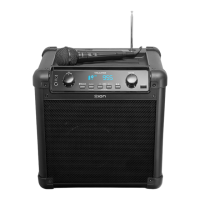
Need help?
Do you have a question about the ION GAME DAY PRIMETIME and is the answer not in the manual?
 General
| Brand | ION |
|---|---|
| Model | GAME DAY PRIMETIME |
| Category | Portable Speakers |
| Language | English |
Detailed technical data including power, drivers, and dimensions.
Legal information regarding trademarks and software licenses.
Lists the items included in the product packaging.
Provides contact information and website for product support.
Guidelines for using the product in outdoor conditions and maintenance.
Visual representation of how to connect the device for charging.
Introduction to the front panel layout and its key components.
Details on the display, power, Bluetooth, and source selection buttons.
Explains buttons for audio playback, EQ, lighting, and stereo linking.
Describes the microphone, auxiliary inputs, and USB charging/playback ports.
Instructions for downloading and using the ION Sound Control mobile app.
Steps to pair and connect a Bluetooth device to the speaker.
Guide on linking two Game Day™ Primetime speakers for stereo sound.
How to tune, save, and recall radio stations.
Instructions for connecting audio devices via the auxiliary input.
How to play music files from a USB drive.
Information on using the speaker as a power bank to charge other devices.

 To Next Page