15
3. CEM120 Mount Assembly
STEP 1. Attach the Mount
Make sure that the RA axle is at the locking position (please refer to the charts on page 5).
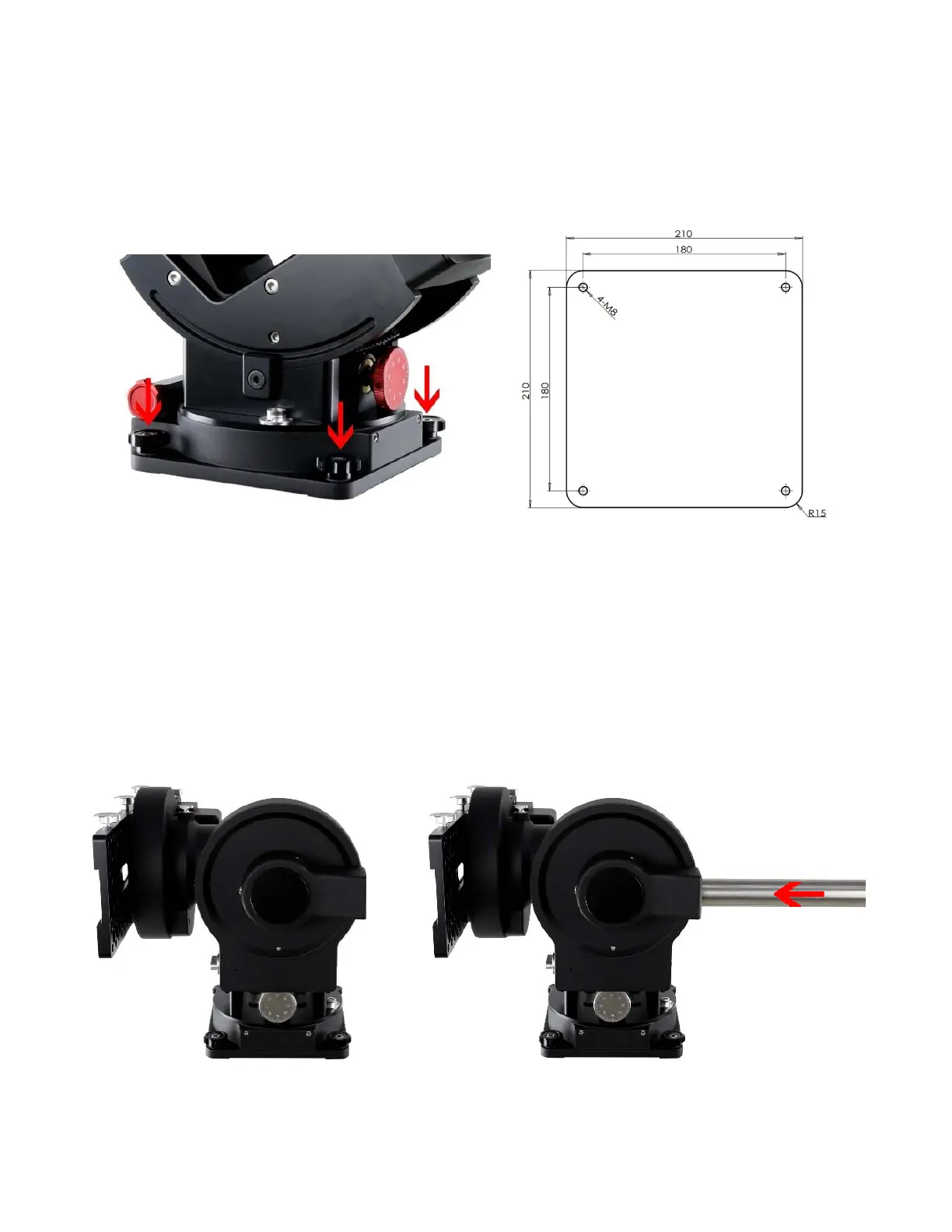
Remove the mount from the package. Put it onto a pier/tripod top and secure it with four included Base
Mounting Screws.
(a) (b)
Figure 11. (a) Attach the mount, and (b) mount base dimension
Because of the total weight of the mount, counterweight and payload, we recommend use your
own pier for the mount. The base dimension is shown in
STEP 2. Install the Counterweight (CW) Shaft
Hold the mount head with one hand. Pull the RA Axle Locking Knob outward to disengage the
lock. Slowly rotate the mount RA 90 degree to level position. Release the RA Axle Locking Knob to lock
the RA axis again.
Figure 12. Install CW shaft



 To Next Page