Getting Started 2
Inspection
The unit was carefully inspected, both mechanically and electrically, prior to shipment.
When you receive the interface, carefully unpack all items from the shipping carton and check for any
obvious signs of physical damage, which may have occurred during shipment. Report any such damage
found to the shipping agent immediately. Remember to retain all shipping materials in the event that
shipment back to the factory becomes necessary.
Every Digital488 is shipped with the following....
• Digital488 IEEE Digital I/O Converter
• CN-8-50 Digital I/O Port Mating Connector
• Digital488 User’s Manual
• Power Supply TR-2; 115V or
• TR-2E; 220V
Every Digital488/32/OEM is shipped with the following....
• Digital488/32/OEM IEEE Digital I/O Converter
• Digital488 User’s Manual
• CA-106 1 foot ribbon cable to IEEE488 connector
• Macro488OEM-002 Power Plug Assembly
Configuration
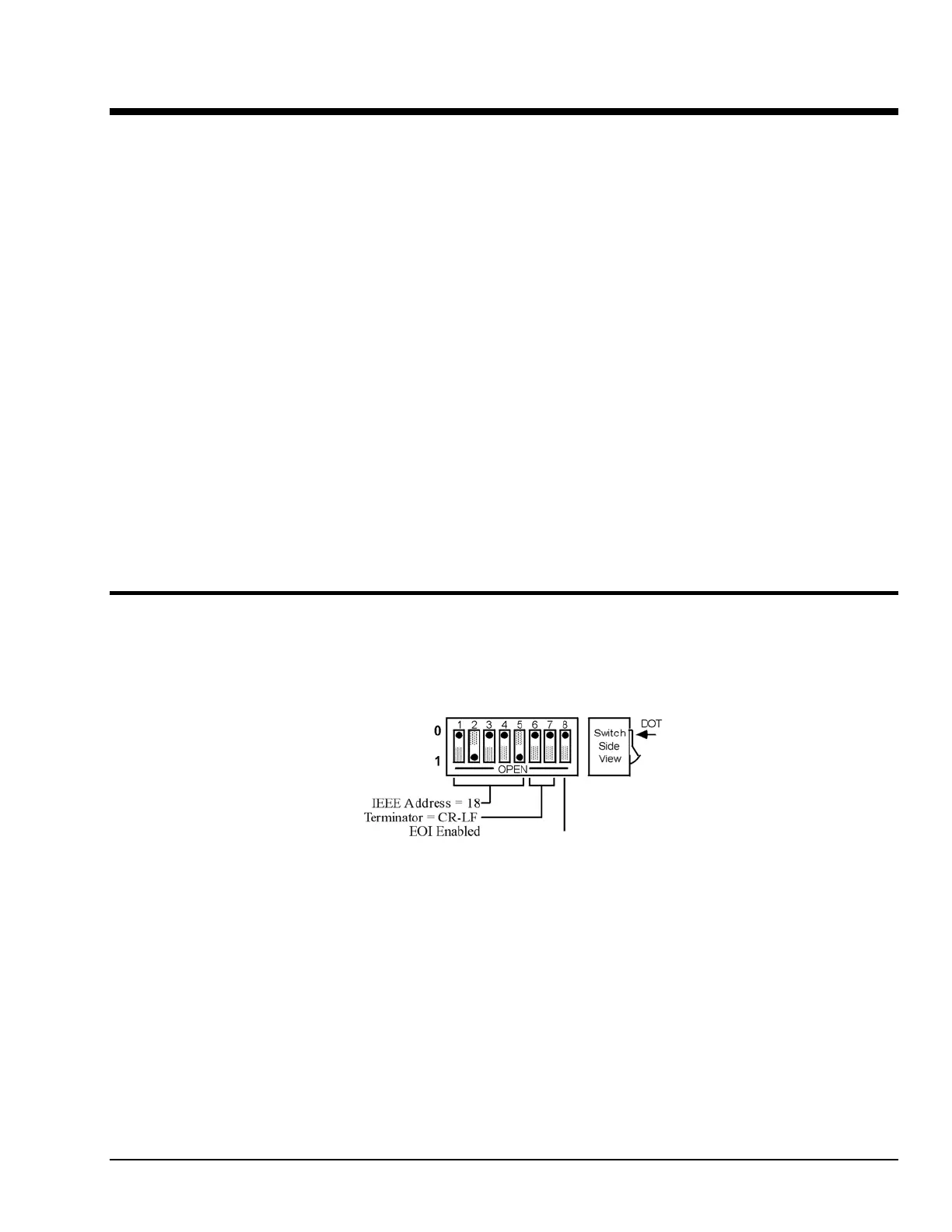
The Digital488 has one internal 8 position switch which determines the unit's IEEE address and its default
IEEE bus output terminator. The switch is only read when the unit is powered on, and should only be set
prior to applying power. The following figure illustrates the factory default setting for SW1.
SW1 Factory Default Settings
To modify any of these defaults, follow this simple procedure. Disconnect the power supply from the AC
line and from the interface. Disconnect any IEEE or digital I/O cables prior to disassembly.
Digital488 User’s Manual 11-19-01 Getting Started, 2-1



 To Next Page