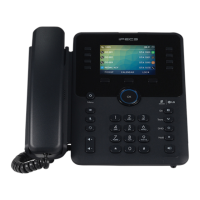
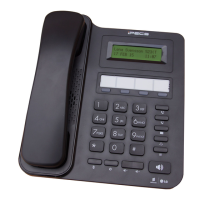
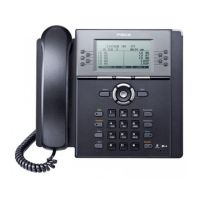
1000i Series IP Phone (LME)
User Guide Issue 1.2
i
Table of Contents
1 Introduction .................................................................................................. 1
1.1 General .................................................................................................................. 1
1.2 Feature Information ............................................................................................... 1
1.3 Feature Groupings ................................................................................................. 1
1.4 iPECS 1000i Phone Description ............................................................................ 2
1.4.1 Phone Layout and Functions ..................................................................................... 2
1.5 1000i Installation .................................................................................................... 6
1.5.1 Global Provisioning ................................................................................................... 8
1.6 DSS Overview & Installation .................................................................................. 9
1.6.1 1024idss overview ..................................................................................................... 9
1.6.2 1048ilss overview .................................................................................................... 10
1.6.3 1048idss overview ................................................................................................... 11
1.6.4 DSS Installation ....................................................................................................... 12
1.7 Wall Mount Installation ......................................................................................... 13
1.8 EHS Adaptor ........................................................................................................ 14
1.9 Wi-Fi dongle ........................................................................................................ 14
1.10 Phone Entering Text ............................................................................................ 15
2 Using the LCD & Speakerphone ................................................................ 16
2.1 Using the LCD ..................................................................................................... 16
2.1.1 1000i Series Phone Displays .................................................................................. 16
2.1.2 Upper line and Flexible button icons ....................................................................... 18
2.2 Using the Speakerphone ..................................................................................... 20
3 Receiving Calls ........................................................................................... 21
3.1 Answering a Call While Idle ................................................................................. 21
3.2 Responding to a Call While Busy ........................................................................ 21
3.3 Using Answering Machine Emulation (AME) ....................................................... 22
3.4 Differential Ring Signals ...................................................................................... 22
3.5 Answering Calls to Other Stations ....................................................................... 23
3.6 Using Do-Not-Disturb (DND) to Block Incoming Calls ......................................... 23
3.7 Forwarding Calls .................................................................................................. 24
3.7.1 Forwarding calls to another Station or Voice Mail or external number .................... 24
3.7.2 Forwarding callers to a Text Message .................................................................... 25
4 Placing Calls............................................................................................... 26
4.1 Internal Calls ........................................................................................................ 26
4.1.1 Using Camp-On when calling a busy station ........................................................... 26
4.1.2 Leaving a Message Wait Indication ......................................................................... 26
4.2 External Calls ...................................................................................................... 27
4.2.1 Placing external Trunk calls .................................................................................... 27
4.2.2 Waiting for the next available Outside line .............................................................. 27


 To Next Page