EasyManua.ls Logo

iPECS LDP-9030D - COS;Password and Temporal COS

iPECS LDP-9030D
44 pages
Print Icon
To Next Page IconTo Next Page
To Previous Page IconTo Previous Page
Loading...
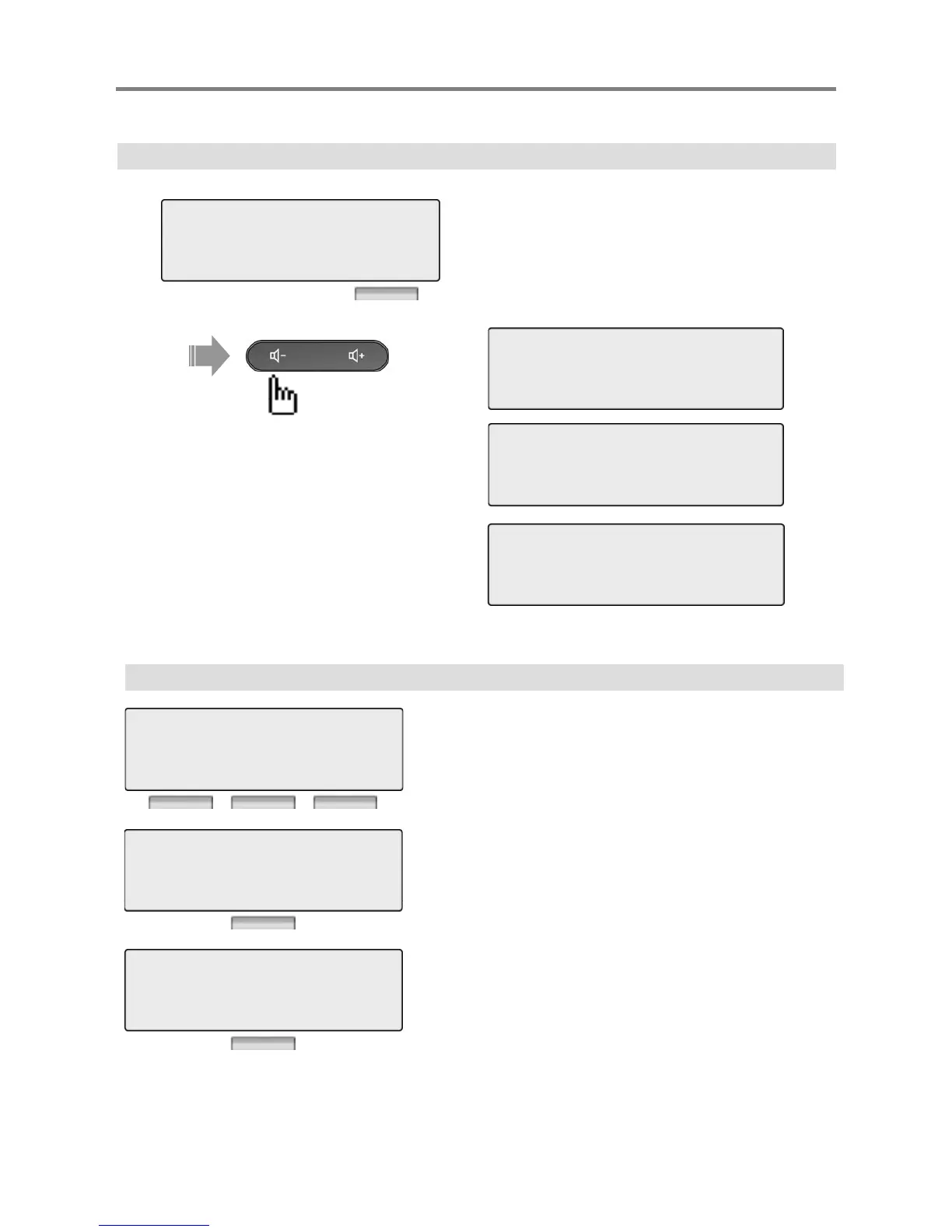
3. COS / PASSWORD
Menu
Press [OK] or [Hold/Save] button.
3> COS / PASSWORD
4 MULTI MESSAGE
OK EXIT
1 > TEMPORAL COS MODE
2 RETRIEVE COS
BACK OK EXIT
3 > WALKING COS
4 REGISTER PASSWORD
Press [Volume] button.
4
REGISTER
PASSWORD
BACK OK EXIT
5 > CALL LOG PROTECT
6 SMS MESSAGE PROTECT
BACK OK EXIT
3.1 TEMPORAL COS MODE
Press [OK] or [Hold/Save] button.
1 > TEMPORAL COS MODE
2 RETRIEVE COS
Press [OK] or [Hold/Save] button.
Enter current password.
BACK OK EXIT
ENTER CURRENT PASSWORD
BACK OK EXIT
Press [OK] or [Hold/Save] button.
PRESS OK / SAVE KEY
*******
BACK OK EXIT
25
Password should be registered.

Other manuals for iPECS LDP-9030D

Related product manuals