LIP-9000 Series User Guide - ST 13
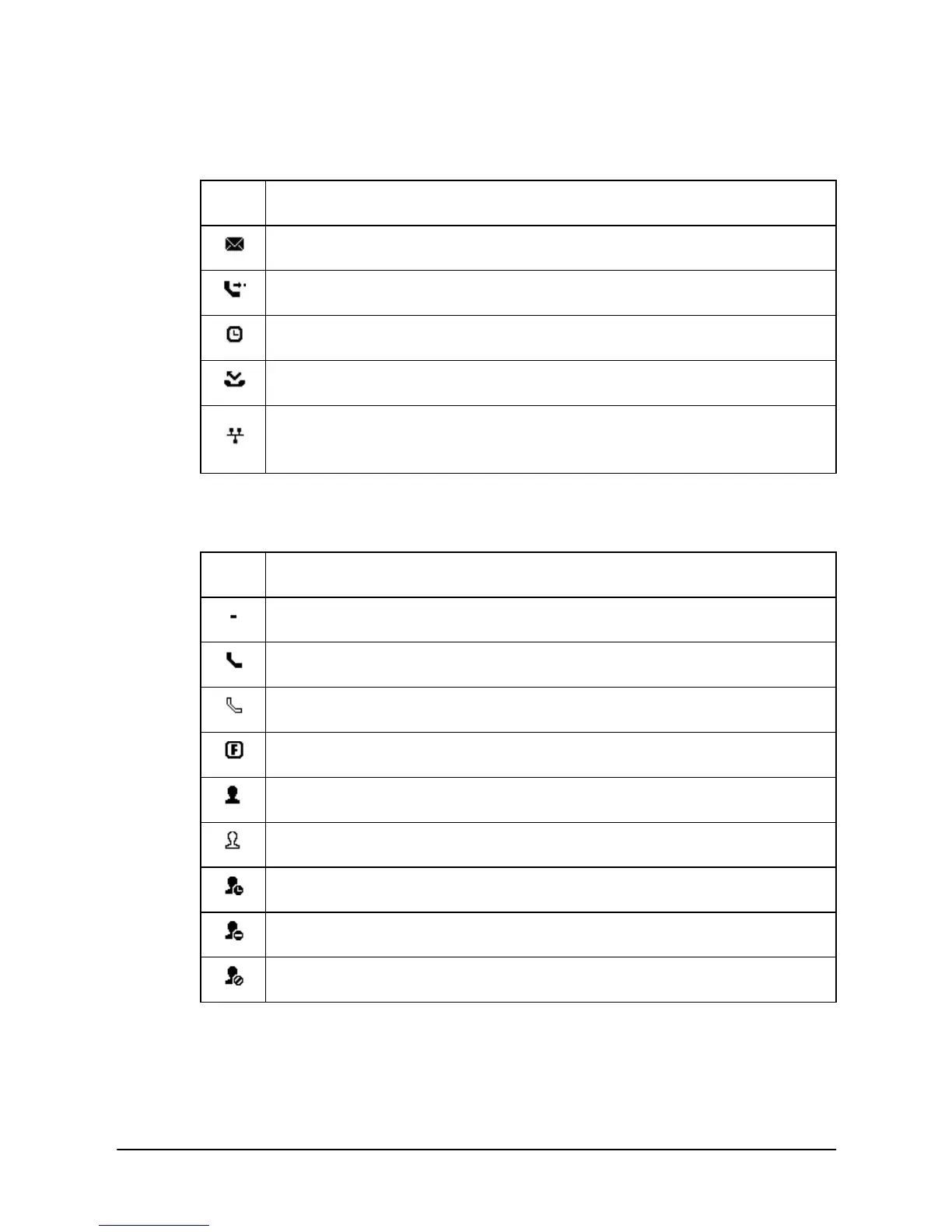
Below is a list of icons and their meaning.
Upper line icons
Message icon, indicates one or more messages.
Forward icon, indicates calls to the extension are forwarded.
Wake Up icon, indicates one or more alarms are saved.
Missed call icon, indicates one or more missed calls.
LAN icon, indicates the status of the LAN connection to the IP
Phone. (LIP-9010/20 Only)
Flexible button icons (LIP-9030/40 only)
Icon Meaning
NOT Assigned
Function Button
On-Line Presence of UCS Client
Off-Line Presence of UCS Client
Away Presence of UCS Client
Busy Presence of UCS Client
DND Presence of UCS Client



 To Next Page