EasyManua.ls Logo

iPower AP10000E - User Manual

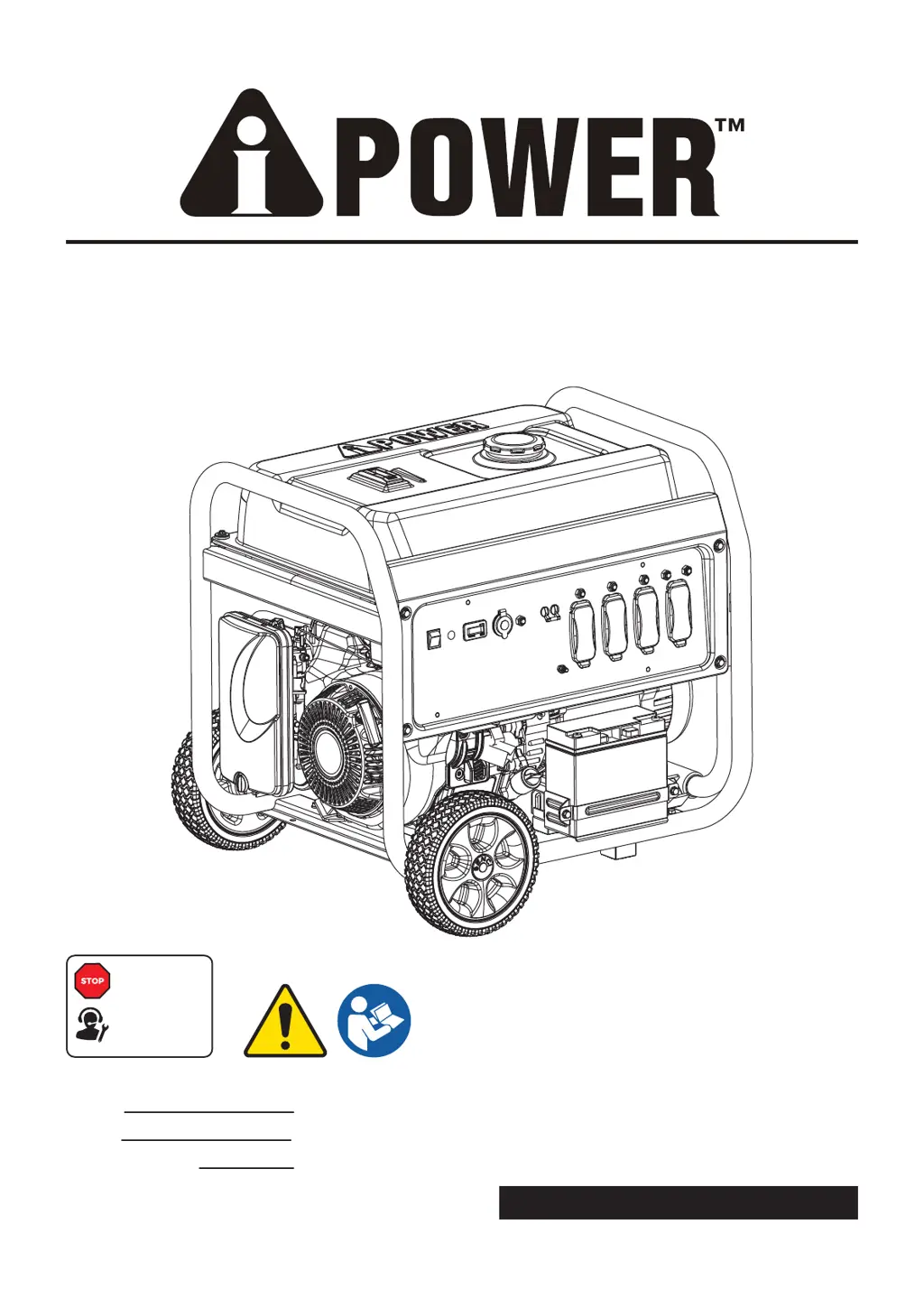
iPower AP10000E
104 pages
Print Icon
To Next Page IconTo Next Page
Loading...
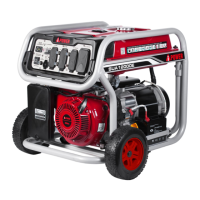
PORTABLE GENERATOR
Owner’s Manual
P/N: 32082-00000-00
Model:
Serial:
Date Purchased:
AP10000E REV00
SAVE THIS MANUAL FOR FUTURE REFERENCE
DO NOT RETURN
TO STORE!
CALL US FIRST
1-855-888-3598
FOR SUPPORT

Table of Contents

Other manuals for iPower AP10000E

Questions and Answers

  • M
    Mrs. Veronica TurnerAug 4, 2025
    What to do if my iPower AP10000E has no AC output?
    • A
      Aaron SandersAug 5, 2025
      If your iPower Portable Generator's engine is running but there's no AC output, first check the AC load and reset the circuit breaker. If you have a GFCI outlet, correct any ground fault and press the reset button. Also, inspect and repair any poor connections or defective cord sets. Try connecting another device that you know is in good working order to rule out issues with the original device. If the problem persists, it may be a fault in the generator itself.
  • M
    Matthew ChanAug 9, 2025
    How to fix an iPower AP10000E that won't start?
    • L
      Laurie GrimesAug 9, 2025
      If your iPower Portable Generator engine won't start, runs rough, or shuts down, make sure the engine switch is in the ON position and the fuel valve is also in the ON position. Check the oil level and add oil if it's low, or place the generator on a level surface. Ensure the spark plug wire is connected and the spark plug is in good condition (replace if needed). Clean or replace the air filter, and make sure you have fresh fuel in the tank, draining any old fuel. If the engine is flooded, wait 5 minutes before re-cranking. Also, check and secure battery cable connections or charge the battery.
  • C
    Courtney MorrowAug 14, 2025
    Why does my iPower AP10000E Portable Generator bog down when a load is connected?
    • M
      michelejonesAug 15, 2025
      If the engine of your iPower Portable Generator runs well without any load but bogs down when a load is connected, disconnect any electrical load that might have a short circuit. Also, reduce the load on the generator to prevent overloading. Make sure to use another device that is known to be in good condition.
  • J
    Jimmy HensleyAug 25, 2025
    What to do if my iPower AP10000E Portable Generator shuts down while running?
    • A
      Andrew GloverAug 25, 2025
      If your iPower Portable Generator engine shuts down while running, first, ensure that the fuel tank is full. Then, check and clean or replace the air cleaner if it's dirty. Finally, verify that the oil level is adequate and fill the crankcase to the proper level or place the generator on a level surface.
  • R
    Regina McconnellAug 29, 2025
    Why does my iPower AP10000E Portable Generator engine hunt or falter?
    • R
      rayhaydenAug 29, 2025
      If the engine of your iPower Portable Generator "hunts" or falters, replace the fuel filter if it is clogged or dirty. If the choke is opened too soon, set it to the halfway position until the engine runs smoothly.
  • K
    kestesSep 10, 2025
    How to restore power to my iPower AP10000E Portable Generator?
    • J
      Julia GarciaSep 12, 2025
      If your iPower Portable Generator engine lacks power, try reducing the load on the generator. Replace the air filter if it's dirty. Clean or replace the fuel filter if it's clogged or dirty. Also, clean or replace the spark arrester screen if it is clogged or dirty. Drain the gas tank and carburetor and fill with fresh fuel if the fuel is bad.

Summary

Introduction

Read This Manual Thoroughly

Instructions to read the owner's manual before use to ensure safe operation.

Safety

General Safety Precautions

Key safety guidelines and warnings for generator operation, covering hazards.

Usage Location and Fuel Safety

Safety regarding operating locations, fuel handling, and storage procedures.

Electrical, Fire, and Maintenance Safety

Safety concerning electrical connections, fire hazards, and maintenance procedures.

Generator Operation Safety

Safety protocols for generator operation, including medical and hazard awareness.

Definitions and Symbols

Unpacking and Assembly

Parts Included

List of components included with the generator shipment.

Assembly Instructions

Step-by-step guide for assembling the generator.

Wheel Kit Installation

Procedure for installing the wheel kit.

Support Leg Installation

Procedure for installing the support leg.

Battery Cable Connection

Instructions for connecting the generator's battery cables.

Controls and Features

Control Panel Features

Identification and description of control panel components and their functions.

Specifications

Generator Specifications

Technical data and ratings for the generator model.

Engine Oil and Fuel Management

Add Engine Oil and Low Oil Shutdown

Instructions for adding engine oil and information on low oil shutdown.

Add Fuel and Fueling Procedures

Guidance on adding fuel, fuel types, and safe fueling practices.

Operation at High Altitude

Considerations for operating the generator at high altitudes.

Grounding and Electrical Connection

Information on proper generator grounding and connecting to electrical systems.

Operation

Generator Location and Surge Protection

Guidelines for generator placement and protecting connected electronics.

Starting the Generator

Step-by-step instructions for starting the generator engine.

Connecting Electrical Loads

Procedures for connecting electrical devices to the generator.

Stopping the Engine and Overload Prevention

Instructions for safely stopping the generator and preventing overloading.

Maintenance and Storage

Maintenance Schedule and Inspection

Recommended maintenance intervals and pre-operation inspection checks.

Engine Oil Maintenance

Procedures for checking and changing engine oil.

Spark Plug and Air Filter Maintenance

Guidance on maintaining the spark plug and air filter for optimal performance.

Battery, Spark Arrestor, and Valve Clearance

Procedures for battery replacement, spark arrestor cleaning, and valve clearance checks.

Generator Cleaning and Storage

Instructions for cleaning the generator and preparing it for storage.

Storage Procedures

Detailed procedures for short-term and long-term generator storage.

Troubleshooting

Engine Running Issues

Solutions for problems like no AC output or engine bogging down.

Starting and Power Issues

Troubleshooting for starting failures, rough running, and lack of power.

Engine Behavior Issues

Resolving issues like engine hunting, faltering, or shutting down.

Parts Diagram and List

Parts Diagram

Visual representation of generator components with part numbers.

Parts List

Detailed list of all generator parts with their numbers and quantities.

Warranty Information

Limited Warranty and Registration

Details on the limited warranty coverage and product registration process.

Warranty Exclusions

Specific conditions and parts not covered by the warranty.

Merchandise Return Guidelines

Procedures and requirements for returning merchandise.

iPower AP10000E Specifications

General IconGeneral
ModelAP10000E
TypePortable Generator
Fuel TypeGasoline
Starting Watts10000W
Rated Watts8000W
Starting MethodElectric Start
Starting SystemElectric Start
Outlet Types120V 20A (2), 120/240V 30A (1), 120V 30A Twist Lock (1)

Related product manuals