22
Digital Intra-oral X-Ray Imaging System Pluto0001X /Pluto0002X User's Manual
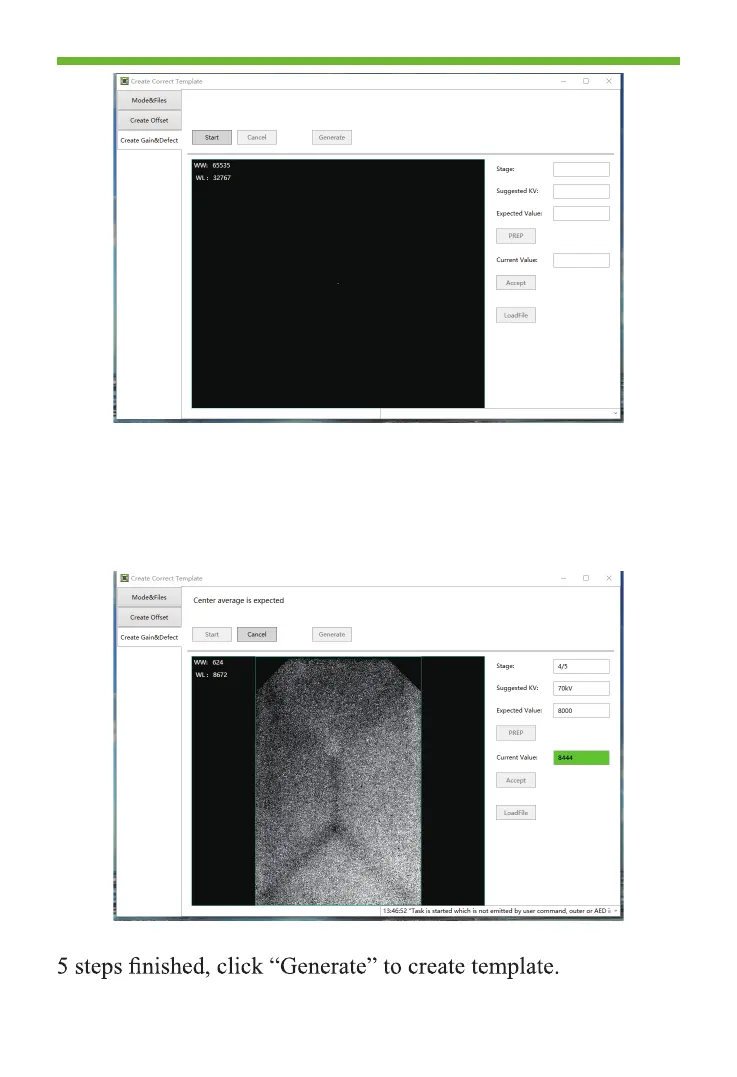
3. Click “Start” to enter the template creation process.
Start to exposure according to the expected parameters
Change the X-ray on time and re-exposure until the gray value
meet the expected value. Click “Accept” and enter into next
step.
4. Follow the same step to accomplish the other 4 steps; after



 To Next Page