26
Digital Intra-oral X-Ray Imaging System Pluto0001X /Pluto0002X User's Manual
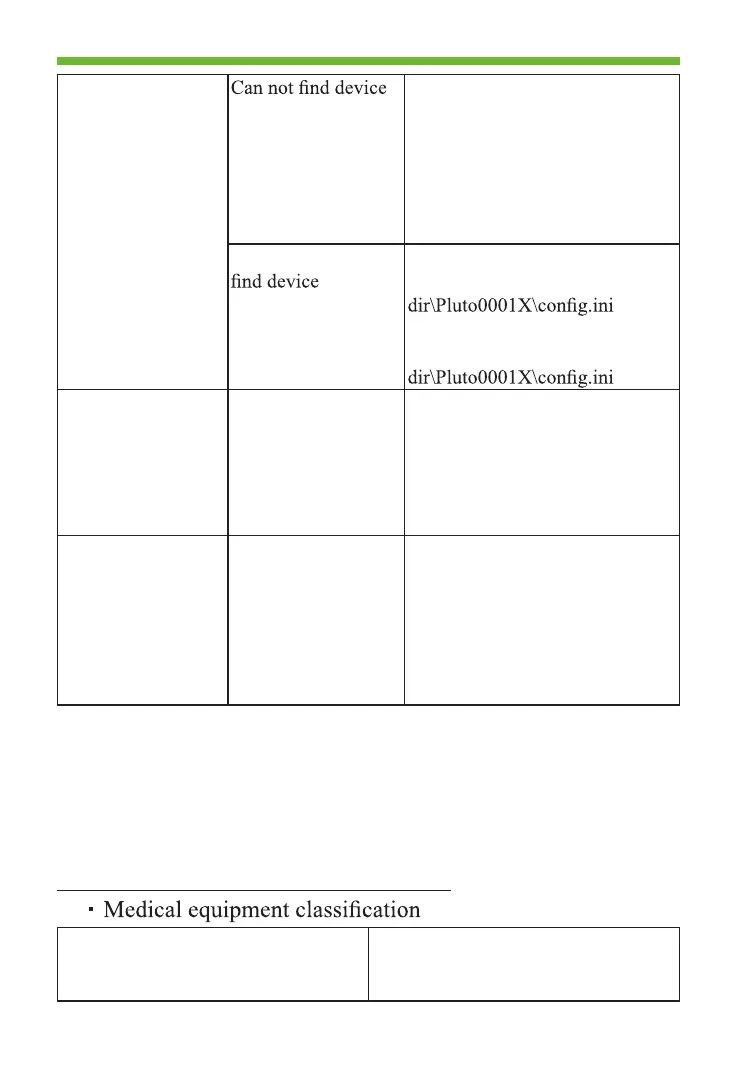
Can not connect
sensor
No sensor connection
The USB connector is damage
Re-plug the USB connector
Change the USB port and re-plug
Check the cable and sensor for
damage or other abnormallities
Reinstall the usb driver
It prompts cannot
Delete the “Cfg_USBConnStr”
in ..\ \Tools\iDetector\x64\work_
Delete the “SN” in ..\
\Tools\iDetector\x64\work_
No image display No sensor connection
Sensor or cable is
damged
X-ray dose is too low
Exposure time is too
short
Check the sensor and cable
Increase the distance between
tube and sensor
Increase mA
Increase exposure time
Replug the sensor and try again
Image from x-ray
exposure is pale and
grainy
The sensor is moving
during exposure
X-ray is instability
The imaging
surfaceofsensor is
not facing the x-ray
device
Fix the sensor before exposure
Check the x-ray machine
Check the sensor position
If the symptom still exists, please contact the service.
Product regulatory information includes safety, EMC and
other related regulation requirements of the product and its
accessories.
5. Information on Safety Regulations
5.1 Medical Equipment Safety Standards
Protection type against electrical
shock
Not Class I equipment;
Not Class II equipment;
Not internally power equipment.



 To Next Page