4.10
Connecting
External Cables
to the BDE
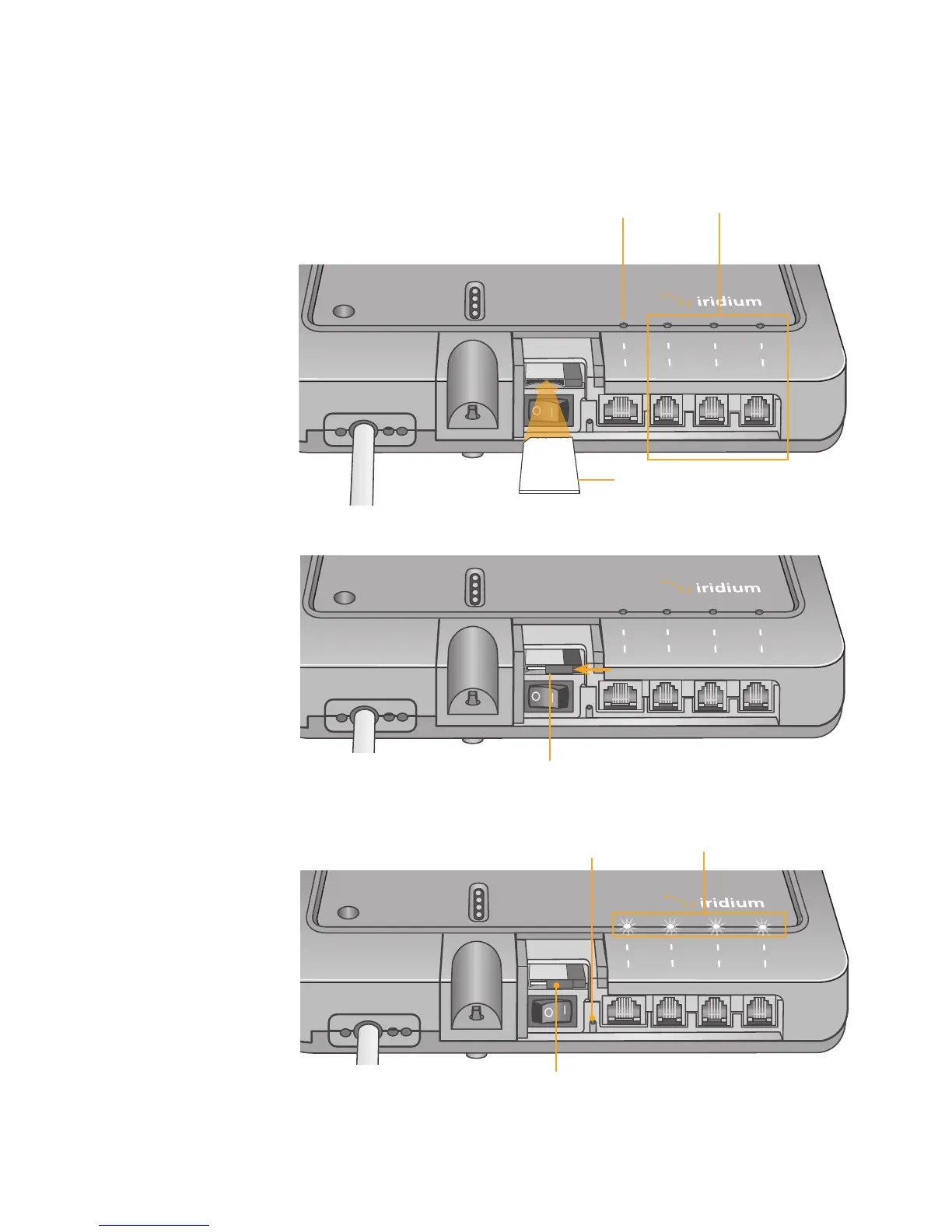
The data and handset connections are on the connector edge of the unit.
There is one data connection and three handset connections. The data
connection is marked as “data” and the handset connections are
identied as “Voice 1”, “Voice 2” and “Voice ”.
power
status
signal
GPS
data
®
voice 1 voice 2
voice 3
Provisioned lines will
illuminate green
Figure 4 I 7
SIM
Iridium Openport Terminal I 4 Installation
Reset
button
power
status
signal
GPS
data
®
voice 1 voice 2
voice 3
power
status
signal
GPS
data
®
voice 1 voice 2
voice 3
Figure 4 I 5
Slide locking tab
Insert SIM card
Figure 4 I 6
Voice
connections
Data
connection


 To Next Page