5.8
Iridium Openport Terminal I 5 Initial System Conguration
Software
Upgrade
To upgrade the software you need:
A windows-based PC
Standard Ethernet cable
OpenPort Terminal Upgrade Tool executable software
Follow these steps to upgrade the software:
1 Connect PC to OpenPort data port with a standard Ethernet cable.
2 Open a browser and verify connectivity with the OpenPort terminal by
navigating to 192.168.0.1, which is the default IP address assigned to all
OpenPort terminals at the factory. If the default has been changed,
enter the new IP address of the terminal.
3 If you see the OpenPort status web page, proceed to step 4.
Otherwise, you may need to congure TCP/IP properties in your
computer – please refer to Section 6 for detailed instructions on
computer setup.
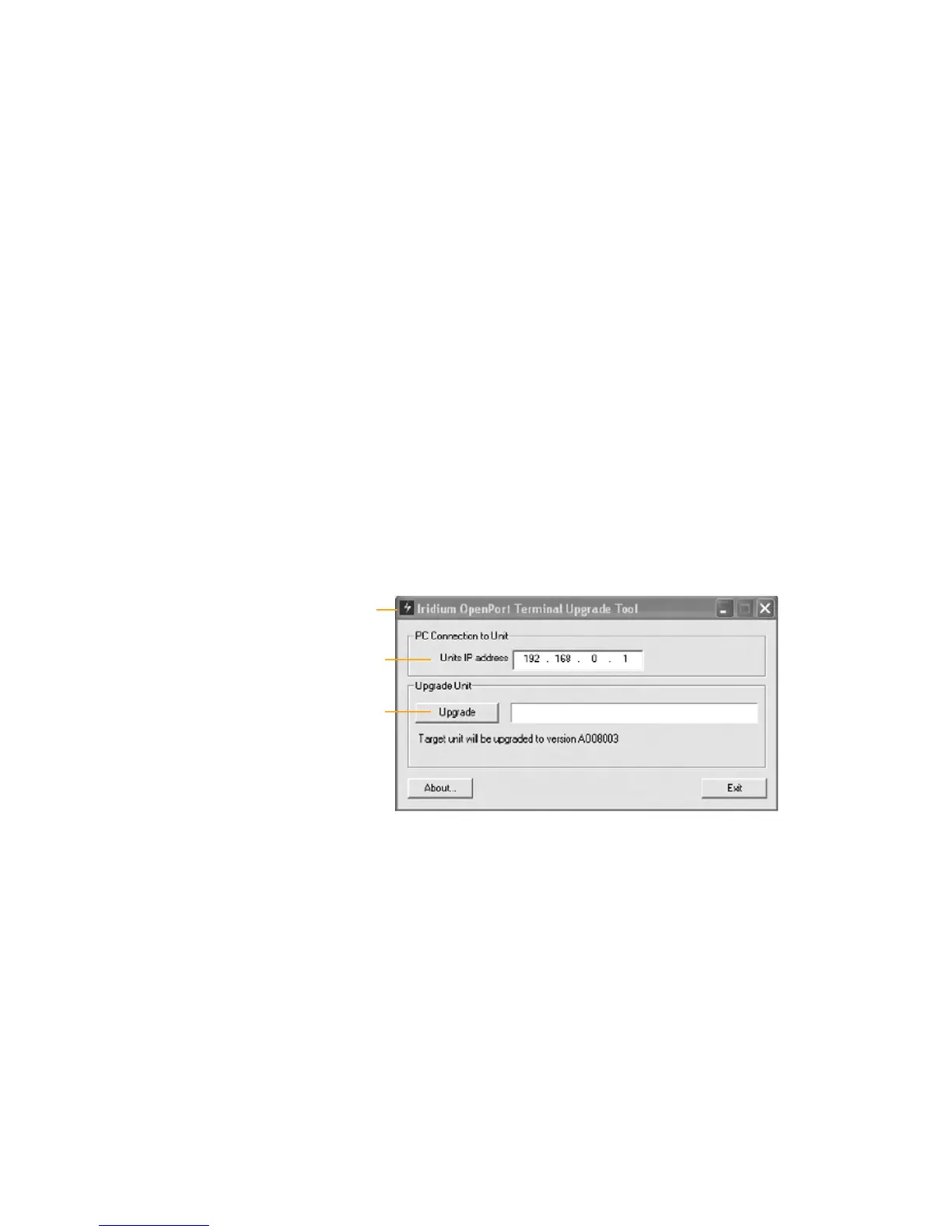
4 Double click the OpenPort Upgrade tool executable. The following
window will appear. Enter the IP address of the OpenPort terminal.
•
•
•
IP address
Upgrade Tool
window
Upgrade


 To Next Page