5.1
5 I
Initial System Conguration
Iridium Openport Terminal I 5 Initial System Conguration
There are two levels of diagnostic information available, basic and
administrator. Conguring the system and full diagnostics can only be
done by the System Administrator and requires a login password.
To access the ISU Web Pages:
1 Connect a PC to the data port on the BDE
2 Open the web browser and in the web browser address window, type:
http://192.168.0.1.
Note: The default IP address is assigned to the ISU at the factory. The IP
address can be changed if there are multiple ISU’s at a single site. If this has
been done then type in the new IP address. To reset the IP address back to
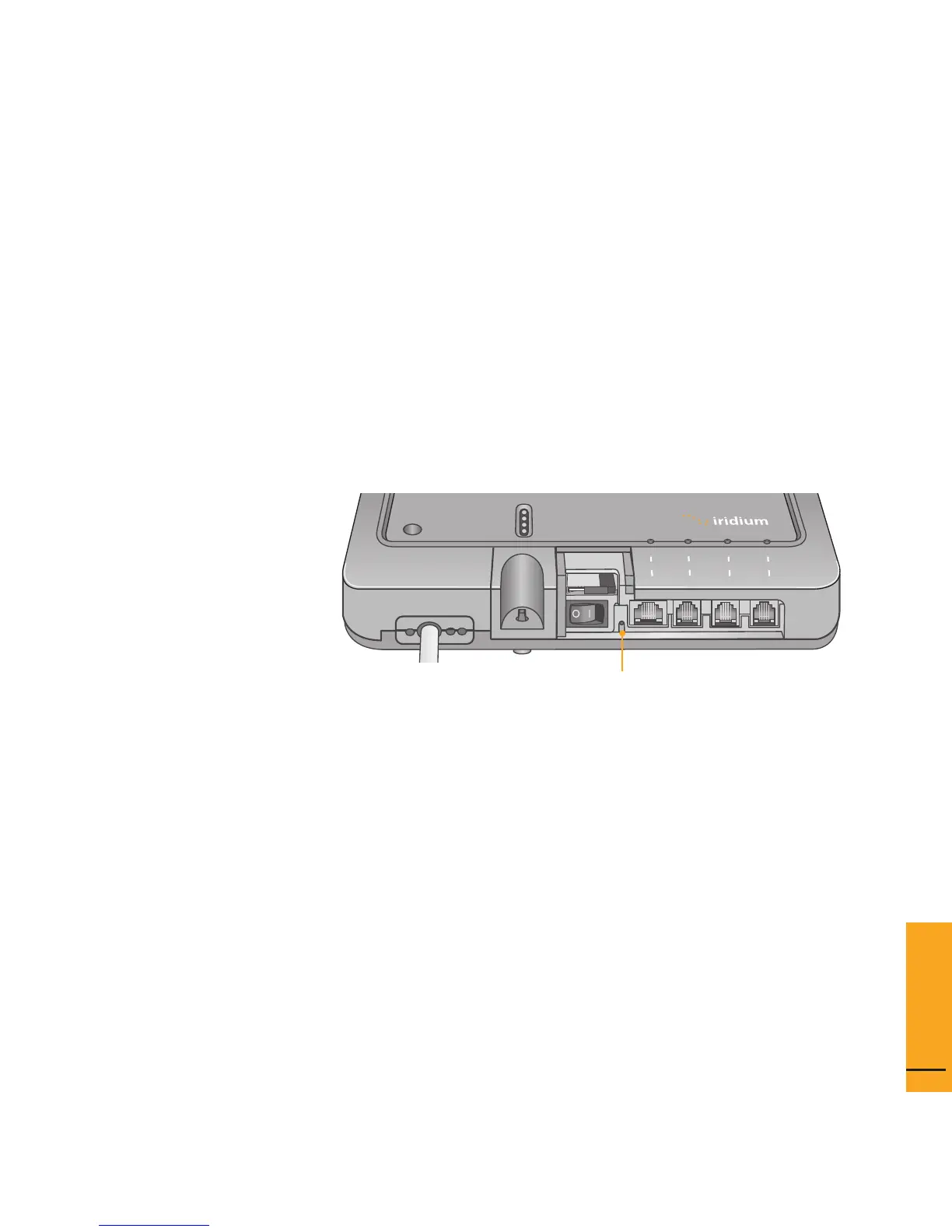
the default (192.168.0.1), press the network reset button on the BDE
.
Conguring the
System
System
Configuration
5
power
status
signal
GPS
data
®
voice 1 voice 2
voice 3
Reset button
Figure 5 I 1
3 Select “Login” for administrator level diagnostics. Type in the user
name and password specied by Iridium. Call your Service Provider if
login fails.


 To Next Page