Basic operation
Listening to FM radio
43
Basic operation
Listening to FM radio
42
Erasing FM radio station
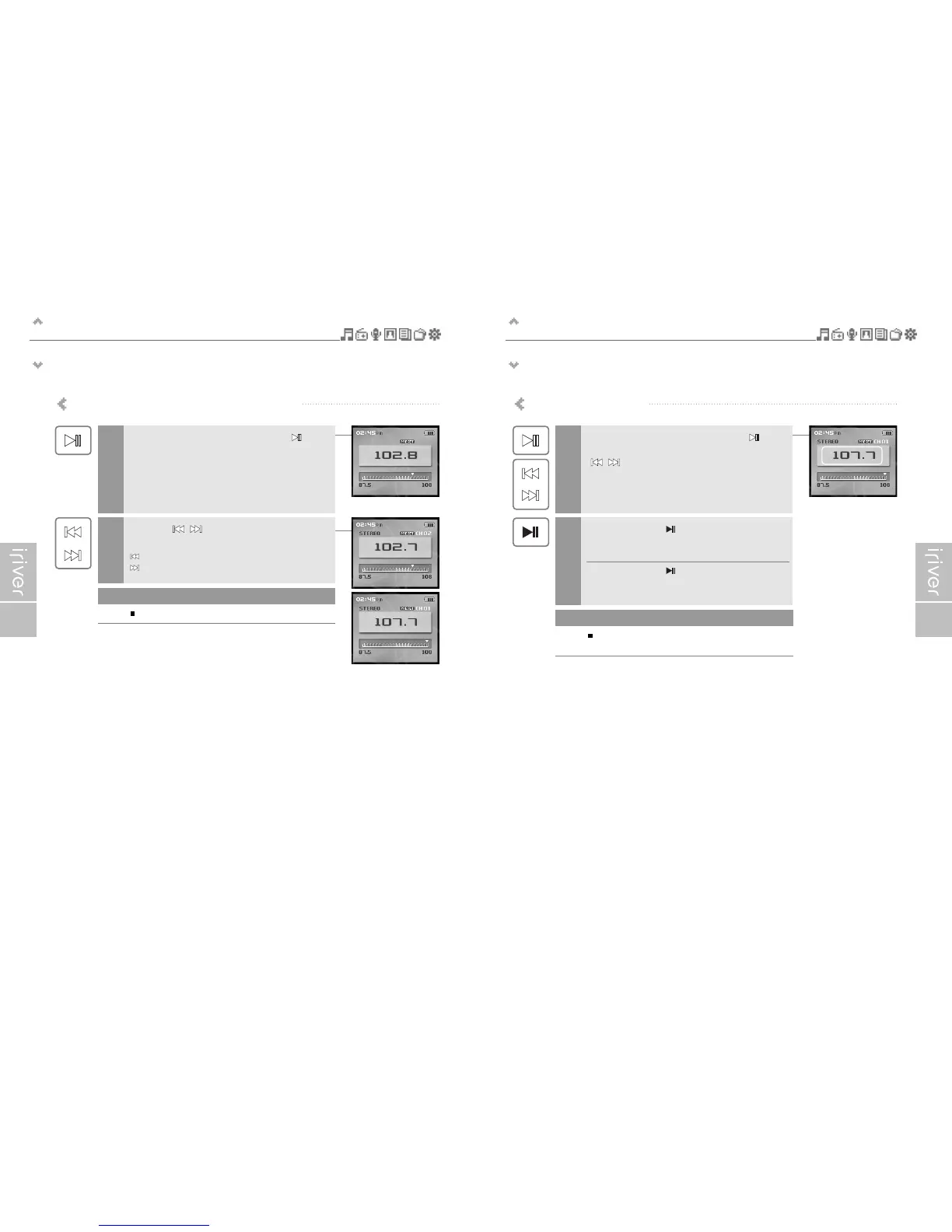
If <PRESET> is not displayed, press the [ ]
button to enable "Preset" mode, and press the
[ / ] button to select a stored station.
1
Press and hold the [ ] button.
The selected station will be erased and the next station
will be displayed.
Press and hold the [ ] button again to erase
the next station.
2
If all channels are deleted, PRESET mode will be
disabled until another station is stored.
Note
Scanning FM radio frequency – PRESET feature
If <PRESET> is not displayed, press the [ ]
button to enable "Preset" mode.
1
Press the [ / ] button to move to
previous/next Preset station.
: Moves to previous Preset station
: Moves to next Preset station
2
Only stored Preset stations can be selected.
Note



 To Next Page