EasyManua.ls Logo

iRobot H1 - User Manual

iRobot H1
13 pages
Print Icon
To Next Page IconTo Next Page
Loading...
WC#: 4744413vA
Owner’s Guide
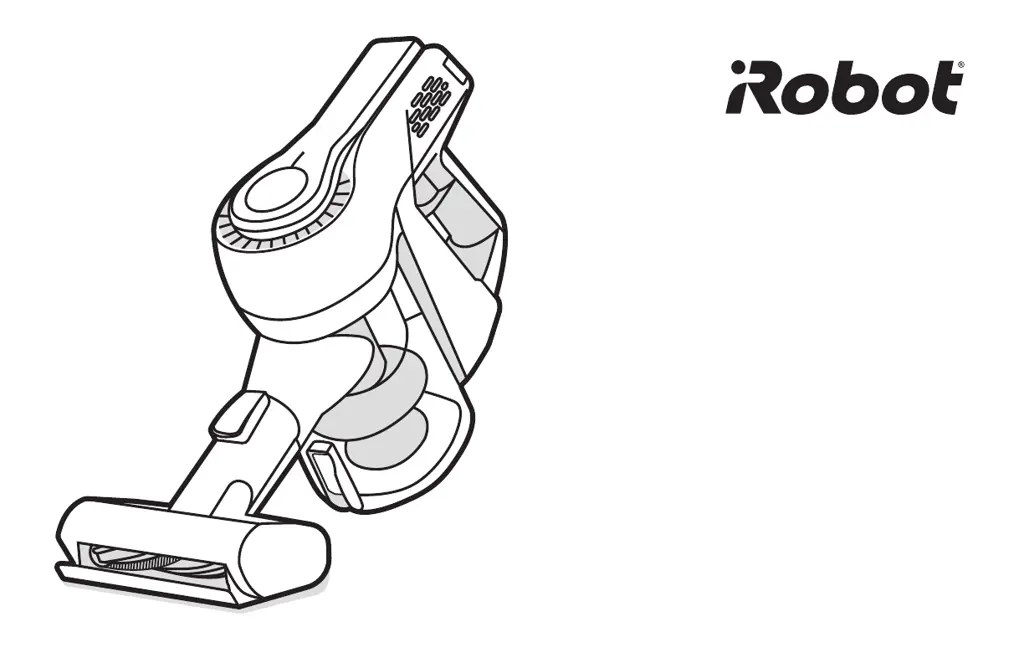
Handheld Vacuum H1

Questions and Answers

  • S
    sanchezjeffreyAug 15, 2025
    What to do if the LED light flashes red during operation of my iRobot Vacuum Cleaner?
    • S
      Steven HallAug 15, 2025
      If the LED light flashes red during operation, it could be due to a blocked suction air way. Check and clear all debris. If the upholstery tool is attached, inspect and clear the roller. Another reason could be low battery power; in that case, fully charge the battery before use.
  • H
    Hannah TuckerAug 18, 2025
    What to do if the iRobot Vacuum Cleaner LED Light flashes red during operation?
    • L
      lisamitchellAug 18, 2025
      If the iRobot Vacuum Cleaner's LED light flashes red during operation, it could be due to a blocked suction vent. Check the suction vent for any debris and clear it. Also, if the Upholstery Tool is attached, inspect and clear the roller. Another reason could be low battery power, so fully charge the battery before using the vacuum.
  • T
    Tyler ParrishAug 22, 2025
    Why is the LED Light flashing red and blue during charging of my iRobot H1?
    • M
      Michael HooverAug 22, 2025
      If the LED Light on your iRobot Vacuum Cleaner flashes red and blue during charging, it indicates that the battery is not properly placed in the vacuum. Insert the battery into the vacuum and charge it. If the issue persists, please contact Customer Care.
  • T
    Thomas AbbottAug 25, 2025
    Why does my iRobot H1 Vacuum Cleaner have reduced suction?
    • R
      Ryan OwensAug 26, 2025
      Reduced suction in your iRobot Vacuum Cleaner can occur for several reasons. The dust bin might be full, so try emptying it. Alternatively, the dust bin filter could be blocked, requiring cleaning or replacement. Finally, the air way may be obstructed; check and clear any blockages.
  • D
    David HuntAug 28, 2025
    Why does my iRobot H1 Vacuum Cleaner have insufficient run time after charging?
    • L
      Lisa WhiteAug 29, 2025
      Insufficient run time after charging your iRobot Vacuum Cleaner can be due to insufficient charging time. Ensure you fully charge the battery according to the instructions in the owner’s guide. It could also be due to normal discharge reduction in the battery, meaning it may be time to purchase a new battery.
  • D
    David MunozAug 31, 2025
    What to do if the LED light flashes red and blue during charging my iRobot H1 Vacuum Cleaner?
    • C
      curtiscolinAug 31, 2025
      If the LED light flashes red and blue during charging, it might be because the battery is not properly placed in the vacuum. Ensure the battery is inserted into the vacuum while charging.
  • D
    dennismurraySep 4, 2025
    What to do if the LED light does not turn on while charging my iRobot H1 Vacuum Cleaner?
    • A
      amber38Sep 4, 2025
      If the LED light does not turn on while charging, it may be that the vacuum is connected to the wrong charger. Only use the charger originally provided with your handheld vacuum (charger model YLS0241A-T260060).
  • R
    Robert Allen VSep 7, 2025
    Why the LED Light does not turn on during charging my iRobot Vacuum Cleaner?
    • J
      John JacksonSep 7, 2025
      If the LED light on your iRobot Vacuum Cleaner doesn't turn on during charging, it's likely connected to the wrong charger. Ensure you are using only the charger originally provided with your handheld vacuum (charger model YLS0241A-U260060).
  • J
    jennifer79Sep 12, 2025
    Why iRobot Vacuum Cleaner has insufficient running time after charging?
    • M
      Mr. Dylan HamiltonSep 12, 2025
      If your iRobot Vacuum Cleaner isn't running long enough after charging, it might not be charging for a sufficient time. Ensure the battery is fully charged according to the instructions in the Owner’s Guide. It's also possible that the battery has a normal discharge reduction; in this case, consider purchasing a new battery.

Summary

Safety Information

General Safety Warnings

Covers crucial warnings for safe operation, including avoiding wet surfaces, use by children, damaged equipment, and flammable materials.

Battery Safety Precautions

Details essential safety guidelines for charging, handling, and storing the battery pack to prevent fire and injury risks.

Using Your Handheld Vacuum

Charging the Vacuum

Instructions on how to charge the vacuum, including LED indicators and charging time.

Cleaning and Operation Modes

Troubleshooting Common Issues

Care and Maintenance

Bin Maintenance and Cleaning

Instructions for emptying and cleaning the dust bin and its components.

Specific Cleaning Procedures

iRobot H1 Specifications

General IconGeneral
BrandiRobot
ModelH1
CategoryVacuum Cleaner
LanguageEnglish

Related product manuals