EasyManua.ls Logo

Irritrol Total Control - User Manual

Irritrol Total Control
20 pages
Print Icon
To Next Page IconTo Next Page
Loading...
i
Tu r n O f f W a t e r i n g
1. Set dial to Off/Rain Delay. (After two seconds,
all watering will stop.)
To return controller to normal operation, set dial to Run.
Set Time and Date
1. Set dial to Current Time & Date.
2. To change, use + and buttons: press NEXT for next functions:
hour, minutes, year, month, day.
Set Station Watering Time
1. Select program with Program switch.
2. Set dial to Station Times.
Controller displays first station’s watering time.
3. To change, use + and buttons: press NEXT for next station.
Select Days to Water
1. Select program with Program switch.
2. Set dial to Watering Days. Controller displays current watering
schedule. To change, use the steps provided for one the following
options: Specific Days of the Week, Odd or Even days, or Day
Interval.
Specific Days of the Week
a. Press NEXT until the days of the week are displayed.
b. Press ON to select weekdays option.
c. For flashing day, press ON to select or OFF to remove from
schedule.
d. Press NEXT.
e. Repeat step (b) and (c) for each day.
Odd or Even Days
a. Press NEXT until the Odd Days or Even Days option is
displayed.
b. Press ON to select.
Day Interval Watering (1-30 days)
a. Press NEXT until the Day Interval option is displayed.
b. Press ON to select day interval option.
c. Press NEXT; controller displays currently programmed day
interval.
d. Use + and buttons to select day interval watering
(1 to 30 days).
e. Press NEXT until “Today” is displayed.
f. Use + and buttons to select the desired setting for today.
This allows you to begin the day interval watering cycle at
any time.
EXAMPLE: To water every third day starting today, select today
as day 3. To water every 5 days starting tomorrow, select today
as day 4.
Select Program Start Times
1. Select program with Program switch.
2. Set dial to Program Start Times.
3. To change, use + and buttons; press NEXT for next start time.
NOTE: This sets the time to start watering all stations in sequence.
To water more than once per day, use additional start times.
Total Control 36 and 48 Station Quick Reference Guide
Continued
T
u
r
n
Of
f
f
f
W
a
t
e
ri
n
g
Se
t
d
ial
to
O
ff/R
a
in
D
ela
y
.
(
Afte
r
t
w
o
seconds
,
a
ll
waterin
g
w
ill
stop.
)
To
r
e
turn
co
ntr
o
ll
er
t
o
no
rm
a
l o
p
eration,
s
e
t
d
i
a
l t
o
R
u
n
.
S
et
T
im
e
a
n
d
D
a
t
e
Se
t
d
i
a
l
to
C
u
rr
e
n
t
Ti
me
&
D
ate
.
2
.
T
o
ch
an
g
e,
us
e
+
a
n
d
b
utton
s
:
p
ress NEX
T
fo
r n
e
xt
f
unction
s
:
h
o
u
r
,
m
i
nutes
,
y
ear
,
month
,
da
y
.
S
et
S
tat
i
on
Wa
t
er
i
n
g
T
i
m
e
S
elec
t
p
r
og
ram
w
i
th
P
ro
g
ra
m
s
witch
.
2.
S
e
t
d
i
a
l
to
Stat
i
o
n
Ti
me
s
.
Co
ntr
o
ll
e
r
d
isplays
f
irst station
s waterin
g
tim
e.
3.
T
o
c
hange,
us
e
+
a
n
d
button
s
:
p
re
ss
NEXT
f
or
ne
x
t
s
t
a
t
io
n.
S
e
l
ec
t
D
a
y
s
to
W
ater
W
W
S
elec
t
p
r
og
ram
w
i
th
P
ro
g
ra
m
s
witch
.
2.
S
e
t
d
ial
to
Wa
t
ering Day
s
.
Controlle
r
d
ispla
y
s
c
urr
e
n
t
water
i
n
g
s
chedule. T
o
chan
g
e, u
s
e the steps
p
rovided
f
or
o
ne
t
he
f
ollowin
g
op
tions:
Sp
ecific
D
ays
of
t
he
W
e
ek,
O
dd
or
E
v
e
n
d
ays,
o
r
D
a
y
I
nt
e
rv
al
.
S
pecific
D
a
y
s
o
f
t
he
W
eek
a
.
P
re
ss
NEXT
u
ntil the da
y
s of the week are displa
y
ed.
b.
Pre
ss
ON
to
s
elect week
d
a
y
s o
p
tion
.
c
.
For
f
lashin
g
d
a
y
,
p
ress
ON
t
o
select
o
r
O
FF
to
r
e
m
o
v
e
f
r
om
s
c
h
e
d
ule.
d
.
P
ress
NEXT
.
e.
Re
p
ea
t
s
t
ep
(
b)
a
n
d
(c)
f
o
r
ea
c
h
d
a
y
.
Odd
o
r Ev
e
n Days
a.
P
re
ss
NEXT
u
ntil
t
he
O
dd
D
a
y
s
o
r
E
ven
D
a
y
s option i
s
d
ispla
y
e
d.
b
.
P
re
ss
ON
to
s
elect
.
Da
y
In
te
rv
a
l
W
atering
W
W
(
1-30
d
a
y
s)
a
.
P
ress NEX
T
u
ntil
t
h
e
D
a
y
I
nt
e
rv
a
l
op
tion
s displayed
.
b
.
P
re
ss
ON
t
o
s
e
l
ect
d
a
y
i
nt
e
rv
al
opt
i
on
.
c.
P
re
ss
NEX
T
;
c
o
ntr
o
ll
e
r
d
ispla
y
s currentl
y
pro
g
ramme
d
d
a
y
i
nt
e
rv
al
.
d
.
U
se
+
a
n
d
buttons t
o
s
elect day int
e
rv
a
l
w
aterin
g
(
1
t
o
3
0 da
y
s
)
.
e
.
P
ress NEX
T
u
ntil
“T
oday”
T
T
s
d
isplayed
.
f.
Us
e
+
and
button
s
to
s
elect the de
s
ired settin
g
fo
r
toda
y
.
Thi
s
allow
s
y
o
u
t
o
b
e
g
in
t
he da
y
i
nterval waterin
g
cycle at
an
y
t
im
e.
E
XAMPLE
:
To
wa
t
e
r ever
y
thir
d
d
a
y
s
tartin
g
t
oda
y
, select toda
y
a
s
d
a
y
3. T
o
w
ater
every
5
y
d
a
y
s starting
to
m
o
rr
o
w,
s
elect to
d
a
y
as day
4
.
S
elect
Pr
ogram
S
tart
T
im
es
.
S
elec
t
p
r
og
ram
w
i
th
P
rogram
s
witch.
2.
S
et dial
t
o
P
ro
g
ram
Sta
r
t
Ti
me
s
.
3. T
o
c
h
ange, u
s
e
+
a
n
d
b
uttons
;
p
re
ss
NEXT
f
o
r n
e
x
t
s
ta
r
t
tim
e.
NO
TE
:
This sets th
e
tim
e
to
start waterin
g
a
ll stations in se
q
uence
.
T
o
w
ater
mo
r
e
t
ha
n
o
nc
e
p
e
r
d
a
y
,
u
s
e
add
iti
o
n
a
l
st
ar
t
time
s.
T
ota
l
Co
n
t
r
o
l
36
a
n
d
4
8
Stat
i
o
n
Q
uick
Refe
r
e
n
ce
Gu
i
de
C
ontinue
d
Total Control User’s Guide
for 36 and 48-Station Models
EnglishEspañolFrançais
Question and Answer IconNeed help?

Do you have a question about the Irritrol Total Control and is the answer not in the manual?

Summary

Features

General Information

How the Backup System Works

Explains the controller's backup system and battery for data retention.

How the Electronic Circuit Breaker Works

How the Rain Sensor Feature Works

Climate Logic Automatic Weather-Following System

Remote Radio Communication Feature

Programming the Controller

Getting Started

Guide to initial setup and understanding watering programs.

Time and Date Setup

Instructions for setting the controller's internal clock and calendar.

Station Configuration

Set individual station run times and master valve/pump start control.

Program Scheduling

Configure program start times and select watering day schedules.

Program Management

Procedure to clear individual program watering data.

Operating the Controller

% WATER BUDGET - SEASON ADJUST

Adjusts station run times by percentage for seasonal changes.

% WATER BUDGET - MONTHLY ADJUST

Micro-adjusts watering on a monthly basis for water conservation.

PROGRAM STACKING

Selects how many programs can run simultaneously based on water pressure.

MANUAL OPERATIONS

Runs individual stations or entire programs manually.

RAIN - OFF

Overview

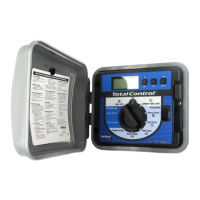
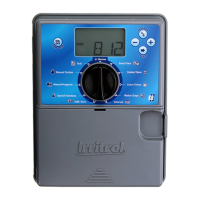
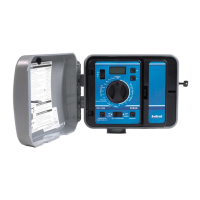
The Irritrol Total Control is an irrigation controller designed for managing watering schedules across 36 or 48 stations. It features a unique modular design for ease of installation and service, allowing the timing module (TM) to be removed from the cabinet for convenient programming.

Function Description:

The Total Control controller manages up to four fully independent watering programs (A, B, C, D), which can be set to run concurrently or stacked for delayed operation. Each program allows for flexible watering schedules based on specific days of the week, odd dates, even dates, or intervals from 1 to 30 days. Users can selectively remove days from odd/even schedules (e.g., water on even-numbered dates except Sundays). The controller incorporates a 365-day calendar with automatic leap year compensation, ensuring accurate date tracking. It supports up to sixteen total start times across all programs, with station watering times adjustable from 0 minutes to 10 hours in 1-minute increments.

The controller includes a "% Water Budget" feature for seasonal or monthly adjustments, allowing users to increase or decrease station run times by percentage (0% to 200% in 10% increments) without altering original program memory. This helps optimize irrigation based on weather conditions. The "Program Stacking" feature enables users to limit the number of programs that can operate simultaneously (from one to four), accommodating varying water pressure and delivery rates.

Manual operations are available for individual stations or entire programs. Single stations can be operated for untimed durations (On/Off) or for selectable durations from one minute to 10 hours. Manual program cycles allow users to run an entire program or start at any point within the station sequence.

A "Rain Delay" mode allows users to suspend automatic watering for 1 to 7 days, with the controller resuming operation automatically at the end of the delay period. Alternatively, the controller can be turned "OFF" indefinitely, halting all watering activity while retaining programmed information.

The Total Control is equipped with a sensor control switch to interface with normally-closed rain switch devices, preventing automatic watering during rain. It also supports the Irritrol Climate Logic™ weather sensor system, which automatically modifies the water budget percentage based on real-time weather data. Additionally, the controller features a remote port for connecting optional remote control receivers and supports third-party radio communication devices.

Important Technical Specifications:

  • Station Capacity: 36 or 48 stations.
  • Programs: Four independent programs (A, B, C, D).
  • Start Times: Up to 16 total start times across all programs.
  • Station Watering Time: 0 minutes to 10 hours (in 1-minute increments).
  • Water Budget: 0% to 200% (in 10% increments) for seasonal/monthly adjust.
  • Rain Delay: 1 to 7 days.
  • Memory: Non-volatile memory retains programmed information for up to 30 years in case of power failure.
  • Time/Date Retention: 9-volt alkaline battery (included) maintains accurate time and date for up to 90 days during power failures.
  • Power Output: Maximum total output of 24 V a.c. at 1.25 amps for valves.
  • Wire Connections: Terminal blocks accommodate two 12 AWG (4 mm2) stranded or solid copper wires per station. Color-coded quick connect terminals.
  • Grounding: Earth ground lugs for 6 AWG (10 mm2) copper ground wire(s).
  • Fuse: Replaceable 2.0A slow-blow fuse for internal short-circuit protection.
  • Sensor Compatibility: Normally-closed rain switch devices, Irritrol Climate Logic™ weather sensor system.
  • Remote Communication: 6-pin remote port for third-party radio receivers/control devices.

Usage Features:

  • LCD Display: For viewing time, program, and status information.
  • Function Dial: For selecting programming and operating functions.
  • +/On & –/Off Buttons: For entering program information and toggling selections.
  • NEXT Button: For selecting information to be programmed or reviewed, or advancing through stations/start times.
  • Program Select Switch: For selecting programs A, B, C, or D.
  • Master Valve/Pump Start: Selectable On/Off per program.
  • Electronic Circuit Breaker: Self-diagnostic system identifies and overrides faulty stations (flashes "SHORT" and station number) while continuing to water other stations. Cancels program if master valve circuit is shorted.
  • Remote Radio Communication: Enabled/disabled via % Water Budget setting (R-ON, R-OFF, R-CEN for third-party control).
  • Program Erase: Independent erase function for each program, resetting memory to factory conditions (no station time, no start time, no active water days, 100% Season Adjust, Master Valve/Pump Start "On").

Maintenance Features:

  • Battery Compartment: Easy access for 9-volt alkaline battery replacement.
  • Fuse Replacement: Accessible spare fuse holder and replaceable 2.0A slow-blow fuse.
  • Troubleshooting Guide: Provides common conditions activating the electronic circuit breaker, diagnoses, and solutions.
  • Modular Design: Facilitates easy removal of the timing module for service or programming.

Irritrol Total Control Specifications

General IconGeneral
BrandIrritrol
ModelTotal Control
CategoryController
LanguageEnglish

Related product manuals