C.P. SENTINEL AUTOMATIC TYPE CATHODIC PROTECTION RECTIFIER MANUAL
INTEGRATED RECTIFIER TECHNOLOGIES, INC.
Doc #: APC0010
Rev. 3.0, November, 2004
Page 16 of 22
INITIAL ENERGIZATION
After the rectifier has been properly connected to the AC supply and the DC output cables,
(and Reference Electrode – Structure Sensing leads in the case of a potentially controlled type
of rectifier) it is ready to be energized. Before energizing, always double-check both the AC
and DC connections to ensure they are properly connected. Ensure that for dual input
rectifiers (115 / 230 or 230 / 460 VAC), the AC input terminal jumpers are properly configured
for the actual AC input voltage being supplied and that the AC input wires are connected to the
proper terminals. For Current Controlled rectifiers, ensure that the rectifier is at its lowest
control setting, by adjusting the “Current Adjust” potentiometer to zero. Use a multi-meter to
verify static Reference Electrode – Structure potentials and record for later reference.
ENERGIZATION ALERT!!
If the rectifier is to be used on a CP system protecting the inside of a vessel
ensure the vessel contains fluid sufficient to cover the anode system and the
Reference Electrode.
Place the AC fused disconnect switch to the “ON” position and measure across the rectifier AC
input terminals to ensure the voltage present is as expected. Next, place the rectifier AC input
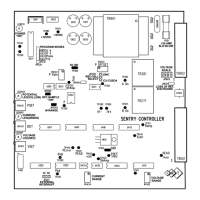
circuit breaker also to the “ON” position. The “POWER ON” Yellow LED on the SENTRY
Controller will illuminate. The SENTRY Controller is designed with a “slow start” circuitry to
minimize in-rush currents and to prevent the rectifier from starting at full output. This slow start
time period will last from 3 – 10 seconds. There will be some deflection on the panel meters,
especially the Potential Meter (although this deflection may be quite minimal on the Ammeter
and Voltmeter). For units with a metering switch, ensure to set this switch to the “ON” position.
For Automatic Current rectifiers, simply adjust the “Current Adjust” potentiometer to the
required current. This current will be read on the rectifier Ammeter. The rectifier ammeter can
be verified by measuring the voltage (in Millivolts) across the calibrated test screws of the rectifier
shunt (not across the connection bolts). To determine the current through the shunt from the
millivolt reading taken, the following formula can be used:
DC Current (I) = Measured Shunt Voltage (Millivolts) X Rated Shunt Current
Rated Shunt Voltage (50 Millivolts typical)
Note: Rated shunt current and voltage values are stamped onto the body of the shunt
and are also shown on the rectifier data page.
The ammeter can also be verified with an external DC clamp-on type meter, if available.
It is recommended that all initial energization readings be recorded for future reference. Useful
readings to record are structure potential levels prior to energization, AC input voltage &
current, DC output voltage and current, tap or adjustment dial setting, structure potential levels
after energization, as well as any observed problems or possible future concerns with the
installation, in general.
For Automatic Potential Rectifiers, activate the Potential Switch to the “SET” position and
observe the “SET” level of potential control on the Potential Meter. Adjust the required
potential control level with the Potential Adjust potentiometer to the desired level of control.
Release the Potential Switch and observe the “Actual” potential on the Potential Meter. When
operating in this mode, the Yellow LED will be illuminated. It is important to note that if the


 To Next Page
 Loading...