DMP253en | 1st Issue rev. 0 | 04/2022
•
•
•
•
•
•
•
•
•
•
4.2.1 Keypad Brightness
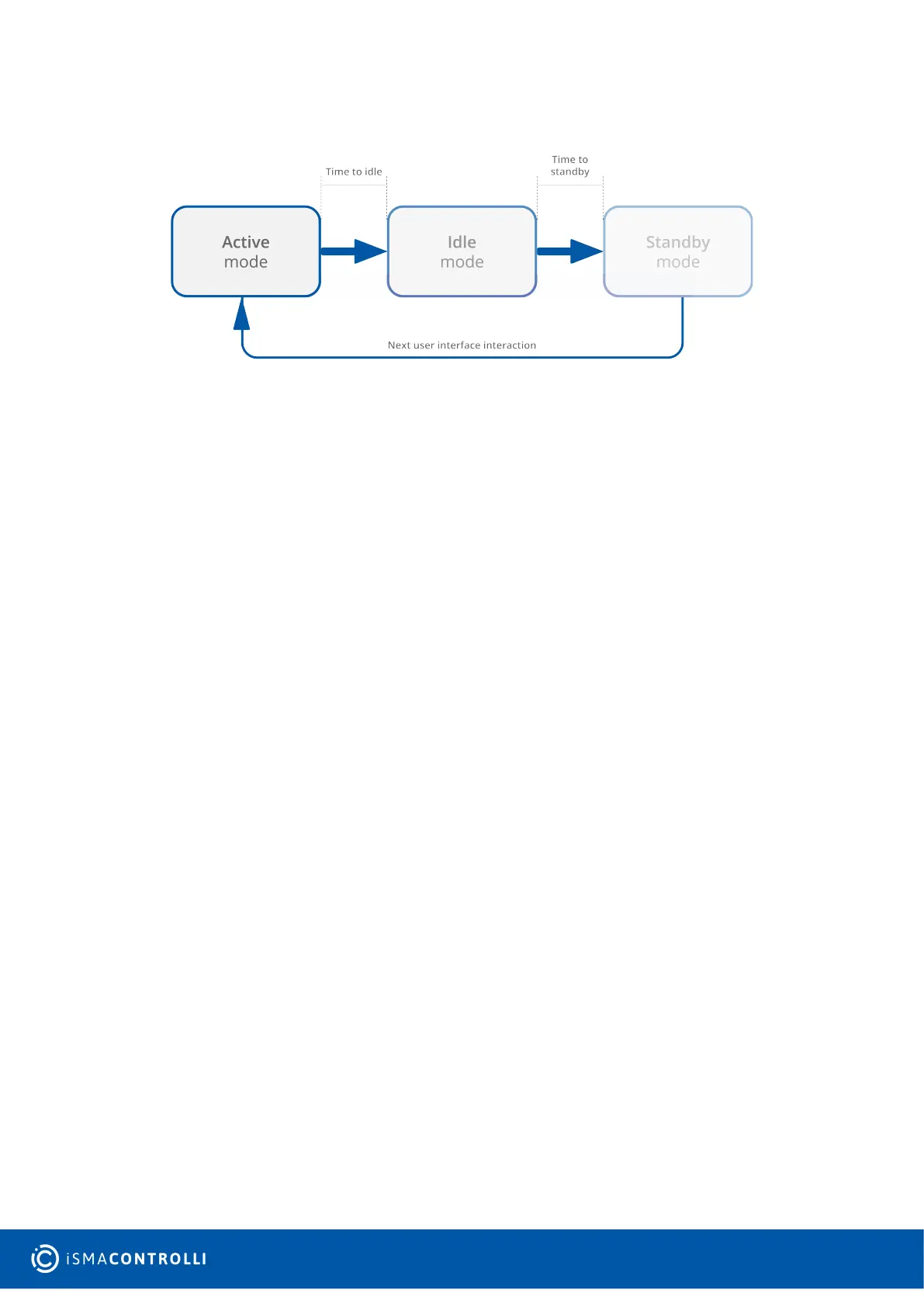
Figure 5. Brightness modes sequence
Active Mode Settings
BACKLIGHT_KEYPAD_ACTIVE:contains a value of the LCD display brightness in the active
mode (expressed in %). The default value is 60%.
Modbus register: 40212;
BACnet object: AO8, property: Present Value;
BACKLIGHT_KEYPAD_TIME_TO_IDLE:allows to set the time, after which the LCD display
goes from the active mode to idle (expressed in seconds). The default value is 10
seconds.
Modbus register: 40215;
BACnet object: AO11, property: Present Value;
Idle Mode Settings
BACKLIGHT_KEYPAD_IDLE:contains a value of the LCD display brightness in the idle
mode (expressed in %). The default value is 40%.
Modbus register: 40213;
BACnet object: AO9, property: Present Value.
BACKLIGHT_KEYPAD_TIME_TO_STANDBY:allows to set the time, after which the LCD
display goes from the idle mode to standby (expressed in seconds). The default value is 5
seconds.
Modbus register: 40216;
BACnet object: AO12, property: Present Value.
Standby Mode Settings
BACKLIGHT_KEYPAD_STANDBY:contains a value of the LCD display brightness in the
standby mode (expressed in %). The default value is 0%.
Modbus register: 40214;
BACnet object: AO10, property: Present Value.
The panel stays in the standby mode until next user interface interaction.


 To Next Page