DMP253en | 1st Issue rev. 0 | 04/2022
•
•
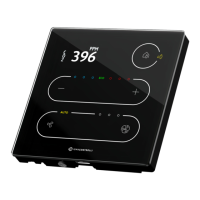
How to Change the Fan Mode on the Touchscreen?
Use a small fan button to decrease the value by one.
Use a big fan button to increase the value by one.
Reached limit is signalized by a double beep.
A long press is not available for this feature.
6.1.1 LEDs
Value of the FAN_CURRENT_SPEED parameter is presented on the LEDs ladder as follows:
fan speeds from 1 to 3 lights up a single led for each level (same for manual and auto);
auto settings light up an Auto LED.


 To Next Page