DMP253en | 1st Issue rev. 0 | 04/2022
•
•
•
•
•
•
•
•
•
•
Current Display Brightness
BACKLIGHT_KEYPAD:contains a current display illumination value.
Modbus register: 30202;
BACnet object: AI2, property: Present Value.
4.3 Touchscreen
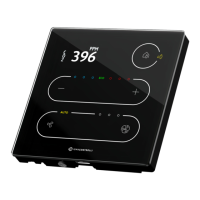
The TP panel is equipped with a touchscreen with 5 buttons for occupancy,
temperature(+/-), and fan (+/-)control.The touchscreen buttons can beactivated or
inactivated using the following parameter or in the iSMA Configurator:
DEVICE_CONFIGURATION, bit 12:KEYPAD_OFF
Modbus register: 40205;
BACnet object: BO10, property: Present Value.
Each available button operates in two modes:
short press: minimal touch time: 70 ms, maximal touch time: 400 ms;
long press: minimal touch time: 400 ms, maximal touch time: 11 s.
Functionality assigned to a given button can limit mentioned operation modes to any
combination of the two.
4.4 Navigation LED
The TP panel is equipped with a navigation LED, which allows to locate the panel in the
dark. The navigation LED can be configured using the following parameters or in the iSMA
Configurator:
NAVIGATIONAL_LED_MODE:allows to set a mode of the navigational LED according to
the table below:
Bit Mode if Bit Active
0 Off
1 On (default)
2 Active on idle and standby modes
3 Active on idle mode only
4 Active on standby mode only
Table 11. Navigation LED modes
Modbus register: 30231;
BACnet object: MSV5, property: Present Value;
NAVIGATIONAL_LED_BRIGHTNESS:allows to set the navigational LED brightness. In the
range of 0-100%, the default value is 100%;
Modbus register: 30232;
BACnet object: AO22, property: Present Value;


 To Next Page