DMP253en | 1st Issue rev. 0 | 04/2022
•
•
•
•
•
•
Modbus register: 41513;
BACnet object: BO55, property: Out Of Service;
Bit Name 0 1
1 Editable Not editable Editable (default)
2 Operating mode Changing offset Changing setpoint (default)
Table 13. Temperature setpoint configuration
SETPOINT_STEP: allows to set a temperature's setpoint step value. If the setpoint is
changed locally from the panel (using -/+ buttons), a single press of a button causes a
setpoint change with the step value stored in this register. The setpoint can be changed
in the range determined by setpoint limits stored in the SETPOINT_LOW_LIMIT and
SETPOINT_HIGH_LIMIT parameters.
The setpoint's step value is also automatically adjusted to the setpoint display precision. If
the bit 4 of the SETPOINT_CONFIGURATION register is true, the setpoint value is
displayed with one decimal place. In such case, the setpoint's step value is also adjusted
to one decimal place. The register contains a value multiplied by 10. The default value is
10 (1
o
C);
Modbus register: 41508
BACnet object: AV56, property: 4206;
EXIT_EDIT_TIME:allows to set the time after which edition of any editable parameter is
finished. The parameter is set in seconds. The default value is set to 5 seconds;
Modbus register: 40224
BACnet object: AO17, property: Present Value.
How to Change the Temperature Setpoint on the Touchscreen?
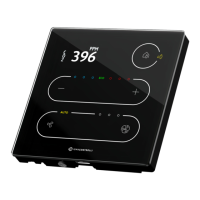
Short press + or - button to enter an edit mode (display should start blinking with
a current value);
Change the temperature setpoint value by steps set in the SETPOINT_STEP:
- button decreases the value (multiple times for long press);
+ button increases the value (multiple times for long press).
Reaching a limit value will be signaled with a double beep.
Device will automatically exit the edit mode after the time set in the
EXIT_EDIT_TIME expires from a last interaction.
LEDs
The device shows a difference between the EFFECTIVE_SETPOINT and
TEMPERATURE_SENSOR values on an LEDs ladder, which indicates the following:
For description of all bits of the SETPOINT_CONFIGURATION parameter seeUser
Interface Parameters.


 To Next Page