18-54
18. BF200D • BF225D • BF250D iST
®
CONTROL HANDLE (LEVER) SELECTION
BF200D • BF225D • BF250D iST
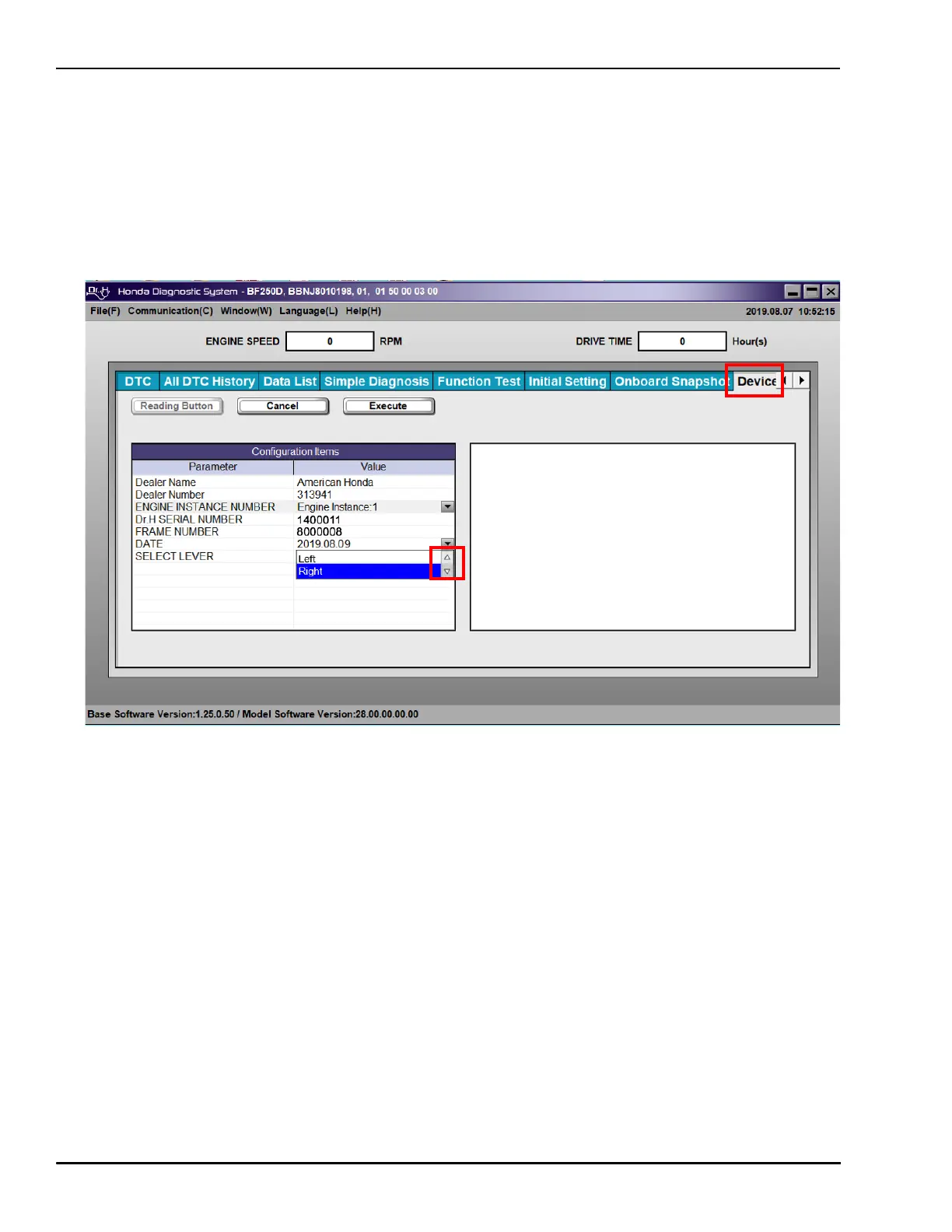
1. On the Device tab, click the Select Lever drop-down arrow and choose Right to assign the right
control handle to Engine Instance 1.
The Select Lever is set to Left from the factory on all engines. The port engine will generally remain
as Left. The Starboard engine should be changed to Right so the right lever can independently
control the engine. Centrally mounted engines can be assigned Left or Right depending on user
preference.


 To Next Page